Article
Noindex tag: what it is and how to use it for SEO
SEO7 min read

Guillaume SchluppConsultant SEO
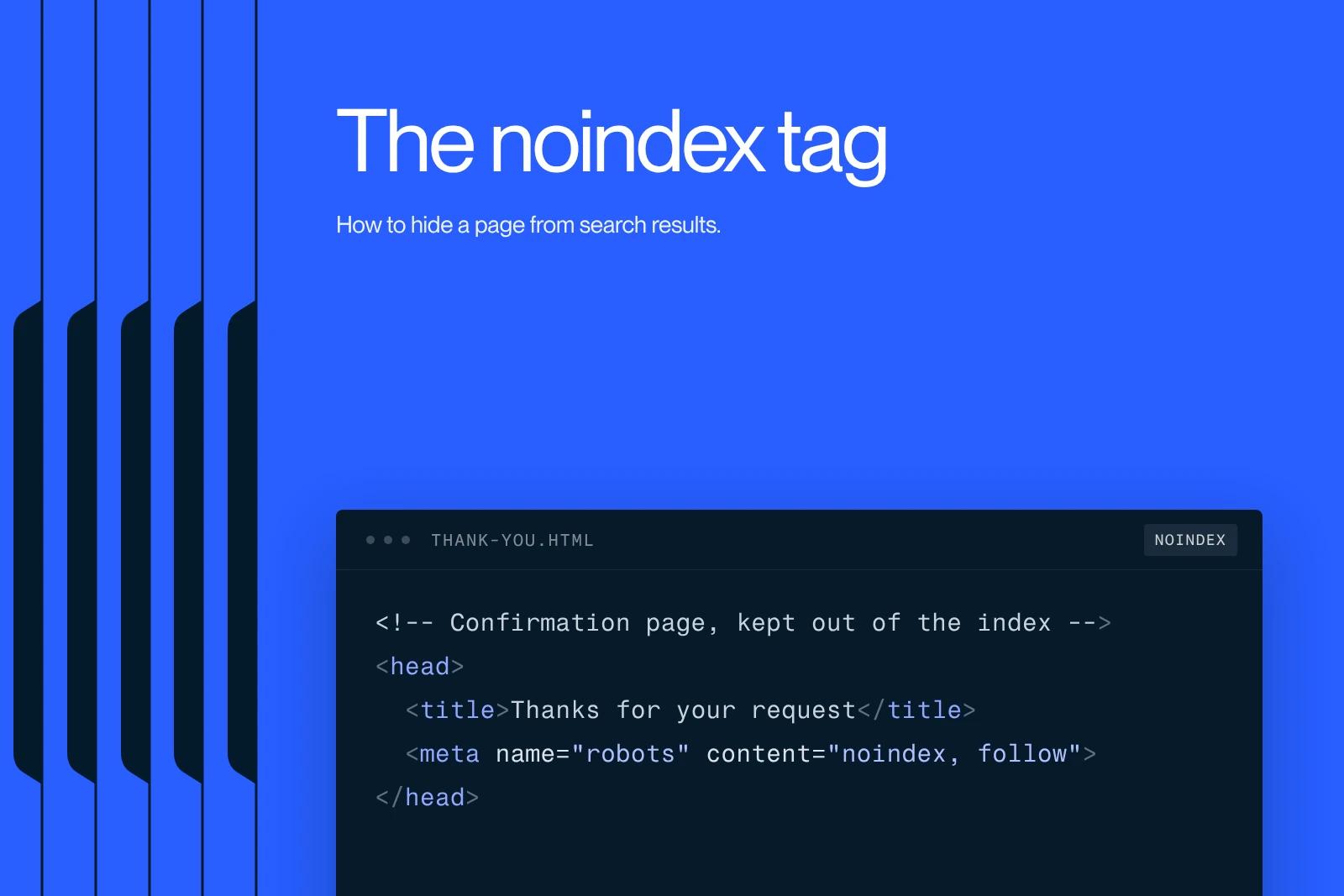
The noindex tag is an HTML tag that tells search engines not to index a page and to hide it from search results.
Explore this post with…
The noindex tag is one of the most powerful tools in technical SEO, and one of the most misused. As a Webflow SEO agency, Synqro regularly sees sites where strategic pages are hidden by mistake, or where useless pages clutter Google's index. Understanding what noindex is, how it works and when to use it is essential to optimize your site's visibility in search engines.
What is the noindex tag?
The noindex tag is an HTML tag of the meta robots type, placed in the <head> section of a page's source code. It tells search engines not to include the page in their index, and therefore not to show it in search results.
In practice, here is the basic syntax:<meta name="robots" content="noindex">
This directive speaks directly to the crawlers (or bots) of search engines like Google, Bing or Yahoo. When a crawler visits a page and detects this tag in the page's HTML code, it records the instruction and does not index the page's content.
Key takeaways:
- The tag goes in the <head> section of the HTML code
- Most crawlers read and respect it
- It doesn't stop the crawler from visiting the page, only from indexing it
- It can be combined with other directives like nofollow
Noindex vs disallow: two different ways to block indexing
People often confuse noindex and disallow. Both directives are used to stop search engines from showing certain pages, but they work in radically different ways.
Disallow, used in the robots.txt file, blocks crawlers from accessing a URL. But if Google can't access the page, it can't read the noindex tag inside it either. As a result, a page blocked in robots.txt can paradoxically stay in the index if it was already crawled or if external links point to it.
| Criterion | Noindex | Disallow (robots.txt) |
|---|---|---|
| Location | Meta tag in the <head> | robots.txt file |
| Prevents crawling | No | Yes |
| Prevents indexing | Yes | Not guaranteed |
| Readable by the crawler | Only if the page is crawlable | Always |
| Recommended use | Pages to hide from the SERPs | Pages not to crawl |
The rule is simple: to block indexing of a page while still letting the crawler read it, use noindex. To save crawl budget, use disallow.
Noindex and nofollow: which combination should you choose?
The meta robots tag accepts several values you can combine. Among the most common are noindex and nofollow. These two directives have different effects.
- noindex: prevents the page from being indexed
- nofollow: asks crawlers not to follow the links on that page
The noindex, nofollow combination is therefore the most restrictive. It says both not to index the page and not to pass authority through outbound links. It's a useful directive for login pages, member areas or temporary pages.
On the other hand, noindex, follow is an often underrated option: it prevents indexing while letting crawlers follow the links and pass PageRank to other pages on the site. In other words, the page still helps internal SEO flow even if it doesn't appear in the SERPs.
When should you use the noindex tag for SEO?
This is where mastering noindex in SEO really matters. Not every page on a site is meant to be indexed. Some pages are of no interest to users in search results, or can actively hurt your rankings.
The most common use cases for noindex:
- Internal search pages (filtered results, sorting by category)
- Pagination pages that partly duplicate content
- Legal notice, terms of use and privacy policy pages
- Login, cart or customer account pages
- Pages with duplicate content or test pages still in development
- PDF files available online with no SEO value
- Automatically generated low-quality pages (tags, empty archives)
Applying noindex to these pages lets you focus your site's authority on the pages that truly deserve to be indexed.
Using noindex to prevent duplicate content
Duplicate content is one of the most common problems in technical SEO. When several pages show duplicate content (whether from URL variations, misconfigured canonical tags or pagination), Google can struggle to identify the reference version.
In this context, noindex can be a complement to the canonical tag. If a page exists for technical reasons but shouldn't be indexed, applying noindex is more reliable than relying only on the canonical tag, which Google sometimes ignores.
Note that noindex doesn't solve every duplication problem. A complete strategy includes:
- The canonical tag to signal the main version
- Noindex for variants with no editorial value
- Disallow to limit crawling of purely technical pages
- A clear site architecture, especially in a CMS like Webflow
Webmasters who combine these approaches get much cleaner, more consistent page indexing.

How to set up noindex in Webflow
Webflow makes it easy to set up noindex without touching the source code directly. The platform has built-in SEO options for each page, which is a big advantage for webmasters who aren't developers.
In Webflow, to use the noindex tag on a specific page:
- Open the settings of the page
- Go to the "SEO Settings" tab
- Check the "Exclude this page from search results" option
- Publish your changes
Webflow automatically generates the <meta name="robots" content="noindex"> tag in the page's head. This feature can also be applied through CMS fields to several pages at once, especially if you manage dynamic content collections.
You can also index a page again or roll back at any time. It's one of Webflow's advantages to optimize technical SEO management without custom development.
Mistakes to avoid with noindex
Mastering noindex also means knowing what not to do. Some mistakes can quietly hurt your entire site.
Common mistakes we see:
- Applying noindex to strategic pages by accident (homepage, service pages)
- Combining noindex with disallow in robots.txt, which stops the crawler from reading the directive
- Forgetting to remove noindex after launch (pages left in development mode)
- Using noindex to block copyrighted content instead of real access protection
- Confusing noindex with deleting a page: the page stays accessible to users, it just isn't listed in the SERPs
That's why a regular audit of your site's URL structure and robots tags is essential. Crawlers don't flag an error when they hit a noindex: it's up to the webmaster to check that every directive is intentional.
Frequently asked questions
The noindex tag is an HTML directive placed in the <head> section of a web page. It is used to tell search engines not to index the page, meaning not to show it in search results. In practice, the crawler can still visit and read the content of the page, but it won't keep it in its index. This meta robots tag is especially useful for hiding technical pages, duplicates or low-quality content without having to delete it from the site.