Article
Webflow AI: How to Automate Your Webflow Site
Webflow12 min read

James BrunettoCo-fondateur & CEO
Artificial intelligence is coming to Webflow. We show you how to automate your site to work more efficiently. The future is already here.
Explore this post with…
With the rise of artificial intelligence (AI) on the web, tools like Webflow are changing how developers and designers build websites. Working with a Webflow agency in France makes it even easier to get the most out of these innovations. The AI built into Webflow, called Webflow AI, opens a new era of Webflow automation and efficiency, so you can customize websites in a smarter, faster way.
Webflow AI is more than a simple tool: it's a true copilot that streamlines your daily workflow. Whether you want to generate content, improve performance or strengthen accessibility, this technology is transforming the creative process.
In this article, you'll see how Webflow AI can automate your site, its key features, practical use cases and best practices for a successful setup. Whether you're a seasoned developer or a beginner, change the way you work and win new clients with faster, more personalized websites.
What is Webflow AI? Definition

Webflow AI refers to the integration of artificial intelligence into the Webflow website building platform. This technology aims to simplify and speed up the design, development and management of websites by automating various tasks, while giving users smart tools to support them.
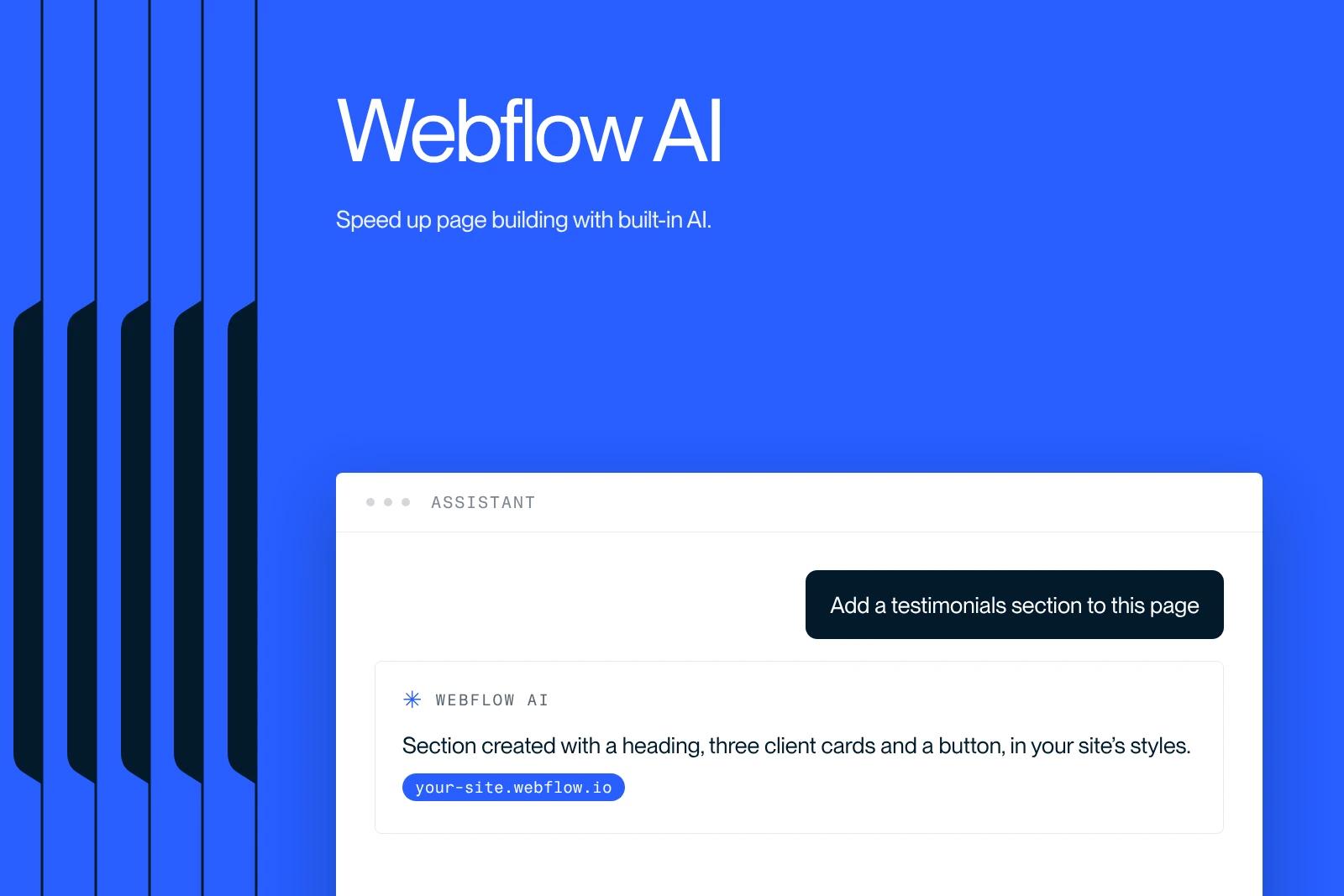
One of the flagship features of Webflow AI is the AI Assistant. Acting as a copilot, this smart assistant can edit the design of pages, generate content, answer users' questions and even automatically optimize SEO settings.
Another groundbreaking tool, the AI Site Builder builds complete websites from simple prompts. It removes the need for technical or design expertise by generating a consistent site that blends design and content smoothly.
Webflow AI also offers advanced capabilities such as website localization. Using machine learning, this feature translates and adapts content for a global audience. Marketing teams can localize their key sites in a few clicks, without sacrificing speed or performance.
In short, Webflow AI is a suite of AI-based technologies designed to simplify the work of developers and designers. By automating Webflow through repetitive tasks and offering smart tools, it speeds up building and optimizing websites while improving their quality.
Why automate your Webflow site?

Saving time and working more efficiently
Webflow automation with Webflow AI saves a lot of time and effort. With tools like Intelligent Design Automation and AI-Driven Content Optimization, repetitive and time-consuming tasks are handled automatically. For example, the AI can suggest color schemes, fonts and layouts, and even optimize images and content for different devices. Designers and developers can then focus on the more strategic and creative parts of their work.
A better user experience
Automation with Webflow AI also improves the user experience. With AI-driven personalization, websites adapt dynamically to each user's preferences and behavior. By analyzing data such as demographics, browsing history and click patterns, the AI can show personalized content, offer relevant recommendations and adjust design elements to meet each user's specific needs.
This deeper personalization boosts user engagement and satisfaction, which can lead to more loyalty and more conversions.
Search engine optimization (SEO)
Automation through Webflow AI also plays a key role in search engine optimization (SEO). AI tools can generate metadata automatically, optimize images and videos for faster load times, and adjust content to better meet search engine criteria. On top of that, Webflow's ability to produce clean code optimized for performance, combined with efficient hosting on Amazon AWS, helps improve rankings in search results and increases your site's visibility.
Key features of Webflow AI
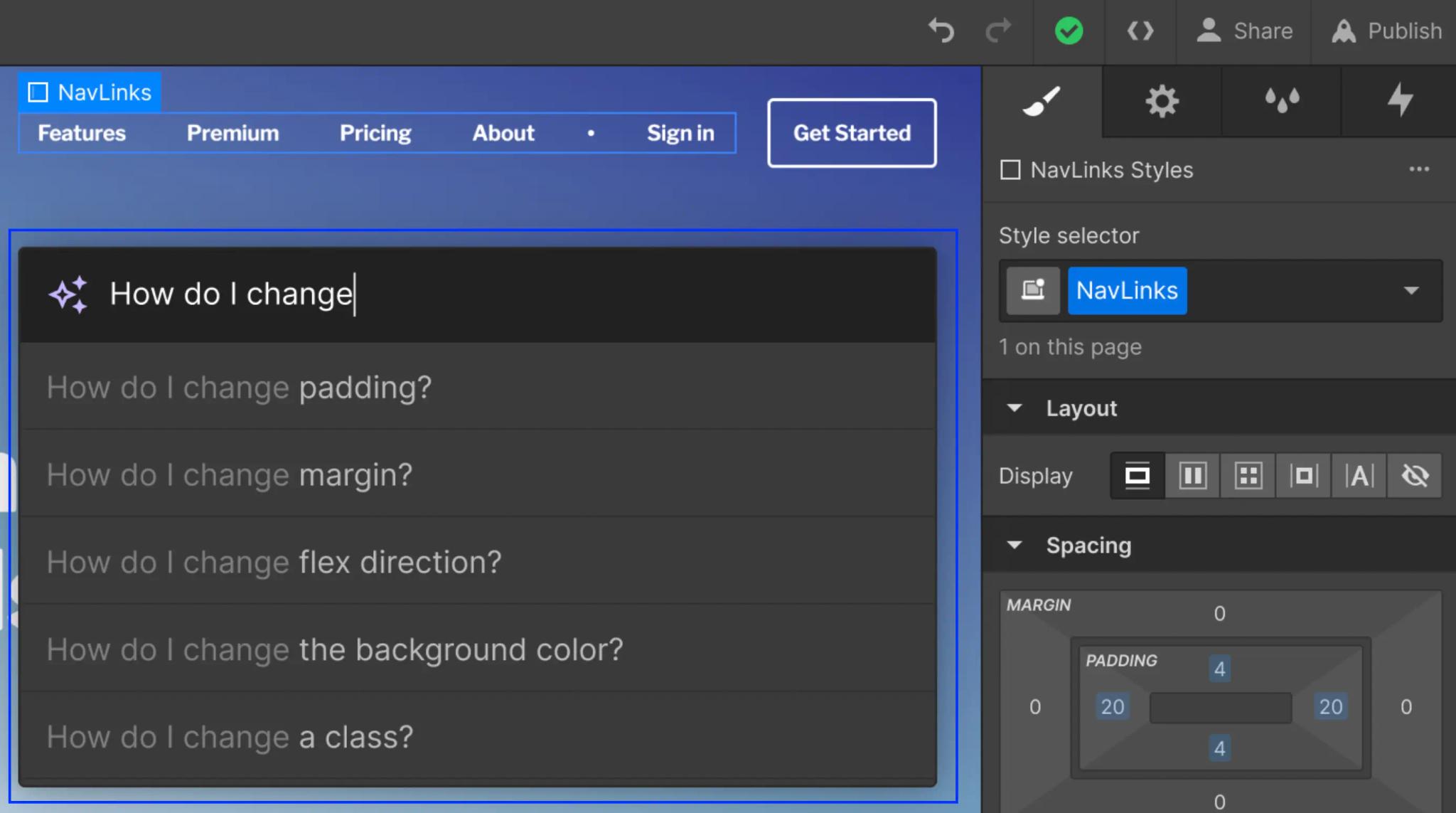
An AI Assistant for content creation
One of the most powerful parts of Webflow AI is its AI Assistant, designed to simplify creating and editing content. It lets you generate and refine contextually relevant content for static and dynamic text elements on the canvas. The AI Assistant can suggest catchy copy, adjust page designs and even answer your questions in real time, which makes content creation significantly faster.
Workflow automation with Webflow Logic
Webflow AI also includes Webflow Logic, a feature built to automate complex workflows. With Webflow Logic, you can create automated rules and actions that simplify repetitive tasks and make your work process more efficient. For example, you can set up workflows that send notifications, update databases or run specific tasks based on predefined conditions, all without advanced coding skills.
Integration with third-party tools via API
Another key feature of Webflow AI is its ability to connect with third-party tools through APIs. This lets you connect your Webflow site to services and apps such as Google Analytics, CRMs or marketing automation platforms. With these integrations, you can centralize your data, automate processes across apps and get a more complete view of your operations. This helps improve the overall management of your business.
Real-world use cases for Webflow AI

Automatically generating page sections
One of the most useful applications of Webflow AI is the automatic generation of page sections. With the AI Assistant, you can create new sections from a text prompt or from your site's existing design system.
This means you no longer have to start from scratch for every new page or section, which greatly speeds up building and launching your site.
Dynamic content personalization
Dynamic personalization of content is another powerful use case for Webflow AI. Webflow's native A/B testing and personalization solution, called Optimize, uses AI to deliver personalized visitor experiences and maximize conversions at scale.
This feature analyzes user behavior and adapts content accordingly, which improves engagement and the results of marketing campaigns.
Automating forms and notifications
Webflow AI also enables Webflow automation of forms and notifications, which makes managing user interactions simpler. In fact, many companies in France choose to work with a Webflow agency in France to get the most out of these features. With Webflow Logic, you can set up automated workflows that process form submissions, send personalized notifications and even update databases based on specific conditions.
This automation cuts the time needed to handle these tasks manually and improves the overall efficiency of your site.
How to set up automation on your Webflow site
Turning on the AI Assistant
To get started with automation on your Webflow site, the first step is to turn on the AI Assistant. This powerful feature is built directly into the Webflow platform, so you don't need to add any extra plugins or extensions.
Once it's on, the AI Assistant is available right from the Webflow canvas. It can help you with generating and improving content, editing your page designs, and even giving contextual help by looking up answers in the Webflow Help Center.
Building flows with Webflow Logic
Building flows with Webflow Logic is an essential step in automating your workflows. This tool lets you define smart rules and automated actions triggered by events such as form submissions, button clicks or specific conditions based on your site's data.
To set up these flows, go to the Webflow Logic section of your project. There you can create new rules and customize them to your needs. Options include sending notifications, updating databases or running other automated tasks, so you can save time and be more productive.
Connecting external tools (Zapier, Make, etc.)
To take automation even further, you can connect your Webflow site to external tools such as Zapier or Make. These automation platforms link different services and apps, centralizing your data and syncing your processes.
For example, with Zapier you can set up "Zaps" that connect Webflow to marketing automation tools, CRMs or even project management platforms. This lets you build complex workflows that go beyond the limits of your Webflow site and significantly improve the overall efficiency of your operations.
Best practices and tips for successful automation
Set clear goals
To make your automation project on Webflow a success, set clear, specific goals from the start. That means identifying which processes can be automated, understanding the expected benefits of automation, and choosing the key performance indicators (KPIs) you'll use to measure the project's success.
Setting these goals keeps your automation efforts focused and aligned with your company's overall objectives.
Test and iterate on your automations
Testing and iterating are essential steps in automation. Before rolling out an automation at scale, test each workflow in a controlled environment to find and fix potential errors. Use the Webflow Logic tools to create test scenarios and confirm that the automated actions run as planned.
Once testing is done, be ready to iterate and adjust the workflows based on results and user feedback.
Monitor performance and adjust
Once your automations are live, it's vital to monitor their performance regularly and adjust as needed. That includes tracking the KPIs you set at the start, collecting and analyzing performance data, and putting continuous improvement plans in place.
By monitoring performance, you can spot areas for improvement, optimize automated processes, and make sure the benefits of automation last and grow over time.
Webflow AI: conclusion
Bringing artificial intelligence into Webflow opens new possibilities for website creators, with unmatched efficiency and personalization. With Webflow AI, you can generate content, optimize SEO settings and personalize the user experience dynamically.
With features like the AI Assistant, Webflow Logic and third-party integrations, you can simplify and automate repetitive tasks and free up more time for creativity and innovation. Explore these capabilities soon to transform the way you build and manage websites. Start today and see how Webflow AI can change your workflow while significantly improving your users' experience.
Frequently asked questions
To use the Webflow AI Assistant to build and customize your website without technical expertise, start by sharing details about your project and your vision. The AI will generate site themes tailored to your needs. Pick a theme, customize the layout, and choose colors, fonts and buttons to make it your own.
Use the AI Assistant to edit existing sections and create new sections and pages, while respecting your design system and your site's tone. You can then adjust and publish your site without coding.