Article
Webflow vs Wix: Which Platform Should You Choose?
Webflow23 min read

James BrunettoCo-fondateur & CEO
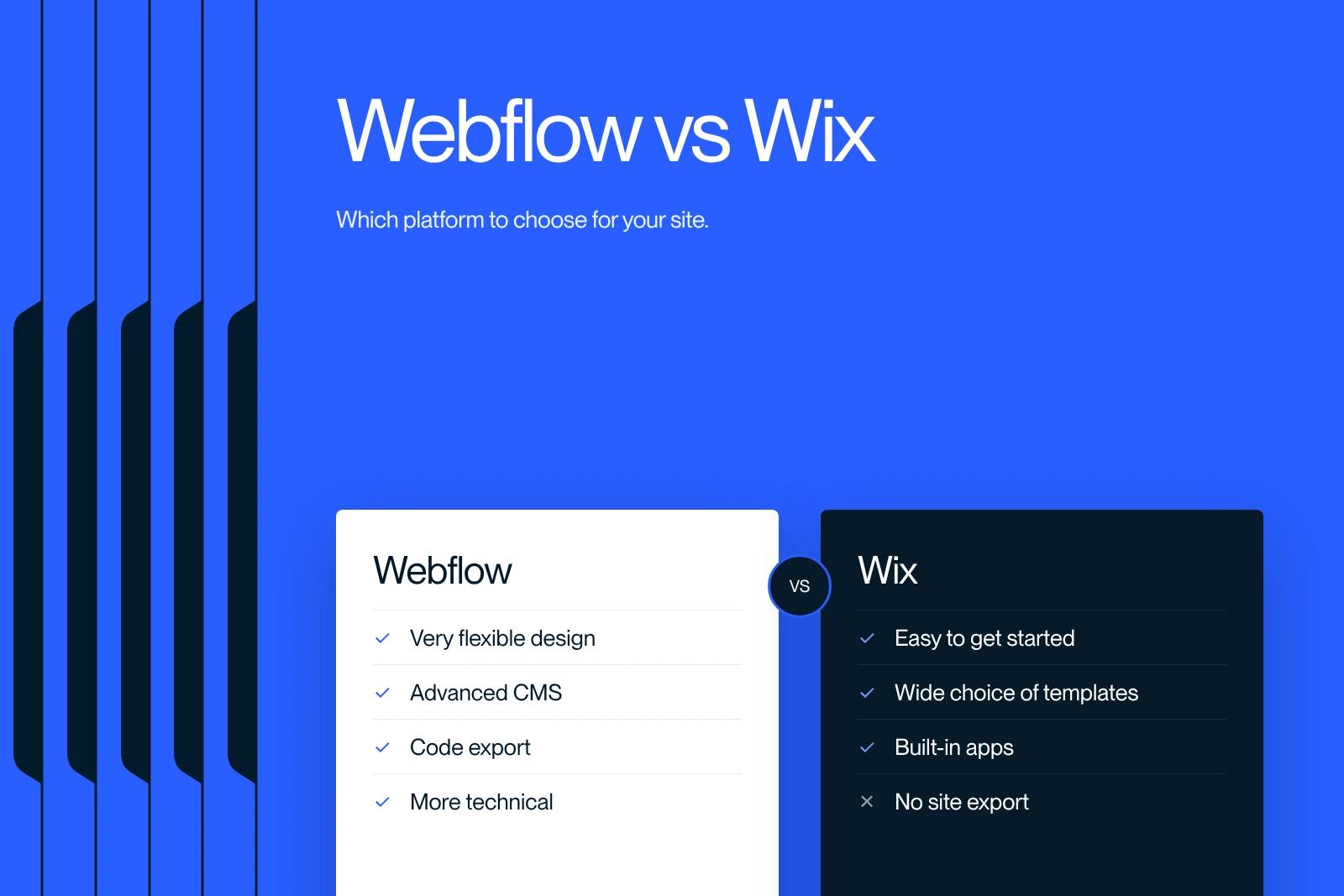
Webflow or Wix: which platform should you choose for your project? We compared them with no filter. You be the judge.
Explore this post with…
Building a website today is easy... well, in theory!
In practice, choosing the right website building platform is no small task. That is why our Webflow agency Synqro has put together a complete guide to Webflow vs Wix.
Among the many options available, two platforms stand out for their popularity and their specific strengths: Webflow vs Wix.
These two solutions meet different needs and take different approaches to building for the web. So, Webflow vs Wix: which one is really right for you?
Let's dig into the details and see what each one has to offer!
Webflow vs Wix: key features compared
What is Webflow?
Launched in 2013, Webflow changed the world of web design with an intuitive platform that lets designers and developers build websites without having to code. The idea behind Webflow is simple but powerful: one tool that combines the freedom of a visual editor with the power of a content management system (CMS).
Main features of Webflow
Webflow offers an advanced website editor that looks a lot like design software such as Adobe XD or Figma. This interface lets users see and build their site in real time, with very deep customization. You can define complex animations, create unique interactions and adapt every element of the site to different screen sizes (desktop, mobile, tablet). And that is not all! With its CMS features, Webflow lets users manage their content in a structured way, something usually associated with traditional CMSs such as WordPress.
Webflow also stands out because you can export the HTML, CSS and JavaScript code of the sites you build. This feature is valuable for developers who want to bring their Webflow designs into other projects or frameworks without being forced to use Webflow hosting. In short, Webflow is aimed mainly at designers, creatives and agencies who want to build custom sites, free from the restrictions of rigid templates.
Webflow vs Wix: which platform is easier to use?
User experience is a key criterion when choosing a CMS. Between Wix and Webflow, the learning curve and the ease of getting started vary considerably.
Interface and user experience
✅ Wix: Designed for beginners, Wix offers a highly intuitive drag-and-drop editor. No technical skills are required, and changes are visible in real time.
✅ Webflow: More powerful, Webflow takes some time to get used to. Its interface is more complex, but it offers far greater design freedom.
Getting started and learning curve
🟢 Wix is ideal for those who want a site quickly with no technical effort.
🔵 Webflow, on the other hand, is more technical and requires some initial learning, especially to understand the principles of the "Box Model" and CSS.
Advantages of Webflow vs Wix
1. Great design flexibility
One of the main advantages of Webflow is total freedom when it comes to design. Unlike other website builders that only offer predefined templates, Webflow lets you start from scratch. Users can design completely unique sites and control every aspect of the layout, from colors to fonts to animations. This flexibility makes it a tool especially valued by design agencies and creators who want to build sites that stand out visually.
2. Advanced CMS features
Webflow includes a robust CMS, perfect for content-driven sites such as blogs, portfolios and even news sites. This CMS lets you create dynamic collections of content (articles, portfolios, products, etc.) and display them with total flexibility. Compared with other website builders, the Webflow CMS is closer to more traditional content management systems, while remaining accessible and intuitive. With Webflow, creators can organize their content and automate updates, which makes managing sites with evolving content much simpler.
3. Animations and interactions without code
Webflow offers advanced options for creating complex animations and interactions, with no coding knowledge required. With the animation editor, users can define smooth transitions, scroll animations and even animations triggered by user actions (such as hover or click). For designers looking to create an immersive user experience, this feature is a real asset. It lets them stand out with an interactive, engaging site.
4. Code export
One of the unique features of Webflow is the ability to export the site's source code. This means users can export their site in HTML, CSS and JavaScript and host it elsewhere, a significant advantage for those who want to keep full control of their project. This export capability also makes it easier to work with developers, who can integrate the site into another framework or CMS without being limited to the Webflow ecosystem.
5. SEO advantages of Webflow vs Wix
When it comes to SEO (search engine optimization), Webflow is one of the most advanced platforms. It was designed to offer total flexibility for optimization, which makes it an excellent choice for those who want to improve their visibility on search engines. Here are the main SEO strengths of Webflow:
- Full access to the code: Webflow lets you control and edit the site's HTML, CSS and JavaScript code directly. This makes it possible to build a clean code structure, optimized for SEO, while avoiding the unnecessary code found on other website builders.
- Tag and meta description optimization: Webflow offers full customization of meta tags (titles, descriptions, alt tags) and heading tags (H1, H2, etc.). This lets you adapt each page so that it fully meets search engine requirements, which increases its chances of ranking.
- URL customization: Unlike other platforms, Webflow lets you set the URL of each page manually, which is essential for SEO-friendly, well-structured URLs.
- 301 redirect management: Webflow makes redirects easy to manage, so you can redirect pages without creating 404 errors and keep traffic flowing. This is especially valuable during site redesigns or structure changes.
- Fast page loading: Site performance is an increasingly important criterion for SEO, and Webflow is known for its speed. Sites built on Webflow use clean, optimized code, which contributes to fast load times and a better user experience, both essential for ranking in search results.
- Secure hosting with SSL: Webflow provides hosting with a built-in SSL certificate, which keeps data secure. Secure sites are viewed more favorably by Google and get a slight SEO advantage, in addition to building visitor trust.
- Optimization for Google's Core Web Vitals: Webflow is designed to optimize the Core Web Vitals (FID, LCP, CLS), the performance criteria Google uses to assess the quality of a site. By choosing Webflow, users get a solid foundation for meeting Google's user experience requirements.
With all these SEO features, Webflow is an especially strategic choice for companies and creators who want optimal organic visibility. For projects with ambitious search goals, Webflow stands out for its ability to meet search engine requirements while offering advanced control over SEO optimization.
Drawbacks of Webflow vs Wix
1. Learning curve
Although Webflow is powerful, its interface can seem intimidating to beginners. Webflow's approach is closer to that of design software or professional development tools, which can make it hard to learn for users with no experience in web design or development. Many users may feel discouraged at first, but once the basics are in place, Webflow offers unmatched freedom.
2. Higher cost
The price of Webflow is relatively high, especially compared with simpler website building tools. Advanced features, in particular the CMS and e-commerce, require premium plans, which can be expensive for small businesses or freelancers. In addition, for those who want to use the CMS or e-commerce features, monthly hosting fees can also be a significant investment.
What is Wix?
Wix, on the other hand, is a website building platform well known for its ease of use. Built around a drag-and-drop editor, Wix is aimed mainly at users who want to create a site quickly with no technical knowledge. Wix's goal is to make website creation accessible to everyone, whether a small business, an artist or a blogger.
Main features of Wix
Wix offers a vast selection of professional templates suited to a wide range of industries, from e-commerce to blogs to portfolios. The platform also includes SEO features, marketing tools and built-in apps through the Wix App Market. Wix therefore lets its users build a complete site with varied features without ever touching code. Thanks to this simplicity, Wix is ideal for entrepreneurs or individuals who want a functional site without investing too much time or money.

Advantages of Wix vs Webflow
1. Ease of use
The drag-and-drop editor in Wix is intuitive and accessible, even for novices. Users can add elements, change images and text, and move objects around the page in a few clicks. This approach makes Wix ideal for those who have no development skills and want to get their site online quickly.
2. Wide choice of templates
With more than 500 templates to choose from, Wix offers a range of designs for practically every industry. Whether you are a photographer, a restaurant owner, a consultant or the owner of an online store, Wix has templates that fit. These templates are also responsive, which means your site will be optimized for mobile with no extra effort.
3. Built-in apps
The Wix App Market makes it easy to add extra features to the site, with no coding at all. With apps for booking management, live chat, social media and even e-commerce, Wix offers varied options to enrich your site according to your needs. By adding apps from the Wix App Market, users can turn their site into a real business tool or an interactive platform.
Drawbacks of Wix vs Webflow
1. Less flexibility for complex designs
Unlike Webflow, Wix limits the possibilities for advanced customization. Customization options remain very dependent on the templates, and although you can adjust certain elements, you do not have the same freedom as with Webflow to change the site's architecture. For users who want custom designs and complex features, this can be a barrier.
2. Code limitations
One of the main disadvantages of Wix is the lack of access to the source code. Although Wix offers tools such as Wix Velo for developers, direct access to HTML or CSS is limited. This can be an obstacle for those who want to integrate scripts or carry out deep customizations, because integration options are more restricted than on Webflow.
3. No site export
Another weak point of Wix is that you cannot export your site's code. This means that if you build a site on Wix, you are essentially tied to that platform. Unlike Webflow, where you can export the code and use it elsewhere, Wix does not allow this flexibility. For users who plan to grow or migrate, this can prove limiting.
4. Limited access to the source code
Wix does not allow direct access to the HTML, CSS or JavaScript code of the site, which restricts the possibilities for in-depth optimization. Users cannot manually adjust certain technical aspects of the code for optimal SEO performance. For example, structural code tags, specific adjustments for Core Web Vitals or advanced load speed optimizations are harder to implement on Wix than on other platforms such as Webflow.
For those who want full control over every aspect of technical optimization, this limitation can be a barrier, because it reduces the fine-tuning needed for maximum SEO performance.
Wix vs Webflow: overview
Before diving into the details, it is essential to understand the approach of each of these platforms. Wix is a website building solution designed for beginners or those who want to create a site quickly and without technical skills. With its intuitive drag-and-drop editor and its hundreds of templates, Wix makes website creation accessible to everyone.
Webflow, for its part, is aimed more at designers and developers who want full control over the design and structure of the site. Created in 2013, Webflow offers advanced flexibility, making it possible to design complex, custom sites without having to write code. This platform is ideal for those who want creative freedom and advanced SEO optimization options.
So the choice of Wix vs Webflow depends above all on the nature and complexity of your project. Wix is perfect for simple sites, while Webflow is designed for those who want to build a custom, dynamic site.
Wix: maximum simplicity and accessibility
- Easy-to-use drag-and-drop editor with no coding needed.
- Wide selection of templates with more than 800 designs for various types of sites.
- E-commerce options that are accessible but limited in terms of advanced customization.
Webflow: flexibility and power for custom sites
- Flexible design with a “no-code” approach but with options for more technical users.
- All-in-one solution with hosting, an advanced CMS, animations and optimized SEO.
- Suited to designers and developers who want full customization and advanced content management.
- Advanced SEO tools with full control over tags, redirects and an optimized code structure.
- E-commerce features that are robust but require a more technical learning process.
Webflow vs Wix: technical performance compared
Technical performance directly affects a site's user experience and search rankings. Here is how Wix and Webflow compare on this point.
Loading speed
📈 Webflow: Thanks to its clean, optimized code, Webflow delivers far better performance, especially for SEO and loading speed.
📉 Wix: Less optimized, Wix can be slower, particularly on content-heavy sites.
Security and hosting
🛡 Webflow includes high-performance hosting on AWS with a built-in SSL certificate.
🔐 Wix also offers secure hosting, but with fewer advanced options.
Scalability and traffic management
🚀 Webflow is designed to grow with your project and allows advanced traffic management.
🐢 Wix can run into limitations when traffic rises sharply, especially on large professional sites.
How much do Wix and Webflow cost?
When choosing a website building platform, price is a key criterion. Even if a tool performs well, it may not suit your needs if it is not financially accessible. So, how much does Webflow cost compared with Wix?
Cost of Wix
Wix is often seen as the more affordable option for users, with a free version that is worth a look. This no-cost option lets you test the platform and its features before committing financially, an excellent way to get familiar with the service at no risk.
However, for complete and more professional projects, you will probably want to move to one of Wix's paid plans. Here is an overview of their main plans (prices for an annual subscription):
- Connect Domain: $4.50 per month
- Combo: $8.50 per month
- Unlimited: $12.50 per month
- E-commerce: $16.50 per month
- VIP: $24.50 per month
These monthly prices give users access to additional features depending on their website needs.
Cost of Webflow
To benefit from the advanced features of Webflow, you will have to choose between its standard site plans and its e-commerce plans. As with Wix, subscriptions can be paid monthly or annually, with discounts of up to 50% for annual subscriptions!
Webflow's standard site plans come in two options: Lite and Pro. The Lite plan is $16 per month, while the Pro plan costs $36 per month.
As for the e-commerce plans, Webflow offers three pricing tiers: Small ($70 per month), Medium ($140 per month) and Large ($280 per month). These plans offer additional features for sites that need advanced online sales capabilities.
Finally, an important detail for freelancers: if you use Webflow to design sites for clients, you will have no costs to bear, because the fees can be charged directly to the clients. You will, however, have to handle the branded billing yourself.
Wix vs Webflow: which CMS should you choose for your project?
Depending on your business and your goals, one of these platforms will suit you better than the other.
Wix is ideal for:
✅ Beginners who want to create a site quickly.
✅ Small businesses and entrepreneurs who want a brochure website.
✅ Blogs and personal projects with few technical needs.
✅ Simple e-commerce stores via Wix Stores.
Webflow is ideal for:
✅ Designers and agencies looking for maximum flexibility.
✅ Fast-growing companies that need a high-performance site.
✅ Complex sites with advanced interactions.
✅ SEO experts who want full control over search optimization.
➡ Final recommendation:
If you are looking for simplicity and accessibility, Wix is an excellent choice.
If you want flexibility and performance, Webflow is the best option.
Webflow vs Wix: which is the best choice for your website?
In the end, the Webflow vs Wix debate does not come down to a simple winner and loser: these two platforms meet distinct needs. If your goal is to create a site quickly without getting into technical details, Wix offers a simple, intuitive, ready-to-use solution. Its drag-and-drop editor, its many templates and its built-in options for SEO and e-commerce make it an excellent choice for beginners, solo entrepreneurs or small businesses.
But if you are looking for a platform that combines power and creative freedom, Webflow is probably the best option. With Webflow, you get advanced control over every aspect of design and code, interactive animations, powerful CMS features and much deeper SEO capabilities. It is an ideal platform for designers, developers or any company that wants a highly customized site optimized for organic search.
Synqro, the leading Webflow agency in France, is here to support you on this journey. With our Webflow expertise and our experience in building custom sites, we help you get the most out of this platform by designing a tailor-made site that matches your goals and the unique identity of your brand. So, ready to build a Webflow site that truly stands out? Work with Synqro and launch your project with the expertise of recognized professionals in the field.
Frequently asked questions
New to building websites? No problem! Wix is probably your best ally. Its ease of use, its drag-and-drop editor and its many templates make it a perfect option for those who want to avoid technical complications. Webflow, although powerful, has a more complex interface that can scare off newcomers. In short, to get started quickly and efficiently, choose Wix without hesitation!


