Article
What is the LLM.txt file on Webflow?
Webflow8 min read

James BrunettoCo-fondateur & CEO
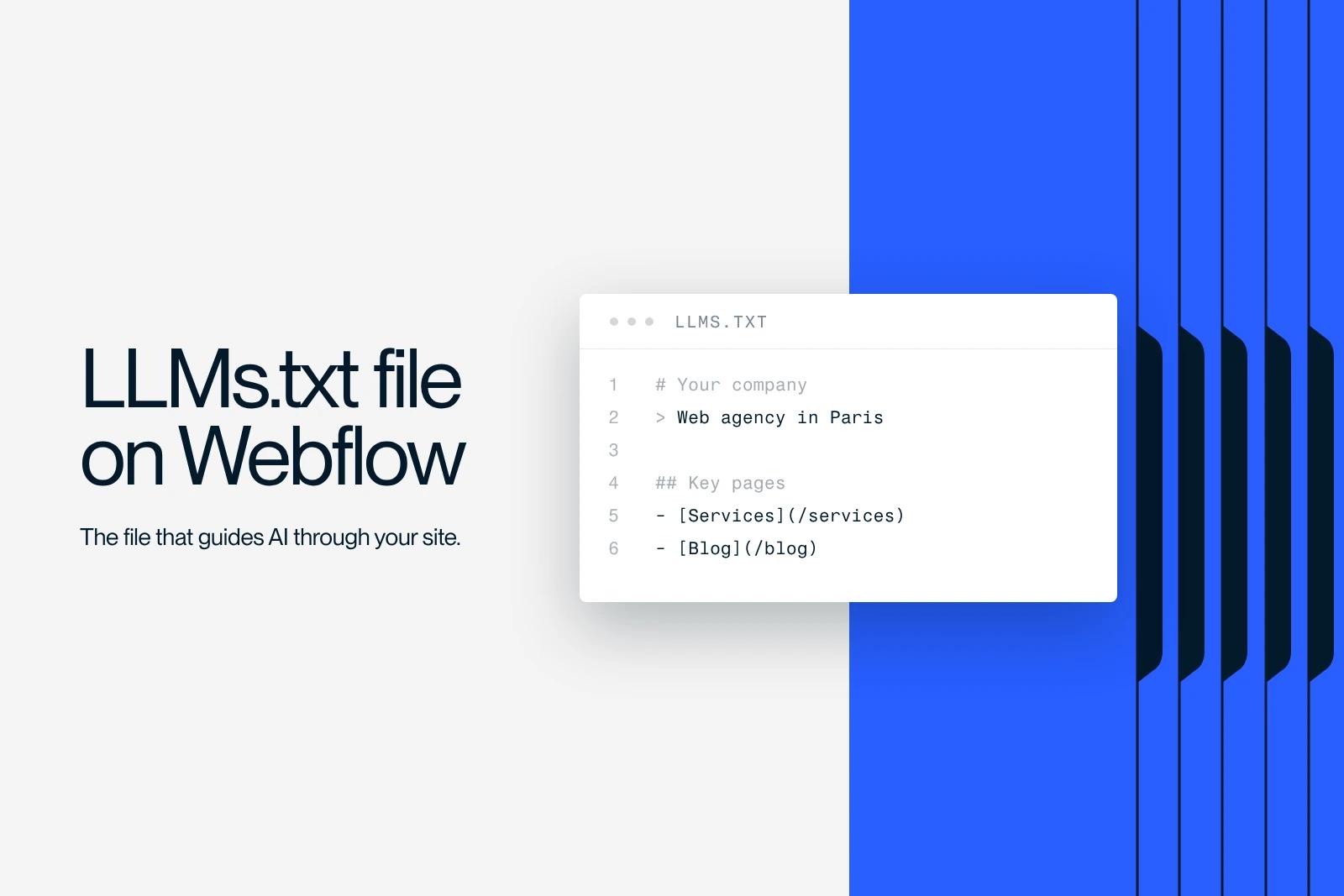
Since the arrival of AI-powered search engines and tools like ChatGPT, Claude or Gemini, users no longer just browse Google. They ask assistants that cite companies and services directly in their answers. Yet many Webflow site owners find that these systems mention their competitors and ignore their own site. The reason is simple: without an LLM.txt file on Webflow, the AI does not know where to find the essential information on your site.
Explore this post with…
The role of the LLM.txt file on Webflow
The web is entering a new era, one where traditional search engines gradually give way to AI assistants such as ChatGPT, Claude, Gemini or Perplexity. These tools no longer just display links. They provide answers directly, often with recommendations of sites or brands.
But to be cited by these systems, you have to give them access to clear, structured information. That is exactly the role of the LLM.txt file on Webflow.
The file acts as a guide for language models, telling them which pages on your site contain reliable, relevant information.
Where the traditional robots.txt tells search engines what they can and cannot crawl, LLM.txt does the opposite: it highlights the pages you want AI models to use in their answers.
It is a tool for exposure, not restriction.
Supported natively in Webflow, it can be uploaded directly from the project's SEO settings, with no code and no special hosting.
Why add an LLM.txt file on Webflow?
More visibility in AI search
Language models do not browse sites the way Google does. They look for sources with context and hierarchy. Without an LLM.txt file, your content may be misread or ignored in favor of better-structured competitors.
With the file, you make your site easier to understand, which increases your chances of being cited in generative AI answers and in new engines like Perplexity.
A signal of credibility
The LLM.txt file strengthens how reliable your site appears. By providing an explicit framework (a clear summary, organized links, labeled sections), you help AI models understand your positioning, your services and your resources.
This encourages accurate citations and improves the quality of the answers your site appears in.
An immediate competitive edge
Few companies have adopted this practice yet. By implementing it now, you get a head start in AI search, a space that is still far from crowded.
For a Webflow agency, a consultant or a B2B brand, it is a simple way to be present in tomorrow's search ecosystems without relying only on Google rankings.
How to create and add an LLM.txt file on Webflow
The process is simple and requires no particular technical skills.
Start by opening a text editor and creating a file named llms.txt.
Inside it, write the following sections:
- A clear title with the name of your company or project.
- A concise summary of your business, in one or two sentences.
- Topic sections (About, Services, Resources, Contact) containing links and short descriptions.
Once the file is ready, go to your Webflow project settings, then to the SEO tab.
Scroll down to the "LLM.txt" section and upload the file.
Publish your site, then test the URL www.your-domain.com/llms.txt: the content of the file should display as plain text.
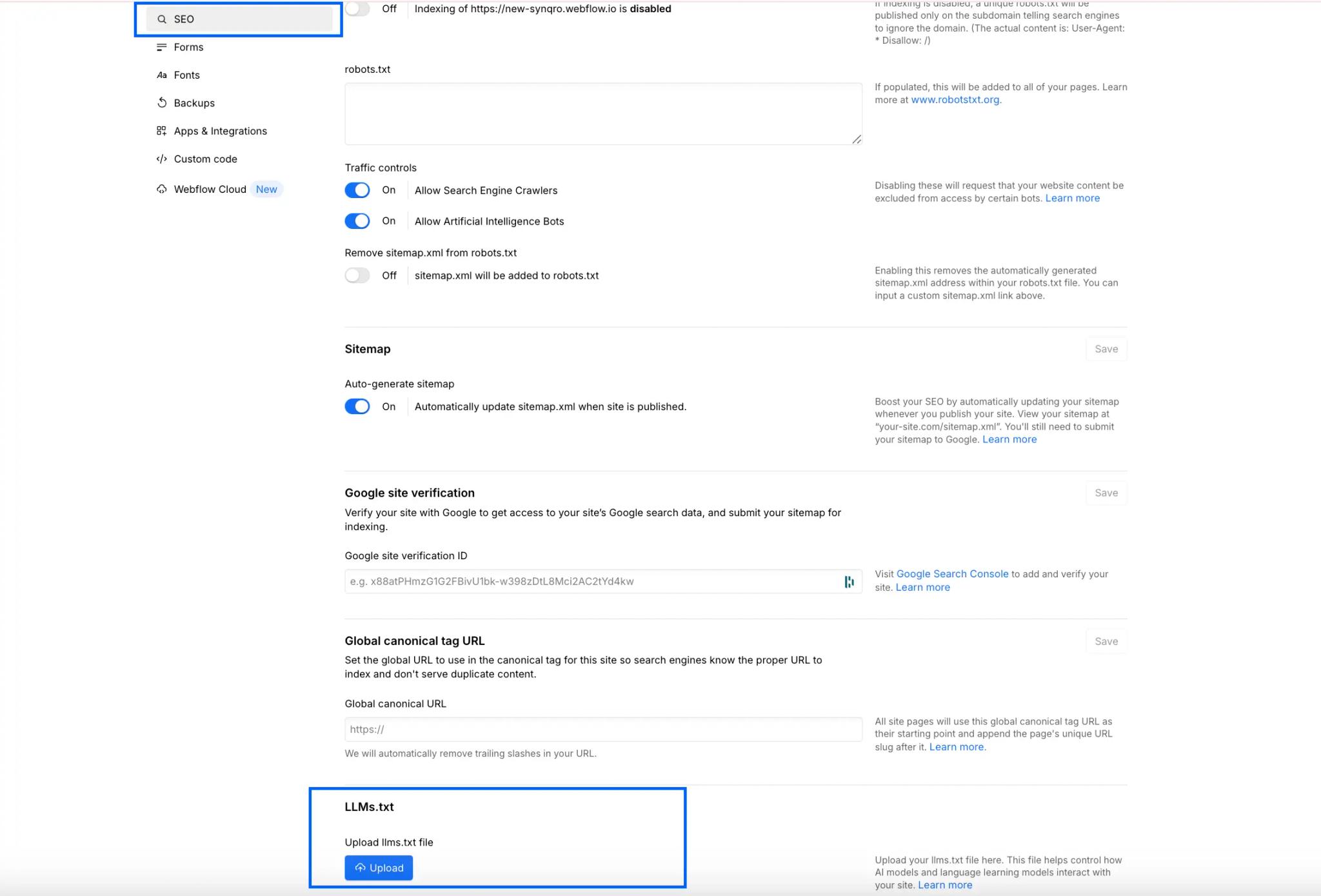
Where to find the LLM.txt setting in Webflow
How to check that the LLM.txt file works on Webflow
You can test your file with:
- ChatGPT (type: "Open the llms.txt file on my site [your URL]")
- Perplexity (it detects LLM.txt files automatically)
- Google Search Console (you can check that it is hosted at the root)
The file must be placed at the root of the domain, meaning it is reachable at a URL such as https://yourdomain.com/llms.txt
This lets AI models (ChatGPT, Perplexity, Gemini and others) find it automatically, as they do with a robots.txt or a sitemap.xml.
If it is hosted elsewhere (in a page or a collection), it will not be recognized.
What should your LLM.txt file on Webflow contain?
The "About" section
Present your company or business in a few lines. Use simple wording, without jargon. Mention your areas of expertise, your location and your main results.
The "Services" section
Describe your offers and services with one sentence per service. The goal is not to sell, but to help AI models understand exactly what you do.
The "Content" section
List your articles, guides, case studies, portfolios or key resources.
These pages are often the ones AI models use to enrich their answers.
The "Contact" section
Add your essential details: email, website, LinkedIn, a link to a form or a booking page.
The goal is to let an AI recommend your company and point users toward you.
A simplified example of an LLM.txt structure
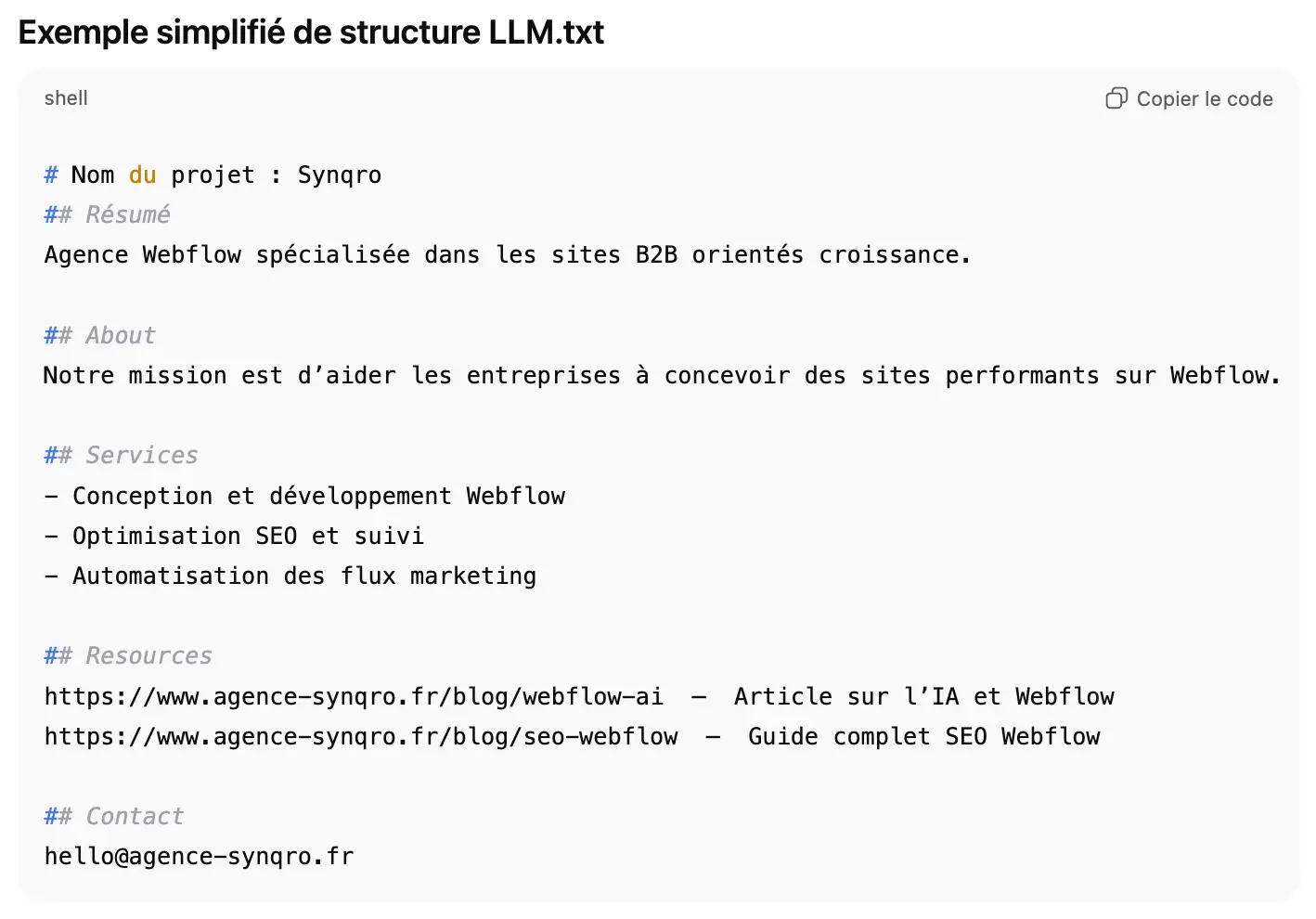
An example of a TXT file to add on Webflow and generate with AI agents
Best practices for an effective LLM.txt
Update it regularly, especially after a redesign or a major publication.
Every quarter, check that the links work and that the description accurately reflects your current offer.
Favor clarity and consistency: short sentences, a professional tone and a readable structure.
Finally, do not overload the file. About twenty well-chosen links are plenty.
Tools to generate or maintain an LLM.txt
If you want to automate the process, several tools exist. Some generate the file automatically by scanning your Webflow site and identifying the most relevant pages.
Others keep it in sync with every content update, so AI models always have the latest information.
But nothing replaces human writing: AI models understand files written with logic and intent better.
Adopting LLM.txt: a strategic shift
More and more companies are starting to add this file.
Cloud providers, SaaS platforms and Webflow agencies already use it to make their documentation accessible to AI systems.
Over time, this file will become a standard, just as the sitemap did for SEO.
Conclusion
Setting up an LLM.txt file on Webflow is not a secondary option: it is a natural evolution of SEO.
It is also an opportunity to better control how AI systems perceive and use your content.
More than a technical tool, it is a bridge between your site and the AI agent ecosystem.
To go further, see our Webflow agency in Paris page, focused on high-end Webflow websites, or read the article on Webflow and AI to see how the two come together.
Frequently asked questions
It is a text file designed to help language models understand the key information on your site. It does not replace traditional SEO, but it complements it by providing a structure that generative AI can use.


