Article
Website Builder Software: The 8 Best Options Compared
Webflow23 min read

James BrunettoCo-fondateur & CEO
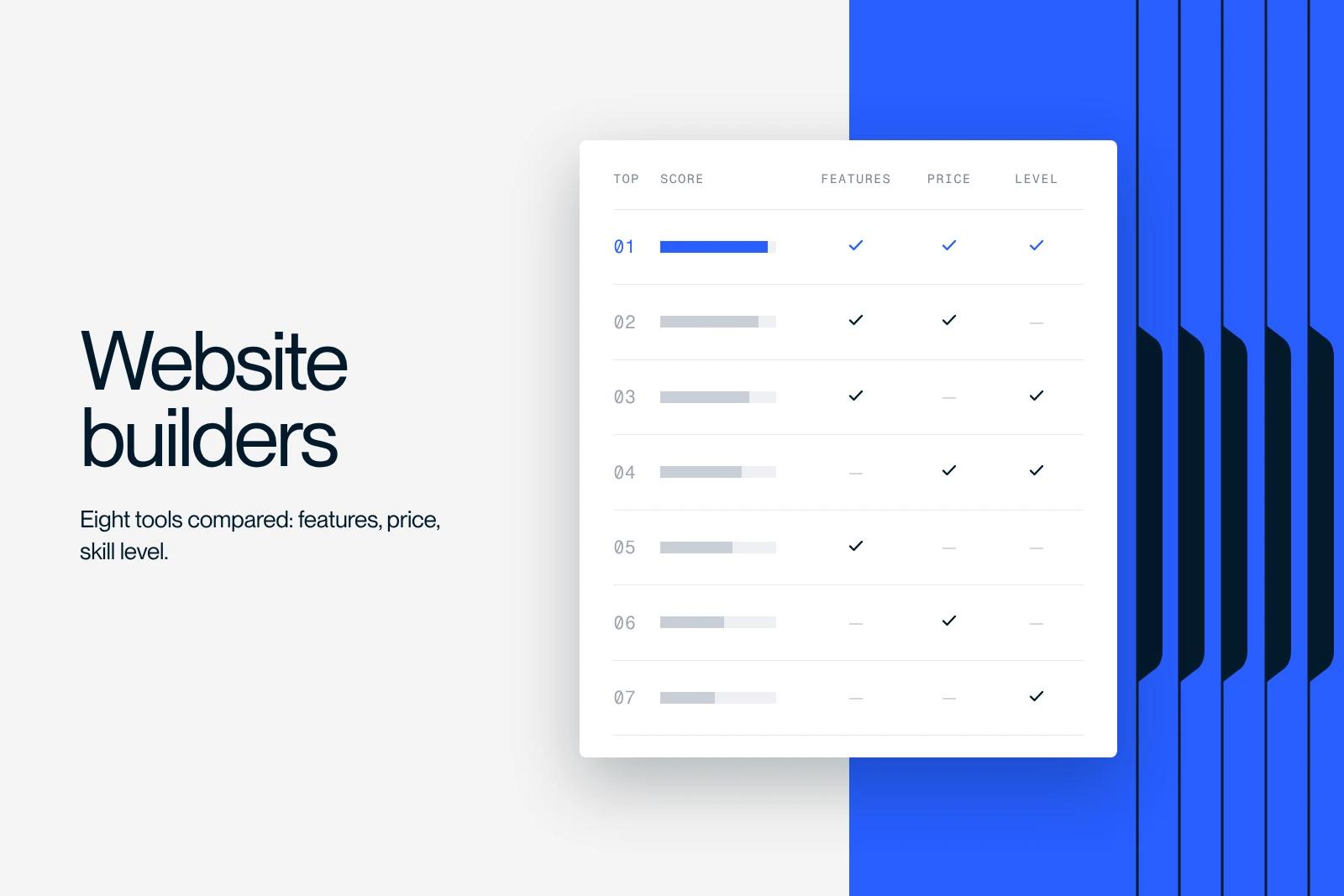
Webflow is a playground for creatives and tech enthusiasts. This article shows you how to get the most out of it. Enjoy the read!
Explore this post with…
Choosing the right website builder software is essential, whether you want to launch an online store, a blog or any other type of site. There are many options, ranging from simple, free CMSs (Content Management Systems) to advanced platforms. We will walk you through the best software available, highlighting the pros and cons of each and who it suits best.
Whether you are a beginner or a professional, this article gives you the key information to select the ideal software for your web project. We compare no-code platforms like Wix and Webflow, open source CMSs like WordPress, and e-commerce solutions like Shopify, looking at customization, hosting, SEO and custom domain options. If you are particularly interested in Webflow, note that Webflow training exists to help you master this powerful platform.
Discover the best website builder software to get your online project off to a successful start.
No. 1: Webflow

Webflow's strengths
Webflow stands out for its ability to merge design and development into a single step, which simplifies and speeds up website creation. The platform lets you design directly in HTML and CSS, removing the need to convert your designs into code. This ensures a fast, error-free launch for your site.
Security is another of Webflow's strengths, with SSL certification as standard and automatic backups to protect your data. Thanks to Amazon AWS infrastructure for hosting, Webflow also guarantees high loading performance, even on modest internet connections.
The Webflow Editor is remarkably easy to use. Its intuitive interface lets users make changes without affecting the backend, even with no technical skills. You can easily add blog posts, projects and team members, and manage form submissions directly from the Editor.
Who is Webflow for?
Webflow is aimed at website creators who want flexibility and design freedom. It is ideal for designers and front-end developers familiar with HTML and CSS, but also accessible to non-technical users thanks to its intuitive visual interface. Webflow is a perfect fit for small and medium-sized websites, and can be adapted to more complex projects with a bit of customization.
Webflow's limitations
Webflow does have its limits, though. Its main constraint is the number of pages per project, capped at 100 static pages regardless of the Webflow subscription plan. This can be an obstacle for sites that need a large number of pages.
Integrations can also be a challenge. Although Webflow supports tools like Google Analytics and Zapier, integrating less common CRM systems or advanced features may require custom code. This can lead to extra costs and the need to hire a developer.
Finally, Webflow restricts the number of characters for custom code and videos, and does not offer file upload for forms, except on the Business hosting option.
No. 2: WordPress

WordPress's strengths
WordPress stands out as one of the most reputable and effective website building platforms on the market. Its great flexibility and ability to scale are among its main assets. With its vast plugin system, it is simple to transform your site, moving easily from a brochure site to an online store, for example.
The platform also benefits from a dynamic, committed global community, which guarantees continuous development, reliable technical support and active sharing of practical advice. This community gives access to a wealth of resources, extensions, frequent updates and constant improvements. With thousands of plugins available, the feature possibilities are almost unlimited.
The open source nature of WordPress is a major advantage. Since the source code is open to everyone, users can modify it to customize their website as they wish. This openness provides a great deal of independence: you are not tied to a proprietary solution, and you can transfer your data easily if you want to switch platforms.
In addition, WordPress is remarkably simple to install and customize, even for people who are not tech experts. Its intuitive interface makes it easy to publish content and manage the site, with no specific training required. The theme library is also rich, offering many customization options to design the site of your dreams.
Who is WordPress for?
WordPress suits a wide range of web projects, whether you are creating a site or redesigning one. It is ideal for brochure sites, corporate sites, small to medium-sized online stores, portfolios, blogs, association or nonprofit sites, news portals, forums, directories, institutions, media and events.
This platform is particularly well suited to companies that want to make their website part of their overall business strategy. Marketing managers, communications managers and business leaders value its versatility and its ability to meet varied needs.
WordPress's limitations
However, WordPress is not without limits. A common challenge is its memory management, which is often insufficient for sites rich in media content or using complex scripts, and can lead to errors such as "Allowed memory size exhausted" or "Out of memory".
To work around this problem, it is recommended to increase the PHP memory limit, either by editing the `.htaccess` or `wp-config.php` files, or through the hosting control panel. Sometimes, moving to a higher hosting plan is necessary to access more resources.
Advanced customization and maintenance can also be complex. Although WordPress is easy to use overall, some more technical tasks may require specific know-how.
No. 3: Wix

Wix's strengths
Wix is a website building platform that stands out for its ease of use, its variety of ready-made templates and its fast setup. Its intuitive interface and drag-and-drop system make it easy to create a website without advanced technical skills, which simplifies the design process for beginners.
The platform offers a wide selection of templates suited to different industries and styles, all well designed and fully customizable. This lets users design a unique website that reflects their visual identity. Flexible customization gives full control over the final look of the site.
Another major advantage of Wix is that it lets you create and publish professional websites quickly, which is ideal for small businesses and freelancers who want to establish their online presence fast.
Who is Wix for?
Wix is aimed at a variety of users, from beginners to entrepreneurs and small businesses, as well as independent professionals and freelancers. Those looking to build a website quickly without running into technical complications will find it an affordable and effective solution. The platform is designed to be accessible to everyone, whatever their level of technical skill.
Wix's limitations
Despite its many advantages, Wix has its limits. Once a template is chosen, customization options can be restricted, which makes switching templates difficult without losing part of the customization work already done.
Advanced features and integrations can also be limited, especially for sites created with the free version, which include Wix ads and restrictions on the number of pages and features.
As for Wix Stores, the Wix e-commerce solution, there are specific limitations, such as the maximum number of products (up to 50,000) and of variants per product (up to 1,000 variants).
No. 4: Shopify

Shopify's strengths
Shopify stands out as a very popular and powerful e-commerce platform, with many advantages that make it attractive to online sellers. Its ease of use is one of its major assets. Thanks to its intuitive user interface, Shopify lets anyone create and manage an online store easily, without needing advanced technical skills.
The customizable templates and the drag-and-drop tool make building your website much easier.
Shopify also shines through its flexibility across sales channels. The platform lets you sell through online stores, social networks, marketplaces and even in physical stores with Shopify POS. This diversity opens up a wide range of possibilities to reach different audiences and diversify your sales channels.
In terms of scalability, Shopify excels and can adapt to the growing needs of your business. Whether you run a small shop or a large company, Shopify can handle high traffic and sales volumes without compromising its performance.
With robust analytics and reporting tools, Shopify lets merchants track sales, customer behavior and other key metrics, which makes it easier to take informed business decisions. The platform integrates more than 7,000 apps to extend its features, as well as built-in marketing tools for SEO, discount codes and email marketing.
Who is Shopify for?
Shopify suits a wide range of merchants, from small businesses and startups to large companies. It is ideal for those who want to create and manage an online store simply and without technical hassle. Sellers of physical products, digital products or services will find Shopify a complete and scalable solution.
The platform is also perfect for entrepreneurs who want to establish an online presence quickly and at low cost. Shopify's affordable pricing makes the platform accessible to small merchants and startups. Customer support available 24/7 and automatic updates provide continuous assistance and technical stability.
Shopify's limitations
Despite its many strengths, Shopify has its limits. Customization of the checkout process is restricted, which can be a problem for merchants with specific needs or tight margins.
Transaction fees for payments made through external gateways, on top of the monthly subscription, can increase costs for merchants. Some advanced features require paid apps, which adds further costs.
Shopify imposes technical limits, such as a maximum of 1,000 new products or variants per day once you have reached 50,000 products, and an overall limit of 100,000 products to maintain optimal performance and platform stability.
Migrating to another platform can prove difficult because of Shopify's architectural limitations, so merchants should carefully assess their long-term needs before committing to Shopify as their e-commerce solution.
No. 5: Squarespace
Squarespace's strengths
Squarespace stands out thanks to its many advantages, which make it particularly appealing to its users. Among its major assets is its vast collection of elegant, responsive and modern templates.
These templates, created by professional designers, feature a sophisticated, clean design that is perfect for showcasing images and visual content.
When it comes to e-commerce, Squarespace shines with its comprehensive features for setting up and managing an online store. This includes inventory management and the setup of products, categories, shipping fees and different payment options.
The built-in marketing tools, such as payment solutions, tax management and customer accounts, are advanced and simplify selling online.
The Squarespace user interface, based on drag and drop, is extremely intuitive and lets you create and customize web pages without advanced technical skills. The style editor offers notable design flexibility, with options to adjust fonts, colors, image opacity, sidebar width and more.
Squarespace's reputation also rests on fast-loading sites and first-rate customer support, available 24/7, with quick replies by email and extensive documentation to help users work through the challenges they may run into.
Who is Squarespace for?
Squarespace is particularly aimed at businesses and creatives who want a professional website with a contemporary design. It is ideal for small businesses, online stores, artists and designers, photographers and bloggers, but also for cafés, restaurants, musicians and event organizers.
This platform is perfect for industries where visuals come first. Those who want a stylish, professional website without having to code will find Squarespace an ideal solution.
Squarespace's limitations
Squarespace does have its drawbacks, though. Its main constraint is the maximum number of elements per page, limited to 250 to avoid slow loading and saving.
It is also recommended not to exceed 20 sections per page and 60 blocks per page or subpage to preserve site performance.
Squarespace does not offer a free plan, and its prices can seem high compared with other website building solutions. Customization can become complex once a template has been selected, and there is no manual tool for editing specific mobile versions of the site.
Finally, the lack of compatibility with third-party CDNs can restrict customization and optimization options for advanced users.
No. 6: Joomla

Joomla's strengths
Joomla is an open source CMS (content management system) that stands out for its power and flexibility, which makes the platform attractive to a variety of users. Its advanced system for managing users and access rights is one of its main assets. Thanks to a sophisticated user access control list (ACL), Joomla allows precise management of rights and users.
In terms of content, Joomla excels through its flexibility, letting you display varied content types with its components and modules. This ability makes it perfect for complex websites. In addition, Joomla is ready for multilingual sites, with support for more than 70 languages built directly into the core of the platform.
Joomla's active community contributes to a vast library of extensions (nearly 8,000 available), which enriches what a site can do. This community ensures continuous development, technical support and the sharing of best practices.
Joomla is also optimized for SEO right from installation and uses Bootstrap for responsive designs. Efficient management of menus and cache, along with the ability to customize templates, offers great flexibility to optimize site performance.
Who is Joomla for?
Joomla is aimed at a wide range of users, from small businesses to large organizations, and is particularly well suited to sites that need detailed management of users and access rights, as well as multilingual sites.
Well-known companies and public bodies, such as eBay, General Electric and Peugeot, trust Joomla for their online platforms.
The solution is ideal for community sites, information portals, classified ad sites and intranets, thanks to its flexibility and its ability to be extended and customized.
Joomla's limitations
Despite its many advantages, Joomla has its limits. Memory management can be a problem, especially with heavy use of extensions, and sometimes requires raising the default memory limit to avoid errors.
The learning curve can also be a challenge, especially for non-technical users, because Joomla can be more complex to master than other solutions such as WordPress or Wix. In-depth web development knowledge may be needed for advanced customization and management.
Finally, migrating between Joomla versions can prove complex and requires careful planning and execution to avoid data loss or site malfunctions.
No. 7: Framer

Framer's strengths
Framer is a design and prototyping platform that stands out for its intuitive interface for creating modern, responsive websites, accessible even without advanced technical knowledge.
The platform makes it easy to import designs from Figma, which speeds up the creative process, and offers community templates for a quick start.
It shines with its advanced interaction and animation features, which let you create sophisticated interactions, micro-interactions, parallax effects and reusable interactive components, enriching both interactive prototypes and design.
Framer offers real-time collaboration tools that let designers and developers work together on a project, exchange comments and adjust designs live. It also supports code integration for more advanced features and highly realistic prototypes.
In addition, Framer offers features to improve technical SEO and web semantics, CMS modules for blogs and internationalization tools, and uses artificial intelligence to simplify page creation and content translation.
Who is Framer for?
Framer is a perfect fit for professional web designers and developers, as well as companies and design agencies looking for advanced tools to prototype complex websites. Users who want to build in advanced animations and interactions will find Framer ideal.
It also suits freelancers and small businesses that want to create professional websites easily thanks to its real-time collaboration tools, which make the platform accessible to a wide audience.
Framer's limitations
Although Framer offers many advantages, it has limits, particularly in its subscription plans. The free plan is limited to 1,000 monthly visits and 100 MB of bandwidth, which can be restrictive for high-traffic sites, with no option to use a custom domain and with limitations on the number of pages and features.
The free plan also limits the number of pages (fewer than 150) and CMS content (up to 1,000 items), which can be a problem for sites that need a lot of content.
In addition, file storage is limited to 500 MB and form submissions to 50 per month, which is not enough for sites with high form activity.
Finally, dedicated support and password protection for pages are not available on the free plan, which limits users who need more security and support.
No. 8: Zyro
Zyro's strengths
Zyro stands out for its ability to offer a simplified experience for creating professional websites. Its intuitive visual editor, based on a grid system, ensures a neat, structured layout, which makes it easy to create a responsive site with no extra effort.
Zyro's use of artificial intelligence (AI), with tools like the AI content generator and the AI Heatmap tool, transforms content creation and site optimization by making these processes both simple and effective.
The platform is fully optimized for SEO and includes essential marketing tools like Google Analytics to analyze site performance and visitor behavior. It also offers a variety of customizable templates designed to be SEO-friendly.
Thanks to Hostinger's advanced server infrastructure, Zyro delivers excellent website speed and uptime. The pricing plans are flexible and affordable, with options such as adding a custom domain name and removing ads, even on the BASIC plan.
Who is Zyro for?
Ideal for small businesses, first-time entrepreneurs and bloggers who want to establish a professional online presence quickly, Zyro appeals through its simplicity and clean design. Online merchants with moderate e-commerce requirements will also find what they need.
Beginners will particularly appreciate Zyro's drag-and-drop interface and its AI tools, which make site creation accessible to everyone, with no need for advanced technical skills. Artists and creators looking for a simple platform to showcase their work online will also like it.
Zyro's limitations
However, despite its many strengths, Zyro has its limitations. The main constraint is that templates are locked in: once a template is chosen, it cannot be changed, which can frustrate those who want their design to evolve over time.
The absence of a free version forces users to take a paid subscription. The e-commerce plan is limited to 500 products, which may not be enough for fast-growing businesses.
Compared with other platforms such as WordPress, Zyro's SEO features and customization options seem restricted. Users have also mentioned a lack of integrations and plugins, as well as excessive simplification that can limit advanced customization.
Finally, although the AI content generator is innovative, it may require manual adjustments to align perfectly with the brand's tone and specific needs.
Software comparison
Choosing the right website builder software means weighing several essential criteria to meet your expectations. Here is our comparison of the platforms we analyzed, highlighting their advantages and constraints.
Ease of use: For beginners who want to launch a website without advanced technical skills, Wix and SiteW shine through their simplicity. Squarespace and Webflow also offer an intuitive approach, but take a little more time to master all their features.
Design and customization: Squarespace stands out for its elegant, responsive templates, while Webflow allows deep customization thanks to its complete visual editor. Wix and Zyro also offer many templates and easy-to-use customization tools.
E-commerce: Shopify and Squarespace lead the online commerce sector, offering complete tools to manage your online store. Wix and Zyro provide e-commerce options, but with restrictions compared with Shopify.
Integrations and extensions: WordPress stands out for its vast community and its range of extensions, which provide superior customization and flexibility. Webflow and Squarespace also offer integrations with other applications, but in a more limited way than WordPress.
Pricing and plans: Prices vary widely from one platform to another. Wix and SiteW are more affordable, with subscriptions starting at €12 and €6.60 per month respectively. Squarespace and Webflow are a little more expensive, with plans starting at €15 and $18 per month. Shopify and Zyro, focused on e-commerce and professional websites, have prices in line with their advanced features.
SEO and performance: All the platforms mentioned optimize for organic search (SEO), but Webflow and Squarespace stand out with their specific tools to boost performance and SEO. WordPress, thanks to its many extensions, also offers advanced SEO solutions.
In conclusion, the choice of website builder software depends on your specific needs. For a simple, fast launch, Wix or SiteW are recommended. For more elaborate projects or online stores, Shopify, Squarespace or Webflow are worth considering. As for those who favor an open source solution with great freedom of customization, WordPress remains an essential and powerful choice.
Tips for choosing the right platform
Choosing the right website building platform is essential to the success of your online project. To help you make the best choice, here are key tips to keep in mind.
Identify your needs and what is at stake: Start by defining the goals of your website. Whether you want to raise your profile, improve your ranking on search engines, make it easier to communicate with your customers or sell online, your goals will steer your choice toward suitable platforms such as WordPress for brochure sites, Shopify for e-commerce or Wix for a fast setup.
Anticipate the technical skills required: Assess your own skills and those of your team. WordPress or Drupal require technical know-how, while Wix, Squarespace and Zyro are more accessible for beginners.
Set a budget: Define a budget for your project. Costs vary between platforms depending on subscription fees, hosting, themes, plugins and maintenance services. Make sure you include all of these items in your budget.
Know the software's features: Explore the features available on each platform. For e-commerce needs, consider Shopify or WooCommerce with WordPress. For more flexibility and customization, WordPress or Webflow may be preferable.
Think about how easy the tool is to use: Choose a platform that matches your comfort level with technology. Wix, Squarespace and Zyro are designed to be intuitive for beginners, while WordPress or Drupal require more in-depth learning.
Review and understand the contract: Take the time to read the contract terms and the platform's policies. Understanding the terms of use, the privacy policies and the cancellation terms will save you from surprises later.
Give weight to project support and follow-up: The quality of customer support is essential. Effective technical support and well-documented resources can greatly improve your experience. Shopify and Wix, for example, offer excellent customer support.
Assess scalability and security: Make sure the platform can adapt as your needs grow. Options like WordPress or Shopify handle site growth well and offer solid security measures to protect your data.
By taking these tips into account, you will be able to select a website building platform that meets your needs and lets you develop a professional, high-performing site.
Conclusion
Now that you have gone through our complete analysis of the best solutions for creating a website, you have the essential knowledge to select the ideal platform for your requirements. Whether you are just starting out or are already an expert, each software option presented has its strengths and weaknesses, which are important to consider.
For those looking for top-tier expertise in designing and redesigning sites with Webflow, the Synqro agency is a go-to choice in France. With its Webflow accreditations and an adaptable way of working, Synqro is ready to help you solve your Webflow challenges, from creation to maintenance, including the SEO optimization of your site. For a project in Paris, see our Webflow agency in Paris page.
It is time to take action and select the platform that matches your ambitions. Whether your project is to launch a brochure site or an online store, or to strengthen your presence on the web, the solutions covered here give you the keys to get there.
Contact Synqro or look into the other alternatives to start your website project today and improve your online visibility.


