Article
Is Webflow open source? Code, export and alternatives
Webflow6 min read

James BrunettoCo-fondateur & CEO
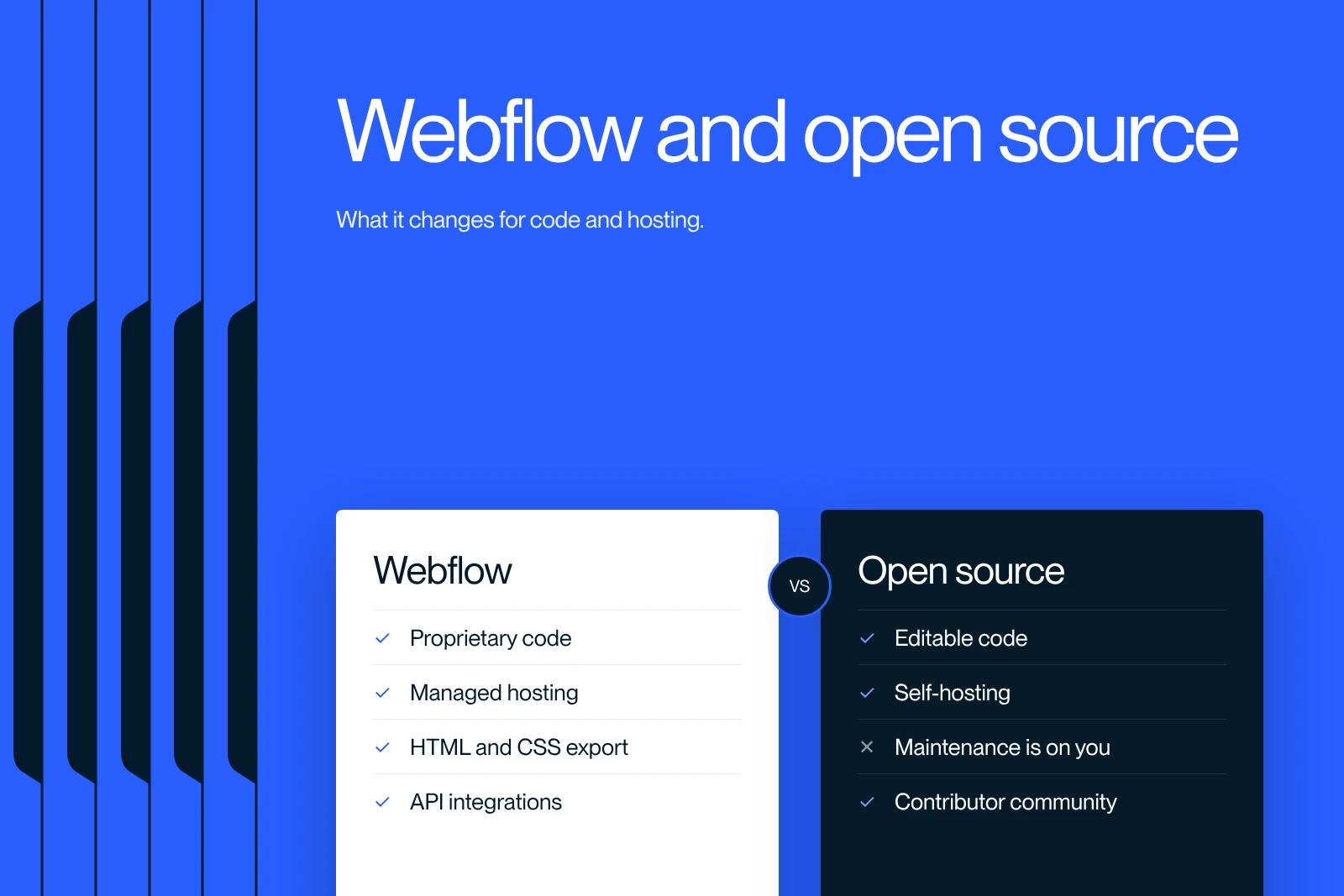
No, Webflow is not open source. It is proprietary software sold as a subscription (SaaS): its source code is not public, and you cannot modify it or install it on your own server. You can, however, export your site's HTML, CSS and JavaScript with a paid Workspace plan, and your CMS content as CSV.
This status has real consequences for hosting, portability and budget. Here is what is open at Webflow, what stays closed, and the open source alternatives to know about.
Explore this post with…
Is Webflow open source? The short answer
Open source software publishes its source code under a license that lets anyone read, modify and redistribute it, according to the Open Source Initiative definition. Webflow meets none of these criteria: the visual editor, the CMS and the hosting are built and run by the Webflow company, and access is by subscription.
WordPress, on the other hand, is open source. The two tools hold very different market positions: according to W3Techs (data from October 12, 2026), WordPress powers 40.1% of all websites, compared with 0.8% for Webflow.
What is open at Webflow
Proprietary does not mean sealed shut. There are several ways out and several ways to extend it:
- Code export: HTML, CSS, JavaScript and images, available on paid Workspace plans (Core at $19 per month and Growth at $49 per month billed yearly, according to the Webflow pricing page in October 2026).
- Content export: every CMS Collection can be exported as CSV, including Ecommerce collections.
- API and SDKs: the Data API lets you read and write content. The JavaScript and Python SDKs and the official MCP server are published under the MIT license on Webflow's GitHub.
- Custom code: you can add HTML, CSS and JavaScript in Embed elements or in the page head.
- Bridges to code: DevLink imports React components into Webflow and exports Webflow components as React. Webflow Cloud hosts Next.js and Astro apps alongside the site.
What stays closed: the limits of code export
Export produces a static site. According to the Webflow help center article on code export, anything that depends on Webflow's servers stops working once it leaves the platform:
| Item | Included in the export? | Alternative |
|---|---|---|
| Pages, styles, interactions, images | Yes | None needed |
| CMS content and lists | No (only empty template pages) | CSV export of collections |
| Ecommerce products and checkout | No | CSV export of products |
| Form handling | No | Third-party form service |
| Site search, password protection | No | Third-party tools |
| Localized versions | No (primary language only) | CSV export of localized collections |
| Code components | No | Original React source code |
The full step-by-step process is in our guide to exporting the code of a Webflow site.
Webflow vs open source options: the comparison
| Criterion | Webflow | WordPress | Webstudio |
|---|---|---|---|
| License | Proprietary | Open source (GPL) | Open source (AGPL-3.0 for the core) |
| Hosting | Webflow only (except static export) | Your choice | Webstudio cloud or self-hosting |
| Software cost | Per-site subscription: Basic $15, Premium $25 per month (yearly) | Free, hosting and plugins are paid | Free when self-hosted, Pro cloud $15 per month (yearly) |
| Technical maintenance | Handled by Webflow | Your responsibility | Your responsibility if self-hosted |
| Portability | HTML, CSS, JS and CSV | Full | Export included on all plans |
Sources: Webflow and Webstudio pricing pages checked in October 2026, WordPress license and Webstudio GitHub repository.
What the closed model changes for your site
You depend on the vendor's decisions
Prices and features change without you having a say. In 2026, Webflow merged its CMS and Business plans into a Premium plan and raised the price of the Basic plan. User Accounts were also retired on January 29, 2026. With self-hosted open source software, those decisions are yours.
You hand off maintenance
This is the upside. Hosting, SSL certificates, updates and platform security are handled by Webflow. There are no plugins to update and no server to monitor, which cuts technical time for a marketing team.
You need an exit plan
An exit plan comes down to three habits: export your collections as CSV regularly, keep a copy of the exported code, and document your integrations (forms, scripts, automations). If you migrate, the content can be recovered, but the layout has to be rebuilt in the new tool.
Open source alternatives to Webflow
- WordPress with the block editor or a builder like Elementor: the largest ecosystem, at the cost of regular maintenance.
- Webstudio: the visual editor closest to Webflow, which connects to a headless CMS and can be self-hosted.
- An open source headless CMS (Strapi, Payload, Directus) paired with a framework like Next.js or Astro: total freedom, but a real development project.
- Ghost: built for blogs, media sites and newsletters.
For a broader comparison, open source or not, see our article on Webflow alternatives.
Our view at Synqro
At Synqro, we have worked with Webflow since 2019 and we are a Webflow Premium Partner. For most B2B sites, the closed model is an advantage: the client's team edits its pages without touching a server. Even so, we always document an exit path at launch: CSV exports, a list of integrations, a backup of the code.
When a client requires open source or self-hosting, because of internal policy or regulatory constraints, we say so from the scoping stage and point them to a different stack. If you are undecided, our Webflow team can help you decide based on your constraints.
Frequently asked questions
No. Webflow is proprietary software offered as SaaS: its source code is not public and the platform cannot be installed on another server. Only some side tools, such as its SDKs and its MCP server, are published under the MIT license.