Article
Best Website Building Platforms: How to Choose
Webflow27 min read

James BrunettoCo-fondateur & CEO
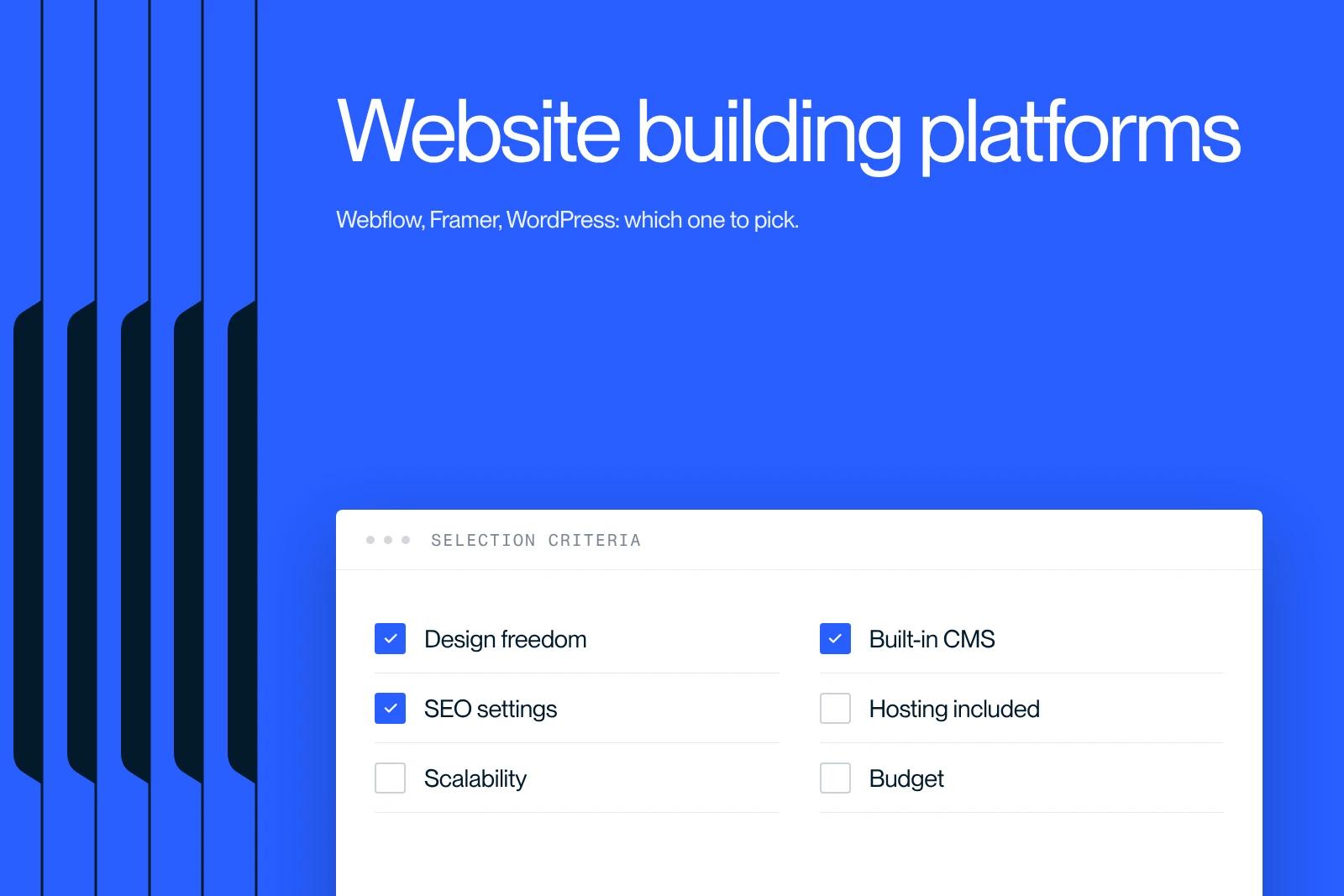
WordPress, Webflow, Wix... how do you choose? We compare the best platforms based on your needs, with their entry prices checked in October 2026. The right tool makes all the difference.
Explore this post with…
In today's digital era, an online presence has become essential for businesses and individuals who want to reach a wider audience. Building a website is a key step, but choosing the right platform can be hard given the number of options, especially when you are looking for the best website building platform.
Whether you are an expert or a beginner, it is important to understand the features, pricing and benefits of tools such as Webflow, Wix, Squarespace, Shopify and WordPress. These platforms serve different goals, such as building a brochure website, an online store or a site with advanced features. Each has its own strengths and limits, and the Webflow vs WordPress debate remains central for many users looking for the best option.
In this article, we present the best website building platforms, including Webflow, known for its balance between design and advanced customization. You will discover what makes each one different so you can choose the one that fits your needs, whether for a professional website or an online store.
What is the best platform to build a website?
Why is the choice of platform crucial for your site?
Choosing a website building platform is a fundamental decision that can strongly influence the success of your online presence. This choice directly affects ease of use, the available features, how flexible customization is, and the overall cost of your project.
A well-suited platform lets you design a site that fully meets your business goals and your users' expectations. A poorly chosen platform, on the other hand, can lead to technical difficulties, a disappointing user experience, and even security issues.
The platform you select will also determine how quickly and easily you can update and maintain your site. For example, platforms like WordPress or Drupal offer great flexibility but often require advanced technical skills. That can be an asset for experienced users, but an obstacle for beginners, especially when they compare solutions like Webflow vs WordPress, which require different skill levels.
The key criteria for comparing website builders
When comparing website building platforms, several key criteria should be taken into account. Ease of use is a major factor, especially if you do not have advanced technical skills. Solutions like Wix or Squarespace are designed to be intuitive and accessible, even for beginners. CMSs like WordPress or Drupal, in contrast, offer great flexibility, but require technical know-how.
Cost is also an important criterion. Some platforms, like WordPress, are free but involve extra fees for hosting, themes and plugins. Others, such as Shopify or Wix, offer all-in-one solutions with a monthly subscription. It is essential to assess the total cost, including hosting, maintenance and extensions, to stay within your budget.
The available features are another important aspect. Check whether the platform offers the tools you need to reach your goals, whether that means building an online store, a brochure website or a complex site with advanced features. In addition, SEO compatibility and integration with search engines should not be overlooked.
Finally, the platform's security and performance must be carefully assessed. A secure, fast site is essential to protect your users' data and guarantee a smooth experience. Take the time to review the hosting options and security measures each platform offers.
Webflow: the ultimate solution for professionals and creatives
What is Webflow? Overview and concept
Webflow is a website building platform that combines the benefits of a visual design editor with the power of code, all without requiring programming skills. Among the platforms available, it is often cited as one of the best for building a modern, high-performing site. It lets users design, develop and host fully customized, functional websites.
Through an intuitive visual interface, Webflow translates designs into HTML, CSS and JavaScript code, offering exceptional flexibility and precise control over the site's design and structure.
The benefits of Webflow: design, SEO and total freedom
Webflow offers several significant advantages, especially when it comes to design. Its intuitive visual editor lets you create complex layouts using tools such as CSS Grid, CSS filters and custom CSS properties.
Reusable components, called "Components", make it easier to build consistent, scalable design systems, which is ideal for large projects.
When it comes to SEO, Webflow excels thanks to its dynamic settings and Open Graph metadata, which improve visibility in search engines. In addition, built-in tools for analytics, A/B testing and AI-based personalization help maximize site performance and increase conversions.
Finally, Webflow offers total freedom of customization, letting users control every aspect of their site, from design to publishing. Integrations with tools like Zapier and the CMS APIs simplify content management, which is especially useful for web agencies and companies that manage several sites.
Who is Webflow the best choice for?
Webflow is perfect for professionals and creatives who want to design high-end websites without the limitations of classic no-code solutions. Web agencies, designers and developers value its flexibility and its total control over site design and structure.
Startups and companies that need custom, scalable websites with advanced features find Webflow to be a complete and effective solution.
Weak points and limits of Webflow
Although Webflow offers great flexibility and advanced features, it has a few limits. For users with no experience in design or web development, learning the platform can be complex, even though Webflow provides tutorials and resources to help you get started.
Some advanced features require a degree of familiarity with design and web development principles, which can hold beginners back.
Finally, although Webflow offers a free version, its paid plans can seem expensive for individual users or small businesses. However, the benefits in terms of customization and performance often justify this investment, especially for large-scale projects or companies looking for a durable, scalable solution.
Examples of sites built with Webflow
Webflow is a platform known for having made impressive websites possible, from elegant brochure websites to complex online stores. Its flexibility and professional tools make it a valuable ally for a Webflow agency that wants to design custom projects for its clients.
The platform stands out for its ability to produce high-quality visual designs and deliver smooth user experiences. Among the most notable examples are sites built for fashion brands, tech startups and companies specializing in creative services. All of them benefit from the flexibility and customization that Webflow puts at their disposal.
Framer: the modern challenger for ultra-fast sites

What is Framer? A design-oriented no-code approach
Framer is a no-code website building platform, specially designed for designers and teams who want to create visually impressive, ultra-fast sites. Unlike traditional website building tools, Framer offers exceptional design freedom and powerful tools for designing custom sites without requiring coding skills.
The platform stands out for its intuitive visual interface and its advanced design and prototyping features.
Framer's strengths: animations, speed and simplicity
Framer has several major advantages that appeal to website creators. One of its strong points is how easily you can add animations and visual effects to your site. Framer lets you design subtle animations and smooth transitions, which considerably improves the user experience.
In addition, the platform is optimized to deliver ultra-fast performance, ensuring that your sites load quickly and run without interruption.
Ease of use is another key strength of Framer. Despite its power and versatility, the platform has a relatively gentle learning curve, especially for designers familiar with visual design tools. It offers starter templates and plugins that speed up the creation process, so you can move quickly from an idea to a working website.
Who should choose Framer for their website?
Framer is ideal for small teams and companies looking for ease of use and fast creation. Designers who take a "design-first" approach and want to build engaging websites with animations and visual effects will find Framer a perfect solution.
Framer is also excellent for prototyping projects, where speed and flexibility are essential to refine user flows and the user experience before developing more complex solutions.
Drawbacks and limits of Framer
Although Framer offers many advantages, it has a few drawbacks and limits. One of the main ones is the relative complexity of the platform, especially for users with no experience in design or web development.
Even though Framer is more accessible than some other no-code platforms, it still requires some familiarity with design and prototyping principles.
Finally, although Framer offers a free plan, its advanced features and full customization options are often reserved for paid plans. This can limit its accessibility for individual users or small businesses with a tight budget.
Examples of Framer in use
Framer is a platform that has made it possible to create many websites that are both visually impressive and functional. Designers and professional teams use it to design sites for fashion brands, tech startups and companies specializing in creative services.
A notable example is the "Hanssen" template offered by Framer. This template stands out for its clean layouts, its subtle animations and its elegant typefaces. These features make it a preferred choice for those looking for a design that is both sophisticated and handcrafted.
In addition, Framer offers powerful integrations with marketing and SEO tools, as well as real-time collaboration features. These strengths make the platform a complete solution for designing, managing and optimizing websites that are both fast and attractive.
WordPress: the go-to choice for custom, scalable sites

WordPress.org vs WordPress.com: what are the differences?
Before diving into the details of what WordPress offers, it is essential to understand the difference between WordPress.org and WordPress.com. WordPress.org is a self-hosted solution, which means you have to find a hosting provider and set up your own server to put your site online.
This approach offers flexibility and total customization, letting you install any theme or plugin and edit your site's code directly.
On the other hand, WordPress.com is a managed hosting platform where your site is hosted on WordPress servers. This option simplifies the website creation process, with automatic updates and security, but it imposes certain limitations in terms of customization and monetization, especially on the free or basic plans.
Why WordPress remains a strategic choice
Despite the emergence of new website building platforms, WordPress remains a strategic choice for many users. The freedom of customization offered by WordPress.org is unmatched, letting users build fully customized, scalable websites. This flexibility is especially valuable for companies that expect future growth and need advanced features and great adaptability.
In addition, WordPress's active community and comprehensive documentation are major assets. The community provides constant support, free and paid plugins and themes, and abundant educational resources, which makes learning and troubleshooting easier.
WordPress's strengths: extensibility, community and SEO
One of the major strengths of WordPress is its extensibility. With a vast range of plugins and themes available, you can extend your website's features to meet almost any need. Whether you want to add e-commerce features, marketing tools or integrations with other services, WordPress offers the tools to do it.
The WordPress community is also a significant asset. With millions of users and developers, it is one of the most active and helpful on the web. This community provides ongoing support, regular updates and a wealth of resources to help users get the most out of the platform.
Finally, WordPress is highly optimized for SEO. Websites built with WordPress benefit from clean code structures and built-in features to improve visibility in search engines.
Popular SEO plugins like Yoast SEO and All in One SEO Pack are designed to work seamlessly with WordPress, making it easier to optimize your site for search engines.
WordPress's weaknesses compared with modern solutions
Even though WordPress offers great flexibility and advanced features, it has a few weaknesses compared with modern solutions. One of the main ones is the complexity of setup and maintenance. Unlike no-code platforms such as Wix or Squarespace, WordPress requires some technical skill to be set up and maintained properly, particularly when it comes to security updates and backups.
In addition, vulnerability to security attacks is a potential risk if updates and security measures are not handled properly. However, with appropriate security practices and reliable security plugins, this risk can be minimized.
Examples of sites running on WordPress
WordPress is an incredibly versatile platform, used to build a multitude of websites of high quality in a variety of fields. For example, well-known blogs such as TechCrunch and The Huffington Post rely on WordPress for its flexibility and its ability to handle a large volume of content.
For online commerce, solutions like WooCommerce, a WordPress plugin, let you build robust online stores that are fully customizable. WordPress is also popular for corporate and institutional sites as well as for portfolios of artists and designers, thanks to its advanced features and extensive customization options.
Other popular platforms: Wix, Shopify, Squarespace and more
Wix: simplicity and versatility for beginners
Wix is a platform widely appreciated for its simplicity and versatility, and it is particularly well suited to beginners. Thanks to its intuitive editor based on drag-and-drop, users can build websites quickly and easily, without needing coding skills. It offers great design freedom, letting you customize every aspect of the site to fit your needs.
Beyond its design capabilities, Wix offers robust e-commerce tools with Wix Ecommerce. This solution includes inventory management, advanced shipping options and point-of-sale (POS) integration, delivering an omnichannel selling experience. However, powerful as it is, Wix is not as specialized in e-commerce as platforms like Shopify.
Shopify: the benchmark for e-commerce
Shopify is the go-to platform for businesses that focus mainly on e-commerce. Designed specifically for online sales, it offers a complete suite of tools to manage inventory, payments, shipping and analytics, all in one place.
Shopify is particularly well suited to large online stores that need advanced features and solid integration with various sales channels, such as marketplaces and social networks. Although it is less flexible in terms of design than Wix or Squarespace, Shopify makes up for it with its power and specialization. Its flagship features include inventory management, customizable shipping options and integrations with many apps to extend what online stores can do.
Squarespace: the ally of creatives looking for simplicity
Squarespace is an ideal platform for creatives and service businesses that want to combine elegant design with simple setup. It stands out for its website templates, which are modern and good-looking, as well as for an easy-to-use interface.
This solution is particularly well suited to sites that need high-quality visual presentation, such as artist portfolios, fashion sites or professional services firms. Squarespace also offers useful e-commerce tools, although they are less advanced than Shopify's. Its features include Acuity Scheduling for managing appointments and the sale of digital products, which makes it a practical solution for small businesses and creatives.
Quick comparison of other solutions (Weebly, Site123, etc.)
Beyond Wix, Shopify and Squarespace, other website building platforms also deserve a mention. Weebly, for example, is a no-code solution that offers a simple interface and built-in e-commerce features. It is particularly well suited to small businesses and beginners looking for an affordable, easy-to-use solution.
Site123, for its part, stands out for its fast setup and ease of use. With its pre-designed templates and intuitive drag-and-drop interface, this platform is ideal for users who want to build a website quickly without worrying about technical details. However, Site123 offers less flexibility in design and customization than Wix or Squarespace.
These platforms, although less popular, offer viable solutions for specific projects or particular needs. They can be an excellent alternative for those looking for more specialized or more affordable options.
Full comparison: which platform should you choose for your needs?
For entrepreneurs and freelancers
For entrepreneurs and freelancers, the choice of a website building platform should be guided by ease of use, flexibility and cost. Wix and Squarespace are often recommended for these users because of their intuitive interface and ready-to-use website templates. Wix, in particular, offers an AI-powered drag-and-drop editor that simplifies website creation, even for people with no technical experience.
Weebly and GoDaddy are also viable options, offering fast setup and easy-to-use creation tools. Weebly stands out for its built-in e-commerce features, which makes it ideal for small businesses that want to sell online.
For agencies and designers
For agencies and designers, flexibility and total control over design are essential. Webflow is a platform of choice for these users, offering great freedom of customization and advanced visual design tools. Webflow agencies value this solution, which lets them build professional, custom websites while benefiting from a powerful interface for project management.
Framer is another interesting option for designers, thanks to its design-oriented no-code approach and its advanced prototyping tools. Framer lets you create visually impressive, ultra-fast websites, which is especially useful for projects that need sophisticated animations and visual effects.
For online stores
For online stores, Shopify is often the reference platform. Shopify offers a complete suite of e-commerce tools, including inventory management, shipping options and integrations with various sales channels. This platform is particularly well suited to businesses looking to build robust, scalable online stores.
BigCommerce and Magento are also solid options for mid-sized to large online stores. These platforms offer advanced features for online selling, including marketing tools and integrations with third-party services.
For personal projects or blogs
For personal projects or blogs, WordPress is an excellent option. WordPress offers great flexibility and an active community, which makes it an ideal platform for sites that need advanced customization and dynamic content management.
Users can choose between WordPress.org for a self-hosted solution and WordPress.com for a managed solution.
Blogger and Medium are also simple, free options for blogs, offering fast setup and built-in content publishing features. However, these platforms offer less flexibility in design and customization than WordPress.
Comparison table of key features
| Platform | Ease of use | Design flexibility | E-commerce | Entry price (annual billing) |
|---|---|---|---|---|
| Wix | Easy | Medium | Yes | Around $18/month (Light) |
| Squarespace | Easy | High | Yes | $19/month (Basic, United States) |
| Webflow | Medium | Very high | Yes (limited catalog) | Free, then $15/month (Basic) or $25/month with CMS (Premium) |
| Shopify | Easy | Medium | Very advanced | $29/month (Basic) |
| WordPress.com | Medium | Very high | Yes (WooCommerce) | Free, then $4/month (Personal) |
| Framer | Medium | Very high | Limited | Free, then $10/month (Basic) |
Prices excluding tax, checked in October 2026 on the official pricing pages. They vary by country. At Webflow, the pricing grid changed on May 13, 2026: the former CMS and Business plans merged into Premium. The details are in our Webflow pricing guide.
Website builder vs custom development: which should you favor?

Pros and cons of no-code solutions
No-code solutions offer several significant advantages that make them attractive to many users. Accessibility is one of the main ones, allowing people with no web development knowledge to build websites and digital applications easily. These tools are often intuitive and let you design digital solutions in a few clicks.
Another major advantage is speed of development. Thanks to pre-programmed features and pre-built blocks, no-code solutions considerably reduce the time needed to produce a viable solution. This is especially useful for small businesses or startups that need to move fast.
In addition, these solutions reduce costs, in both labor and time. Developing a no-code site is generally less expensive and can save you a significant amount on this part of your project. These tools also foster the autonomy of business teams, letting them build solutions without depending entirely on the IT team.
However, no-code solutions also have limits. For complex projects or projects that need custom features, they can quickly show their weaknesses. Flexibility and customization are often restricted by the predefined features of no-code platforms, which can become an obstacle for projects that need great adaptability.
When should you move to custom development?
It is important to know when to opt for custom development. If your specific needs cannot be met by no-code solutions, custom development is the best option.
This approach is particularly well suited to complex projects that require advanced features, integration with existing systems or very deep customization.
Large-scale companies or those expecting significant growth should also consider custom development. These solutions offer scalability and flexibility that no-code tools cannot reach, while allowing better integration with the company's internal systems.
Finally, if your requirements for security or performance are very specific, custom development is often the best solution. These projects can be designed to meet strict security standards and optimize performance around your company's precise needs.
The real cost of a website depending on the method chosen
The cost of a website varies considerably depending on the method chosen. No-code solutions are generally cheaper in the short term, with monthly or annual fees for using the platform. However, these costs can add up over time, and the limitations of no-code tools can lead to extra spending on custom features or frequent updates.
Custom development, by contrast, can seem more expensive in the short term, since it requires skilled labor and a significant upfront investment. Over the long term, however, these solutions can prove more cost-effective thanks to their scalability and their ability to meet the company's specific needs without the constraints of no-code tools.
In addition, maintenance and update costs are often more predictable and easier to control with custom development.
Conclusion: Webflow, Framer or WordPress? Our final verdict
After analyzing the strengths and weaknesses of Webflow, Framer and WordPress, it is clear that each platform is designed to serve specific needs and user profiles. Here is a summary of our conclusions to help you make an informed choice.
Webflow stands out as a robust solution for those who want to build fully functional, production-ready websites with dynamic content and advanced SEO features. This platform is ideal for creators who manage complex projects, optimize their site's performance and want to grow their online presence.
Its built-in CMS, powerful hosting solution and flexibility to add custom code make it a preferred choice for professionals and agencies looking for a complete platform.
Framer, on the other hand, excels at visual design and prototyping. It is perfect for small projects, interactive prototypes and websites with a strong focus on design and animation. With its drag-and-drop editor and real-time collaboration features, Framer is an ideal tool for UI/UX designers and teams working on visually driven projects.
However, its limited CMS and SEO capabilities make it less suitable for large-scale projects.
WordPress remains a versatile and powerful option, especially for those who value ownership and control of their website. With its vast community and its huge choice of plugins and themes, WordPress offers unmatched flexibility and customization.
This platform is particularly well suited to bloggers, small businesses and large companies looking for a scalable, secure solution. That said, WordPress requires more technical skills and ongoing maintenance than Webflow or Framer.
In the end, the choice between Webflow, Framer and WordPress depends on your specific needs and goals. If you prioritize visual storytelling and interactive designs, Framer could be the best choice. For those who need a robust, scalable, SEO-optimized site with dynamic content, Webflow is an excellent option.
And if you prefer a platform that offers immense flexibility, a large community and the ability to fully own your site, WordPress is the ideal choice.
By understanding the unique strengths of each platform, you will be able to make a decision that fully matches your project's requirements, while building a site that reflects your vision and exceeds your expectations.
Conclusion
In conclusion, choosing the best platform to build a website depends mainly on your needs and your goals. Whether you go for Webflow for its balance between design and development, Framer for its advanced prototyping features, or WordPress for its flexibility and customization, each platform has unique strengths suited to different user profiles.
Remember to take into account criteria such as ease of use, performance and maintenance requirements. Webflow and Framer offer solutions that need little maintenance thanks to their automatic updates and built-in security, while WordPress offers extreme flexibility but requires more technical skills and ongoing maintenance.
Take the time to assess your needs and explore each platform's features through their free plans or trials. By making an informed choice, you will be able to build a website that not only meets your expectations, but exceeds them.
Start building your online presence today and watch your vision come to life.
Frequently asked questions
The main goals of your website can include: strengthening your online visibility, turning visitors into customers and building customer loyalty. A website building platform can support these goals with tools such as SEO optimization, strong calls to action and interactive features like newsletters or live chat. It can also help increase traffic, generate leads and improve the user experience through real-time analysis and adjustments via tools like Google Tag Manager.


