Article
Website inspiration: where to look and how to use it
Webflow7 min read

James BrunettoCo-fondateur & CEO
Finding inspiration for a website is easy. Using it well is much rarer, and it is what separates a site with character from a site that looks like the average of the references you looked at.
This article gives you two things: the ten galleries that are actually worth your time, and the method for turning a collection of screenshots into a brief you can work with.
At Synqro, a Webflow Certified Premium Partner agency, we start every B2B project with this phase. What follows is the protocol we apply, including what we have learned to stop doing.
Explore this post with…
Why inspiration so often produces dated websites
The usual reflex: open three galleries, save thirty screenshots, send them to the designer. Six months later, the site already looks old.
The reason is simple. A screenshot shows a form: a full-screen hero, a modular grid, huge typography. It does not show the reason that produced that form. When you take the form without the reason, you inherit a decision that solved someone else's problem.
A concrete example. Many SaaS sites adopted the black backgrounds and purple gradients seen on the industry leaders. For those leaders, the choice was a way to stand out in a market that was uniformly white. Copied by fifty competitors, it produces exactly the opposite: uniformity.
The right question is never "do I like it" but "what problem does this choice solve, and do I have the same one".
The ten galleries worth a visit
Not every gallery serves the same moment in a project. Some feed the art direction, others solve a specific interface problem. Here is which ones to use, and when.
| Gallery | What you find there | When to open it |
|---|---|---|
| Awwwards | The top tier of creative work, often heavily animated | Creative framing, projects with high visual ambition |
| Godly | A tight selection with very good taste | When you want a few references, but the right ones |
| Land-book | Landing pages sorted by industry | B2B or SaaS projects, competitive benchmark |
| SiteInspire | Filters by style, type and technology | Targeted search for a specific style |
| Lapa Ninja | Landing pages and product pages | Work on a conversion page |
| Httpster | Strong typographic choices | Looking for a strong identity on a small budget |
| Refero | Interface components sorted by function | A specific problem: pricing, onboarding, forms |
| Mobbin | Real mobile flows, screen by screen | Mobile design and user journeys |
| Webflow Showcase | Sites that can actually be built in Webflow | Checking feasibility before briefing |
| Your competitors' websites | The codes of your market | Always, to know what to avoid |
The last row is not a joke. Looking at your competitors is not about drawing inspiration from them, but about identifying the codes everyone uses, so you can decide which ones to respect and which ones to break.
The Awwwards trap
Award-winning sites are designed to impress a jury, not to convert a busy buyer. They favor experience over readability, and effect over speed.
They are excellent references for a studio portfolio, a brand site or an event campaign. They are poor references for a page that needs to generate quote requests.
The rule: an award-winning reference is good for one moment of your site, not for its entire structure.
The five-step method
This is the protocol we apply on every project. It takes half a day and saves weeks of debates about aesthetics.
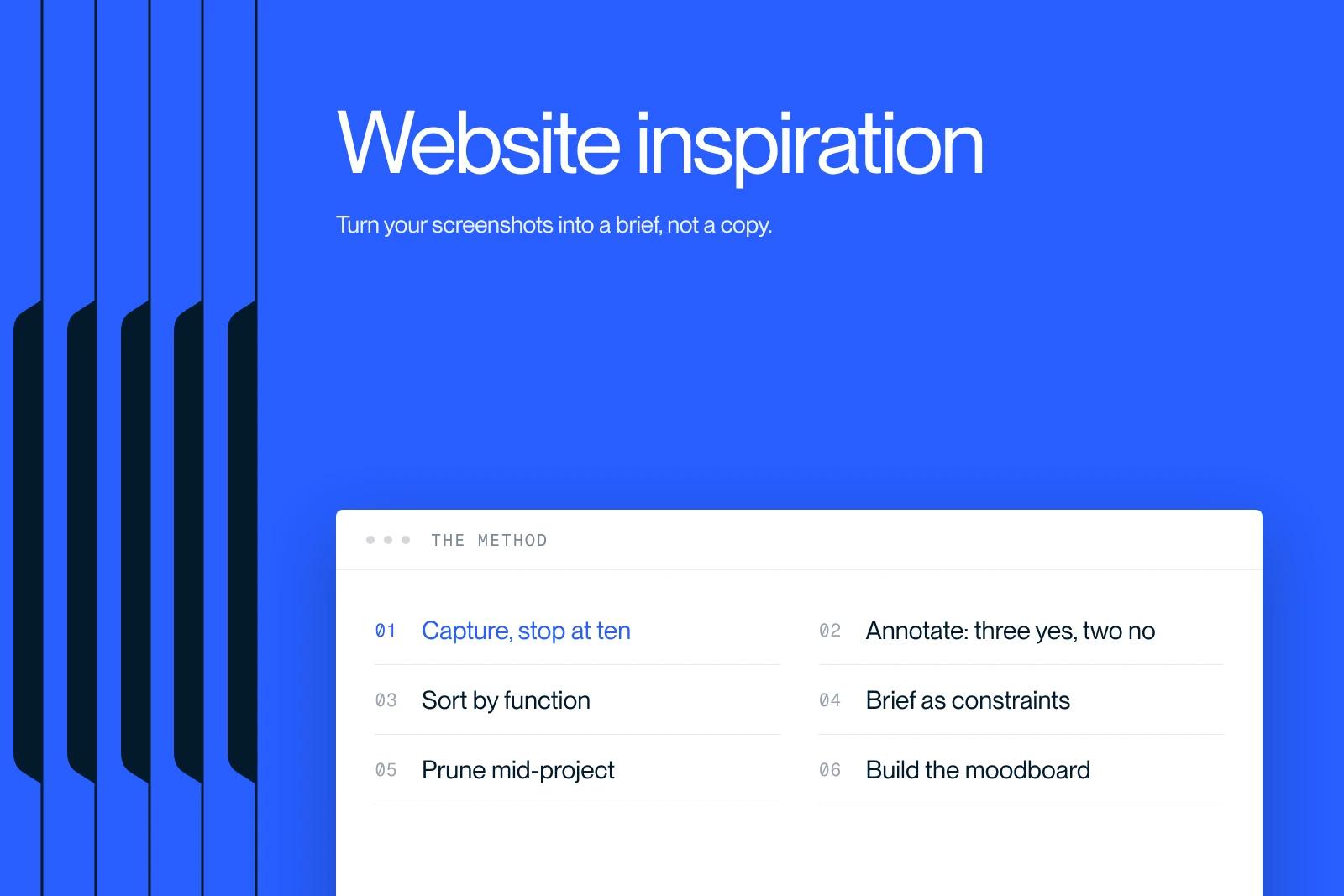
1. Capture, and stop at ten
Five to ten sites at most, captured on desktop and on mobile. Beyond that, the brief becomes unreadable and each additional reference dilutes the previous ones.
The limit on numbers is the most important part of the exercise. A library of sixty references describes no direction at all.
2. Annotate: three yes, two no
For each site: three elements that work and two to avoid, with the reason every time.
"I like it" is not a reason. "The hero's hierarchy makes the offer clear in three seconds" is one. This constraint on wording is what turns personal taste into a criterion others can share.
3. Sort by function
Group references by area: hero, navigation, social proof, pricing, footer. A site can be an excellent reference for its navigation and a poor one for everything else.
This is the step people skip most often, and it is the one that prevents wholesale copies.
4. Brief in constraints, not in moods
A useful brief says: "sticky navigation that shrinks on scroll, like on this site". A useless brief says: "something modern and clean".
Every reference goes into the brief with its annotation, never on its own.
5. Prune halfway through
Halfway through the project, go back to the list and remove what no longer holds. A direction sharpens along the way, and keeping outdated references creates needless back-and-forth.
The 20% rule
No single reference should account for more than 20% of a design decision. Beyond that, it is no longer inspiration, it is a disguised copy, and visitors who know the original reference notice it immediately.
In practice: if your hero takes the structure, typography and palette from the same site, you have crossed the line. Keep the structure, change the rest.
Building a moodboard that actually helps
A good moodboard does not contain only websites. In fact, that is the best way to avoid looking like every other site.
- References from outside the web: posters, packaging, publishing, signage. That is where the bold choices you see nowhere else come from.
- A standalone palette: drawn from the references, but recomposed, never taken as is.
- Two or three font pairings at most, tested on a real headline from your brand, not on placeholder text.
- An anti-moodboard: what you absolutely do not want. It is often faster to put together and more useful in decision meetings.
The anti-moodboard is our most cost-effective addition to this phase. With one image, it defuses disagreements that would otherwise take three meetings.
Four traps to know
- Confusing trendy with timeless: a trend gives you a current-looking site for eighteen months; a coherent system lasts five years. Choose knowingly.
- Forgetting mobile: most galleries show desktop screenshots. Always check how a reference renders on mobile before keeping it.
- Ignoring feasibility: a reference that cannot be built within your budget creates frustration on both sides. The Webflow Showcase avoids this trap by showing only sites that can actually be reproduced.
- Designing without content: a design built on placeholder text falls apart the day the real copy arrives. Have at least your real headlines before you approve a direction.
What comes after inspiration
The inspiration phase does not produce a design, it produces a decision framework. That framework is what lets you decide quickly during design, instead of re-debating every screen. When that framework touches the identity itself, it is work for a branding agency.
On the Qobra project, this framing gave every aesthetic decision a shared anchor point with the client. The delivered site, built around targeted landing pages and interactive tools, generated three times more leads and sixteen times more organic traffic.
For references that are already analyzed rather than a gallery to browse, our ranking of the best websites breaks down fifteen sites, with what each one gets right and what it sacrifices. And if you are looking specifically for brochure website models, we have gathered brochure website examples.
Frequently asked questions
The most useful galleries are Awwwards and Godly for creative direction, Land-book and Lapa Ninja for B2B landing pages, Refero and Mobbin for specific interface components, and the Webflow Showcase to check feasibility.
Always add your direct competitors' websites: not to copy them, but to spot the codes of your market and decide which ones to break.


