Article
Google AI Mode: how it works, how to use it and SEO
IA12 min read

James BrunettoCo-fondateur & CEO
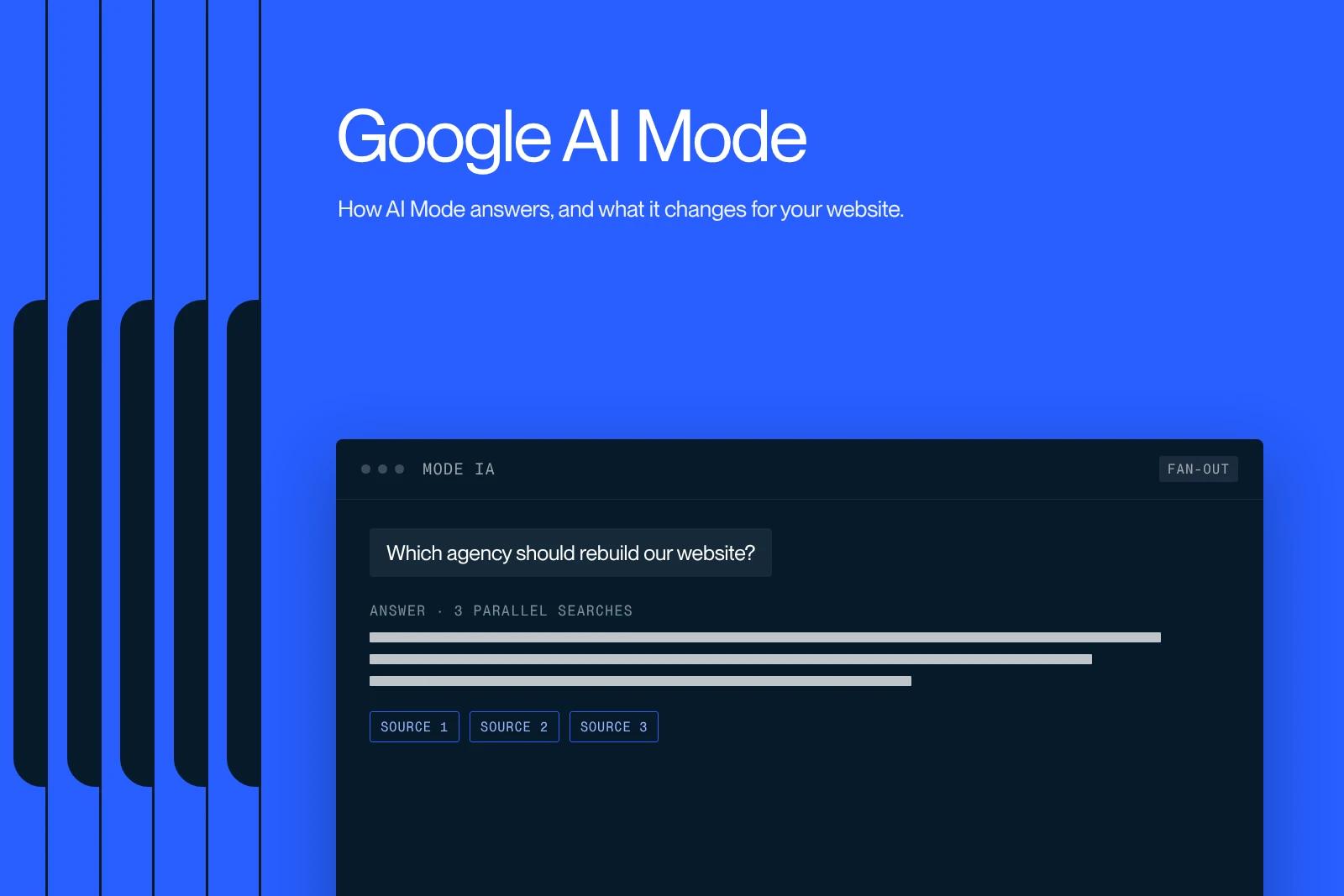
Google AI Mode is conversational search: Gemini splits your question into sub-questions, runs several searches at once and writes an answer with its sources. Google says it now has more than one billion monthly users, and it opened in France on 22 July 2026. We tested it on a real B2B buying question, in English and in French, and looked at the pages it cited. Here is how it works, how to access it, what it changes for your traffic and what it takes to be the page it quotes.
Explore this post with…
In short: AI Mode does not replace SEO. It draws on Google's index and cites pages that answer plainly, with figures, context and a date. It sends few clicks, so the goal becomes being the cited source on the questions people ask before they buy.
What is Google AI Mode?
AI Mode is a conversational search mode built into Google. Instead of a list of links, it shows a written answer, its sources in a column on the right, and lets you ask follow-up questions without starting over.
It runs on Gemini. Since Google I/O on 19 May 2026, the default model is Gemini 3.5 Flash. It accepts text, voice and images, and on mobile you can point your camera with Search Live.
Google says AI Mode has passed one billion monthly users, and AI Overviews more than 2.5 billion. According to the same source, AI Mode queries have more than doubled every quarter since launch.
AI Mode timeline
| Date | What happened |
|---|---|
| March 2025 | First test in the United States, in Search Labs |
| 20 May 2025 | Opened to all US users at Google I/O |
| 19 May 2026 | Over one billion monthly users, Gemini 3.5 Flash as default |
| 3 June 2026 | Google announces a Search Console control to opt out of AI features, and dedicated reports |
| 22 July 2026 | Launch in France, alongside AI Overviews |
| 31 August 2026 | The Search Console control opens to all websites |
AI Mode vs AI Overviews vs Gemini
All three run on Gemini, but they do different jobs. AI Overviews summarise. AI Mode converses and compares. The Gemini app is a general assistant that writes, summarises or codes.
| Criterion | Classic search | AI Overviews | AI Mode | Gemini app |
|---|---|---|---|---|
| Where | Google results | Top of the results page | "AI Mode" tab or google.com/ai | gemini.google.com and app |
| When | Always | When Google judges an AI answer useful | On demand | On demand |
| Format | Ten links and boxes | Short summary with links | Long answer, tables, sources, follow-ups | Open conversation |
| Follow-ups | No | Yes, they open AI Mode | Yes, it is the point | Yes |
| Typical use | Find a page | Quick answer | Complex question, comparison | Write, summarise, analyse |
In practice, people move from one to the other: they read an AI Overview, ask a follow-up and land in AI Mode.
How AI Mode works: query fan-out
At the heart of AI Mode sits a technique Google calls "query fan-out". The engine splits the question into subtopics, runs several searches in parallel across its index, keeps the most useful passages and writes an answer that cites them.
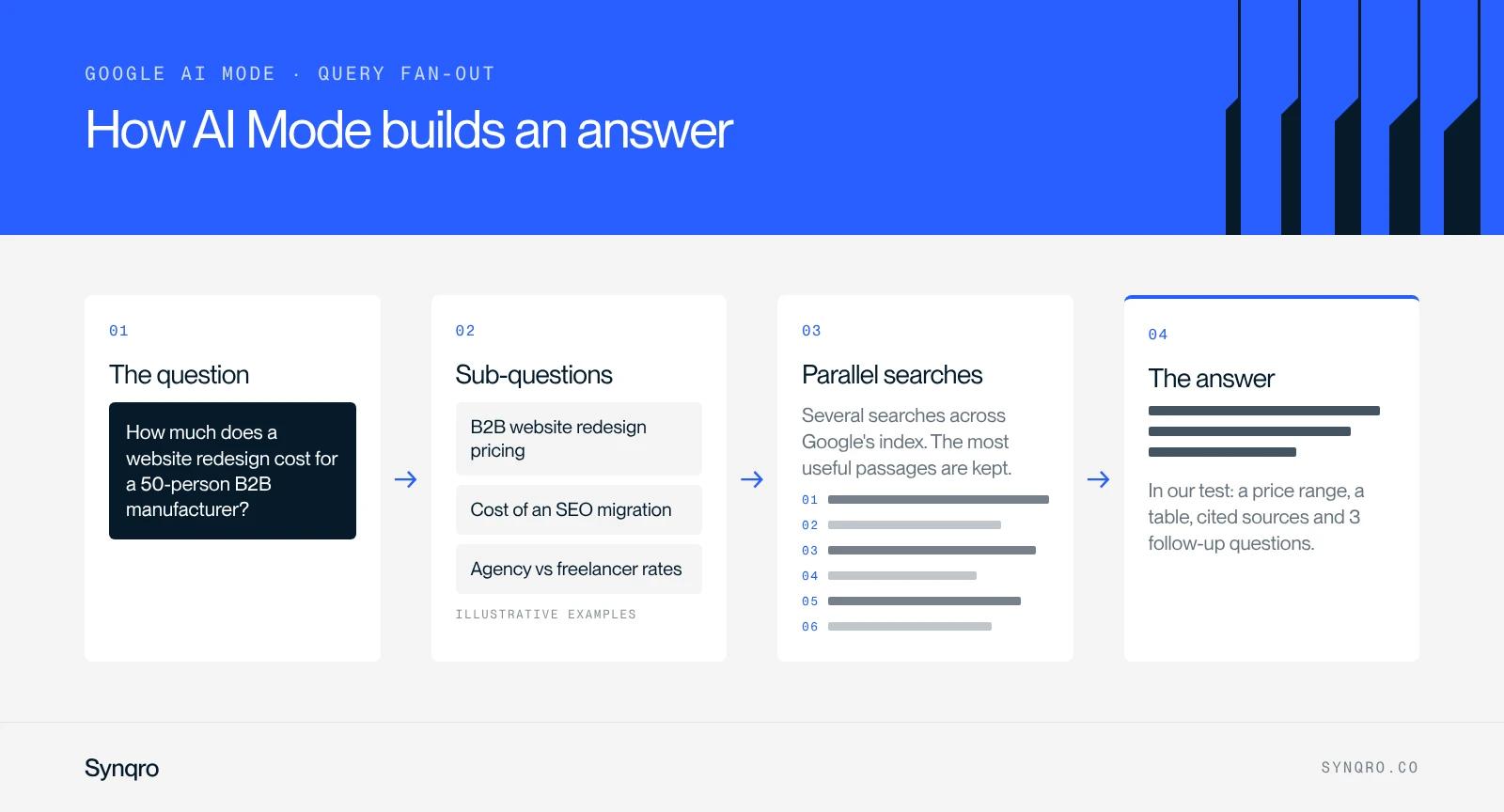
That has two consequences for a website. First, queries change shape. According to Google, AI Mode queries are on average three times longer than classic searches. People no longer type "website cost". They write "how much does a website redesign cost for a 50-person B2B manufacturing company".
Second, a page no longer has to say everything. It has to answer one precise sub-question very well: a price, a timeline, a method, a dated example. That passage is what AI Mode will pick up.
Our test: a real B2B buying question
On 18 October 2026 we asked AI Mode a question our prospects often ask: "how much does a website redesign cost for a 50-person B2B manufacturing company".
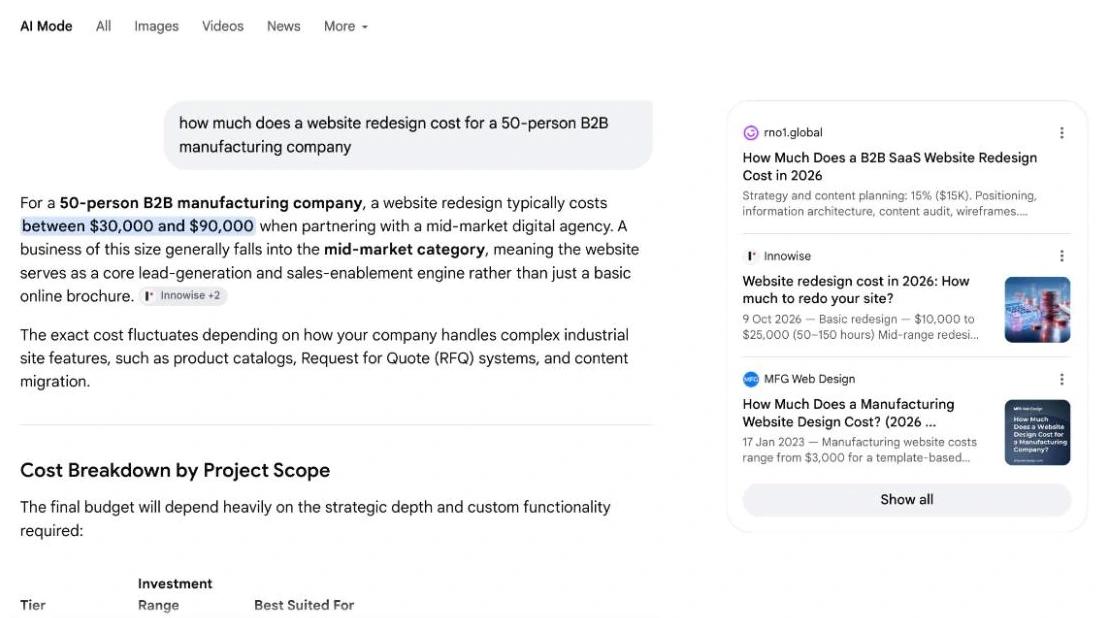
Here is what we noted.
- The answer fits in one sentence. $30,000 to $90,000 with a mid-market agency, credited to one source and two others.
- Then comes the structure. A table with three budget tiers, cost drivers specific to manufacturers (product catalogues, quote forms, ERP integration) and ongoing maintenance.
- It ends with three questions. Which CMS, how many products, whether customers log in to download CAD files. Those are the factors that move the price, and good topics for your own pages.
- It recalculates. One cited agency published a budget split on a $100,000 project. AI Mode applied those percentages to an imaginary $60,000 project and presented the result as typical.
- It is not fussy about dates. It cited a 2023 page whose title says 2026.
We asked the same question in French. The answer gave a range of €10,000 to €25,000 excluding VAT, cited eight pages from agencies and specialist blogs only, and six of the eight showed a 2026 date in their snippet.
The lesson: AI Mode rewrites and recalculates. If you want it to reuse your figures without distorting them, write them with their context: the scope, the reference budget, the date.
One test is not a study. Answers vary with the wording, the account and the day. But the pattern repeats on the pricing questions we track for our clients.
How to access AI Mode
On desktop
Go to google.com/ai, or run a search on google.com and click the "AI Mode" tab, the first one under the search box.
On mobile
In the Google app, on Android and iPhone, tap "AI Mode" on the home screen. In a mobile browser, the tab is the same as on desktop.
Is it free?
Yes for everyday use. The "Fast" model handles most questions. Google keeps Gemini 3 Pro for Google AI Plus, Pro and Ultra subscribers aged 18 and over, with daily limits.
History and data
Your AI Mode history sits in the sidebar. To remove a search, open its menu and choose "Delete", or use "Delete all" at the top of the history. Google says deleted items leave My Activity within 24 hours. You can also turn off history and personalised recommendations.
How to avoid AI Mode
There is no official switch to remove the tab. Two simple options:
- Stay on the "All" tab. AI Mode only opens if you click it, or if you ask a follow-up inside an AI Overview.
- Use the "Web" filter. It shows links only, without AI Overviews. It sits in the tab bar, sometimes under "More". You can also add &udm=14 to the end of a search URL.
What AI Mode changes for your traffic
AI Mode answers before it sends anyone to a website. The published studies all point the same way: when an AI answer appears, people click less.
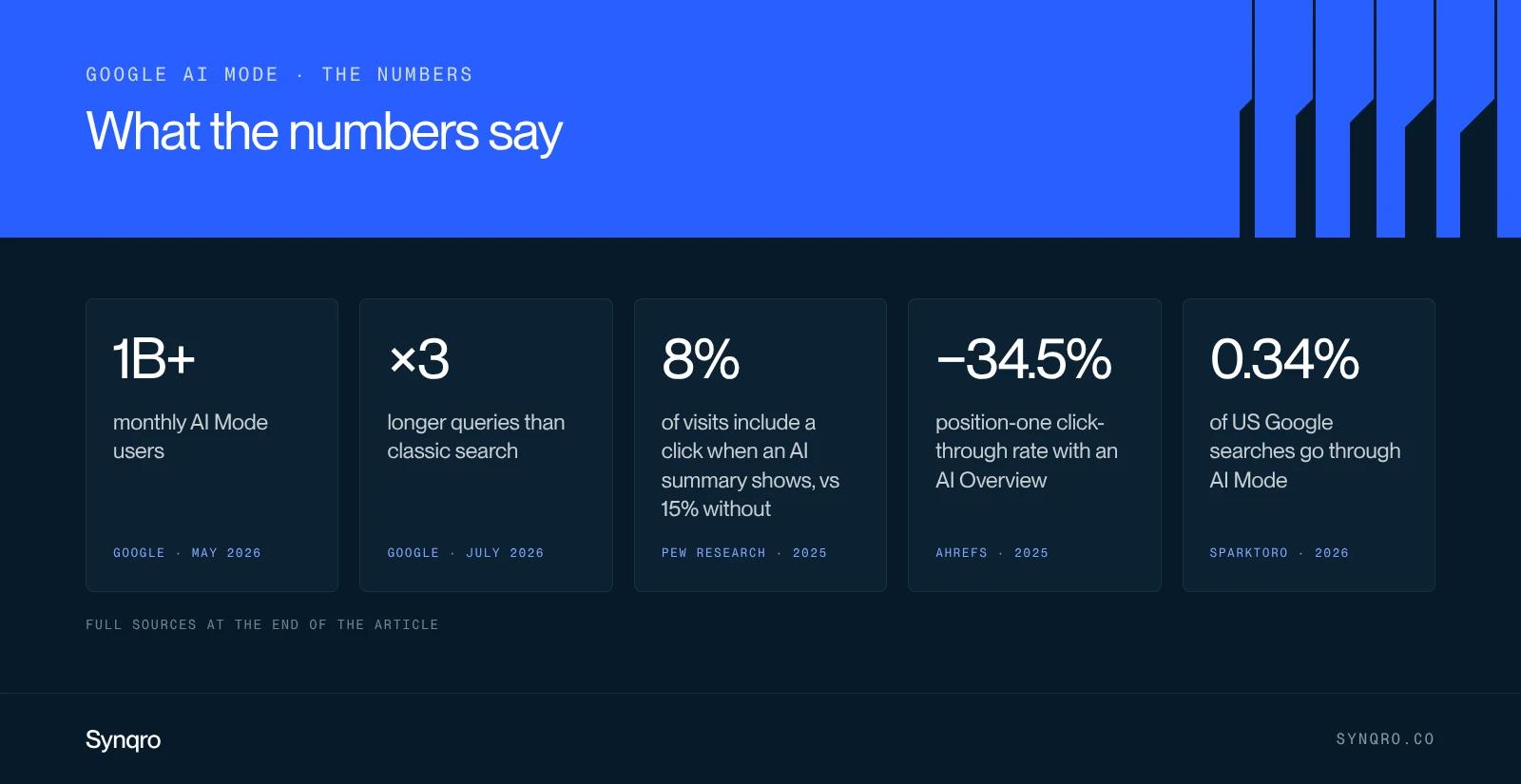
| Figure | What it measures | Source |
|---|---|---|
| Over 1 billion | Monthly AI Mode users | Google, May 2026 |
| 8% vs 15% | Visits with a click on a result, with or without an AI summary | Pew Research Center, July 2025, 900 US adults |
| 34.5% | Drop in position-one click-through rate when an AI Overview shows | Ahrefs, 300,000 keywords, April 2025 |
| 68% | US Google searches with no click at all, January to April 2026 | SparkToro, Similarweb data, June 2026 |
| 0.34% | Share of US Google searches that go through AI Mode | SparkToro, same study |
In August 2026, an experiment with 1,100 participants published on arXiv confirmed the effect: an AI Mode-only search experience sends fewer clicks to websites than classic search.
Keep two readings together. AI Mode is still small in total volume. But it captures long questions, the ones people ask when they compare suppliers or prepare a budget. On those queries our reading, with no public figure to prove it yet, is simple: clicks become rare, and the ones that remain arrive with a sharper question.
How to track AI Mode in Search Console
Google does not yet separate this traffic in the main report. Here is what exists and how to use it.
- The Performance report. AI Mode and AI Overviews clicks and impressions are counted in the "Web" search type, with everything else.
- The Search Generative AI reports. Announced on 3 June 2026 and rolling out in stages, they show impressions in AI features by page, country and device. No clicks for now. If you cannot see them, your property is not included yet.
Our tracking routine, in four steps:
- Isolate long queries. In Performance, filter queries with the regular expression ^(\S+\s+){7,}\S+ to keep queries of eight words or more.
- Compare before and after the launch in your market. Page by page, check whether impressions rise while clicks fall. That is the signature of AI answers.
- Cross-check with the generative AI report. List the pages that appear there, and the ones that never do.
- Test by hand every month. Ask AI Mode your ten key questions and note who gets cited. It is the only way to see your competitors in these answers.
Should you opt out of generative AI in Search Console?
Since 31 August 2026, every site has a Search Console setting (Settings, then Search generative AI) to leave AI Overviews, AI Mode and AI Overviews in Discover.
Google is clear about the effect: a site that opts out receives neither traffic nor impressions from those features. The setting is not used as a ranking signal in classic results.
For a B2B services site, we recommend staying on "Include". Opting out does not protect your traffic: a competitor simply takes your place in the answer. It can make sense when the text itself is the product you sell, such as a paid report. For finer control, the nosnippet, data-nosnippet, max-snippet and noindex directives are still available.
How to get cited in AI Mode: our 6-step method
There is no separate recipe. Google's documentation says it plainly: to appear, a page must be indexed and eligible for a snippet, and no special file or markup is needed. Here is the order we follow.
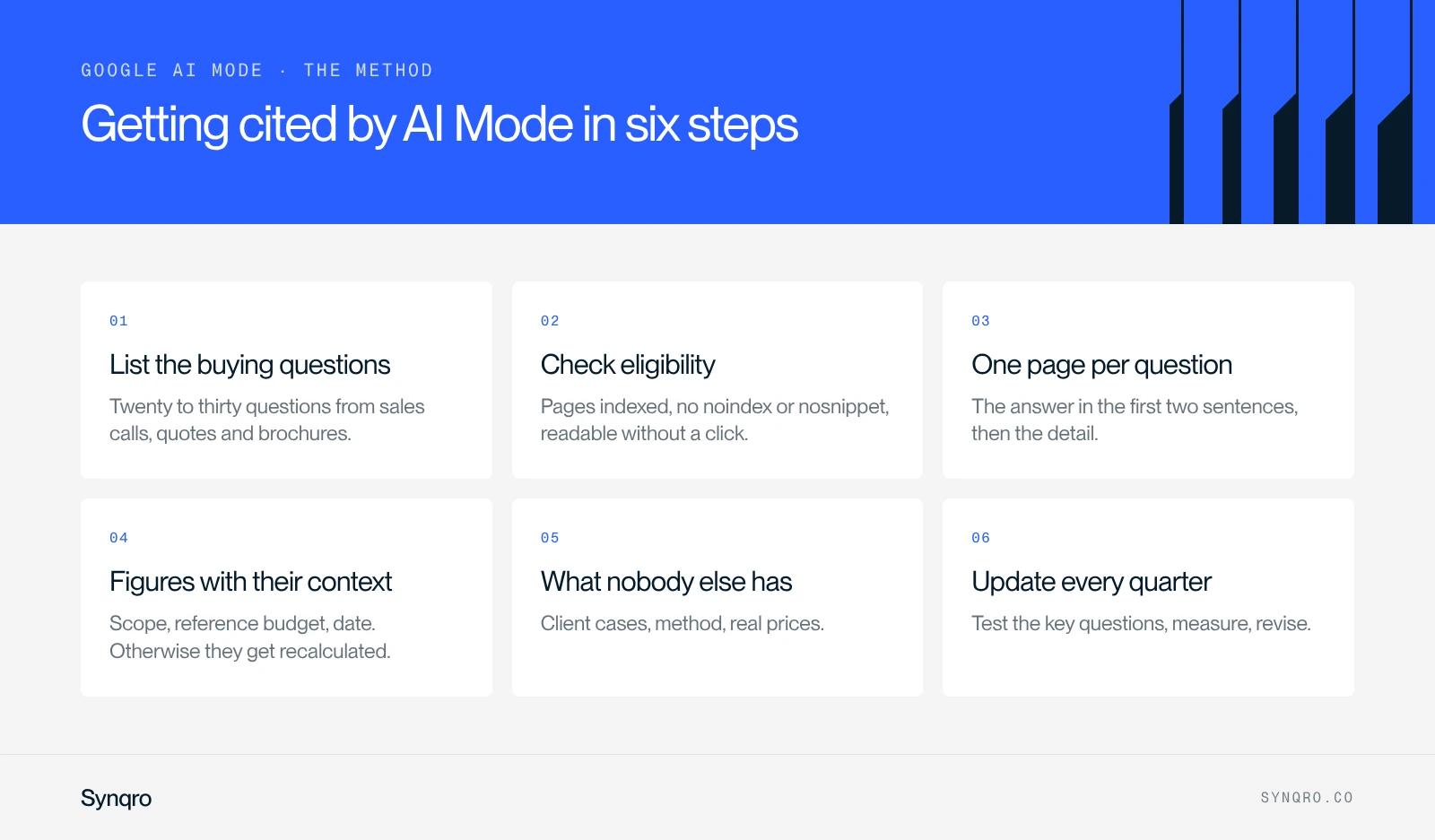
- List the buying questions. Twenty to thirty questions taken from sales calls, quotes and brochures. Long questions, like the one in our test.
- Check eligibility. Pages indexed, no noindex or nosnippet, content readable without a click. A technical SEO audit tells you in a few days.
- One page per important question. The answer in the first two sentences, then the detail. One H2 per sub-question, a table whenever you compare.
- Write your figures with their context. Price, timeline, scope, date. Our test showed it: a figure without context gets recalculated.
- Add what nobody else has. Your client cases, your method, your real prices. It is the first criterion in Google's guide to generative AI: content a model cannot produce on its own.
- Update every quarter. Almost every source in our French test was dated 2026. Only change a page's date when its content has really changed.
Keep clean structured data: it helps Google understand the page, without being required for AI. And avoid two traps. Google states that Search does not use llms.txt files, and its spam policies now also cover attempts to manipulate generated answers.
What we do for our clients
For us, GEO is not a separate discipline: it is search engine optimisation with a higher bar for evidence. We start by gathering what no model can invent: sales brochures, real figures, questions heard in meetings. Then we test the key questions in AI Mode every month and review priorities every quarter.
At Qobra, that logic guided more than two years of work together: landing pages built around precise intents and interactive tools, rather than more articles. The measured result: three times more leads and sixteen times more organic traffic.
We apply the same rule to our own website. Our prices are written out in full: €3,000 to €20,000 excluding VAT for a website, €1,000 to €5,000 a month for SEO.
If you want to know where your site stands, our GEO support starts from your clients' real questions. To go further, our GEO white paper sets out the method, and our guides to ranking on ChatGPT and generative engine optimisation cover the other answer engines. And if AI tools describe your company badly, the problem often starts earlier, in your brand platform.
Sources
- Google, AI in Search, Google I/O, 19 May 2026
- Google, new controls for website owners, 3 June 2026, updated 31 August 2026
- Google Search Central, Search Generative AI performance reports, June 2026
- Google Search Central, AI features and your website
- Google Search Central, guide to optimising for generative AI features
- Google Search Help, AI Mode in Google Search
- Google France, launch of AI Overviews and AI Mode in France, 22 July 2026 (in French)
- Pew Research Center, 22 July 2025
- Ahrefs, AI Overviews reduce clicks, April 2025
- SparkToro, zero-click searches in 2026, June 2026
- Wang et al., AI in Search Reduces Publisher Referrals, arXiv, 18 August 2026
- Synqro test of AI Mode, 18 October 2026, questions in English and French
Frequently asked questions
It is Google's conversational search mode. It splits a question into sub-questions, runs several searches in parallel and writes an answer with its sources, which you can follow up with more questions.