Article
Keyword cannibalization: detect it, decide and fix it
SEO10 min read

James BrunettoCo-fondateur & CEO
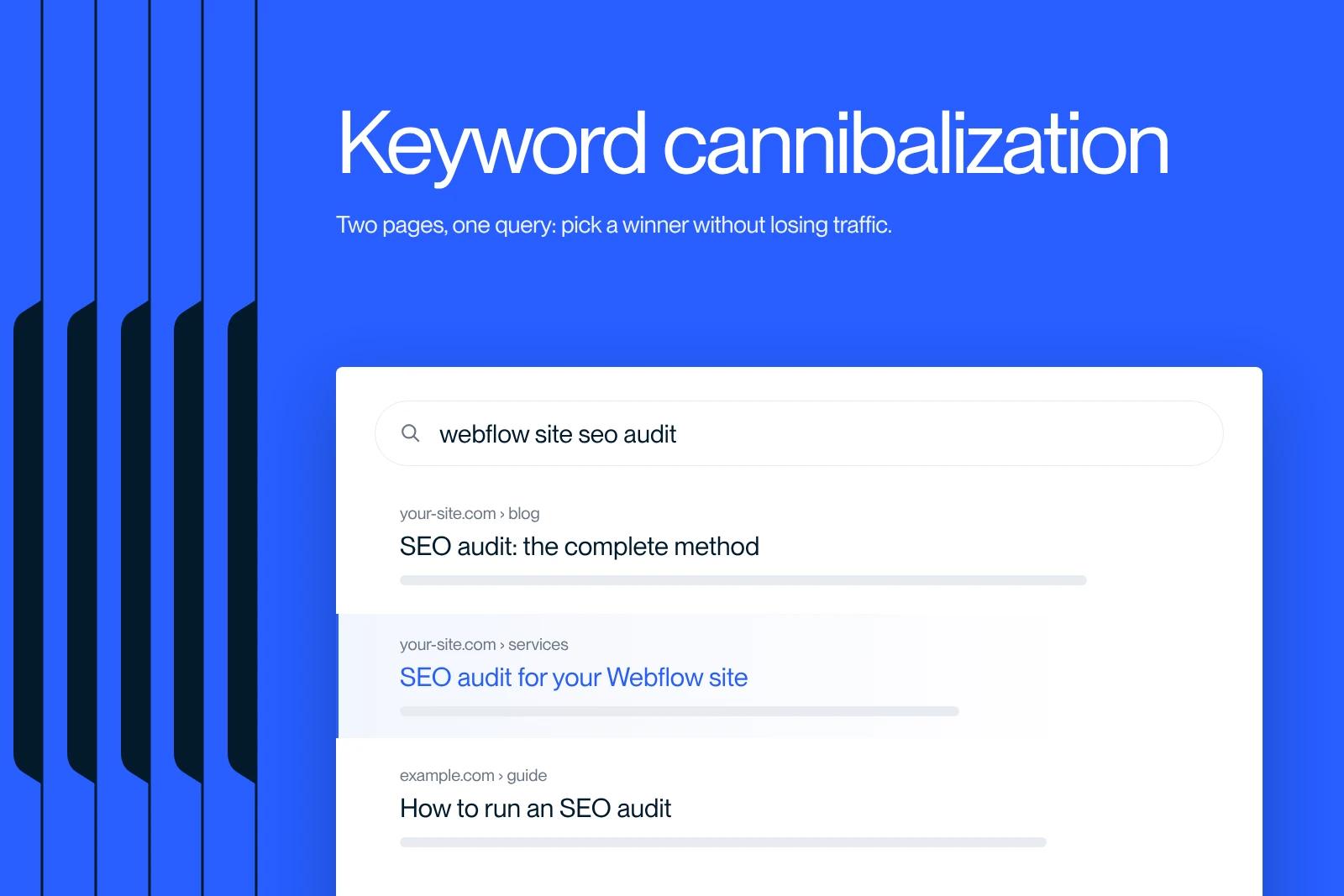
Keyword cannibalization can hurt your results. Here is what it is and how to avoid it with a sound content strategy.
Explore this post with…
Keyword cannibalization is when several pages on the same site answer the same search intent and compete for the same query in Google. The search engine cannot tell which one to show, so it alternates between them, and neither settles in. The result: rankings that move for no apparent reason, and traffic that stalls even though you publish more.
This guide gives the method we use as a Webflow agency on the sites we audit: detect the conflict in Search Console, decide whether it really is one, then apply the one fix that resolves the case.
Keyword cannibalization: what it is, and what it is not
The criterion is not the keyword in your tags, it is the intent. Two pages can contain "invoicing software" twenty times without getting in each other's way, if one explains how to choose and the other compares specific offers. Conversely, two pages with very different vocabulary cannibalize each other as soon as they answer the same question.
Do not confuse it with duplicate content. Duplicate content is the same text at two addresses, a technical problem. Cannibalization is two original texts aiming at the same thing, an editorial problem. Different tools, different fixes.
Two pages on the same query: should you really worry?
Many of the alerts raised by tools are not problems. Asked about it, Google's John Mueller replied that seeing three pages from the same site in a search result did not seem problematic to him just because there was more than one. Stop counting URLs and look at behavior.
The real warning sign comes down to three observations:
- Rankings swing sharply on the query, with no change on your side.
- Google switches pages from one period to the next for the same query.
- Impressions go up, clicks do not follow, and neither URL reaches the top 5.
If both pages are stable and each gets its own clicks on distinct queries, leave them alone. An unnecessary merge loses rankings you already have.
Where cannibalization comes from on a real site
In audits, the causes are almost always the same:
- The blog outranks the commercial pages. An article covers a transactional topic, it has more internal links than the service page, and it moves ahead.
- No content inventory. Nobody knows what has already been published, so it gets published again.
- Variants treated as topics. A keyword in singular and plural, or two synonyms, become two articles even though Google returns the same results page for both.
- Successive redesigns. The old page stays online next to the new one, with no redirect.
- Generated pages. Filters, sorting and pagination produce dozens of very similar indexable URLs.
The common thread: cannibalization rarely comes from a technical accident. It comes from an editorial calendar that moves faster than the inventory.
Detecting cannibalization in Google Search Console
This is the only method based on your real data rather than an estimate. It is free and takes five minutes per query.
- Open the Performance report, Search results section. The default view covers the last three months; widen the date range to see page switches over time.
- Go to the Queries tab and pick a strategic query, with a high number of impressions or high commercial value.
- Click that query: it becomes a filter applied to the whole report.
- Switch to the Pages tab. You now see every URL that gets impressions on that single query.
- Two or more URLs with significant impressions and similar average positions: you have a candidate.
- Confirm with the Dates tab: if the two pages' curves cross, Google is hesitating.
The report also offers a 24 hours view, useful after a fix to see whether Google has started to react, keeping in mind that this data is preliminary.
Other detection methods, and what they are worth
The search operator site:yoursite.com your keyword gives a quick snapshot of the pages Google associates with the topic. It says nothing about rankings, but it reveals duplicate titles in seconds.
A manual inventory is still underrated: one column for the URL, one for the intent, one for the main query, and the collisions jump out. On a site with fewer than a hundred pages, it is faster than any tool.
On the tools side, here is what actually exists today:
| Tool | What it brings for cannibalization | Limit |
|---|---|---|
| Google Search Console | The pages actually shown for a query, with impressions, clicks and average position | No automatic detection, you have to investigate query by query |
| Semrush, Position Tracking Cannibalization report | Flags tracked keywords for which several URLs from the site appear | Limited to the keywords you have added to tracking |
| Ahrefs, Organic keywords report | Lets you filter on a query and see the URLs ranking for it | Estimated data from a third-party index, not your Google data |
| Screaming Frog | Spots near-identical title tags and H1s across the whole site | Measures no performance, only structure |
| Conductor Website Monitoring, formerly ContentKing | Continuous monitoring and a history of page changes | A monitoring tool; the editorial decision is still yours |
A side note: ContentKing was acquired by Conductor and is now called Conductor Website Monitoring. A guide that still uses the old name has not been reviewed in a long time.
The four-question test before you touch anything
Before merging or deleting, answer these four questions. Three yeses and the case is real.
- Do the two pages answer the same question, phrased the way a reader would ask it?
- Can you explain in one sentence, without SEO jargon, who each one is for?
- Does Google alternate the two URLs on the query from one period to the next?
- Are both pages stuck at a ceiling together, with neither breaking through?
The second question is the most useful. If you cannot tell the two pages apart for a human, Google will not be able to either.
Which fix to apply, case by case
There is not one solution but five. Choosing the wrong one costs more than doing nothing.
| Situation | Fix | Implementation |
|---|---|---|
| Two pages, same intent, similar content | Merge | Move the best passages into the stronger page, then 301 redirect the other and update the internal links that pointed to it |
| Genuinely different intents, but titles and angles too close | Differentiate | Rewrite the title, H1 and introduction to make the angle clear, and change the anchor text of internal links |
| A weak or outdated page gets in the way of a strong one | Deindex or delete | A noindex tag if the page is still useful to visitors, otherwise delete and redirect |
| Variants of the same page, filters, sorting, URL parameters | Canonicalize | Point all variants to the reference URL and align internal links on that URL |
| A blog article outranks the commercial page | Rebalance internal linking | Link the article to the commercial page with the transactional anchor, and remove that anchor from the article |
On the last two rows, one detail matters. Google's documentation on consolidating duplicate URLs classes redirects and the canonical tag as strong signals, and sitemaps as a weak signal. It adds that none of these signals is required and that Google will identify the version of the URL that is objectively the most relevant for users. In other words: the canonical is a preference, not an order. On two genuinely different pieces of content, it will not fix anything.
When merging is the right answer, a permanent redirect is the clearest lever. Google also states that how long it takes to be picked up varies by method, and recommends server-side HTTP redirects for a fast effect. On Webflow, this is set in the project settings, as detailed in our guide to 301 redirects on Webflow.
An example we own: our own blog
Writing this guide while hiding our own duplicates would be dishonest. Our French blog has some, and they illustrate all three scenarios.
- The pure duplicate: "refonte site internet" and "refondre site internet" (website redesign, as a noun and as a verb) are two phrasings of the same question. Only one article should exist; the other should be merged and redirected.
- The overcrowded family: "Figma mockup", "website mockup" and "Figma website mockup". The intents overlap heavily; we need to keep one pillar page and clearly specialize the other two, or absorb them.
- The fragmented pricing topic: "brochure website cost", "Webflow website cost" and "website cost". The intents can hold if each page covers a distinct scope, but that has to be visible from the title.
On the client side, these conflicts often surface during an audit. On the Fermes de Marie website, our SEO audit led to more than 50 technical fixes, the kind of project where we map intents page by page before touching the content.
Preventing cannibalization rather than fixing it
Fixing costs more than preventing. Three rules are enough.
One intent, one page. Before approving a topic, check in Search Console whether a page already gets impressions on the target query. If so, the right move is to update that page, not to create a new one.
A living inventory. URL, intent, main query, date of last update. Without this table, the problem comes back every six months.
An architecture that assigns roles. One pillar page per topic, with satellite pages that cover a specific angle and link to it. That is exactly the logic of the semantic cocoon, and it is the best structural safeguard against intent collisions.
On Webflow in particular, the CMS makes publishing easy, and therefore proliferation too. Synqro is a Webflow Premium Partner agency that works with companies in Paris and across France; we work both as a Webflow agency in Paris and as a Webflow SEO agency to settle these conflicts before they cost rankings.
Key takeaways
Cannibalization is not a number of pages, it is Google hesitating between two answers to the same question. Filter on a query in Search Console, look at the Pages tab, and only fix the cases where the curves cross. Merge when the intent is the same, differentiate when it is not, never the other way around.
Unsure how to arbitrate between your pages, or have a Webflow site whose rankings move without explanation? Let's talk about your project.
Frequently asked questions
It is when several pages on the same site answer the same search intent and compete for the same query in Google. The search engine hesitates, alternates, and neither page settles in. The criterion is not the keyword written in the pages, it is the intent they answer.