Article
Canonical URL: What It Is and How to Use It
SEO14 min read

Guillaume SchluppConsultant SEO
Canonical: understand the canonical tag, set the canonical URL of a page for Google, get the right content indexed and fix duplicate content issues.
Explore this post with…
The canonical tag is used to tell Google which address should be treated as the reference version when several very similar variants exist. It is a simple but decisive setting to make clear which version should appear in search results and to avoid diluting relevance.
At Synqro, a performance-driven Webflow agency, we work on sites where variants come from filters, marketing parameters, http/https versions or overly permissive navigation structures. Our approach relies on concrete settings: architecture, redirects, consistent internal links and a clean implementation in the HTML code. This "invisible" work is exactly what secures your organic search performance.
Canonical: definition and role of the reference URL
The canonical is a hint given to a search engine to designate the canonical version of a document. When there are several paths to the same resource, this signal centralizes authority and keeps a variant from being read as a standalone entity. In practice, it is a way to choose between several pages that are close to each other, without necessarily deleting them.
It is not a block. Crawlers can still discover the different versions, but the goal is to specify which one should be favored in the index. This is especially useful when a variant is still needed by users but adds no extra SEO value.
Key points to remember:
- It designates the canonical version to favor in the results.
- It limits internal competition between similar variants.
- It consolidates popularity signals on a single address.
- It clarifies variations created by filters, parameters or navigation.
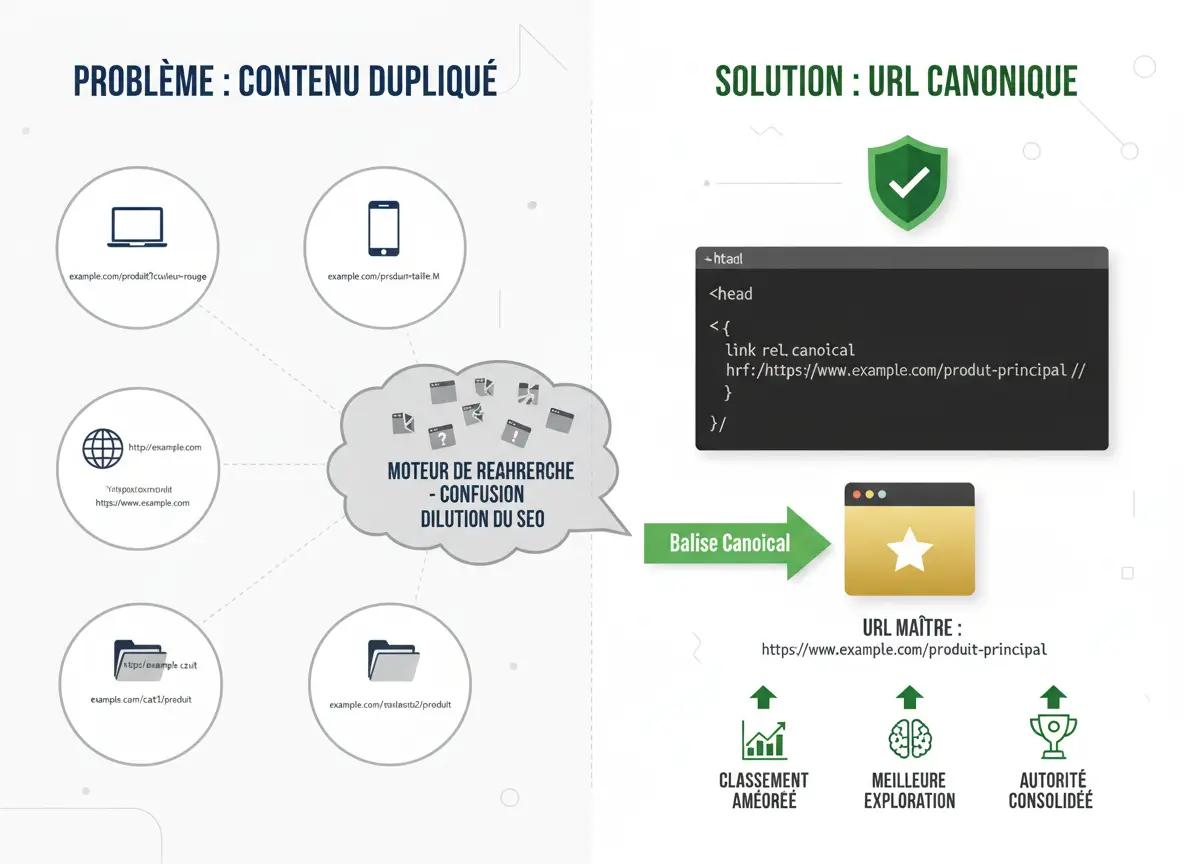
Why URL variants appear and create duplicates
On the web, duplicate addresses appear quickly. A sort option, a filter, a campaign parameter or a listing system can create dozens of versions of the same resource. To a search engine, these versions sometimes look like separate documents, which can fragment its understanding and dilute visibility.
The main risk is not necessarily "getting penalized" but a loss of efficiency: crawling gets scattered, and relevance is split across several competing variants. On large websites, this noise slows down the discovery of truly strategic documents and makes it harder to consolidate signals.
Common sources of duplicates:
- Sorting and filters on a catalog, especially in e-commerce.
- www/non-www or http/https versions that are not standardized.
- Access to the same item through categories, tags or internal search.
- Tracking parameters (utm, gclid) that multiply addresses.
Canonical tag: where it goes and how it is interpreted
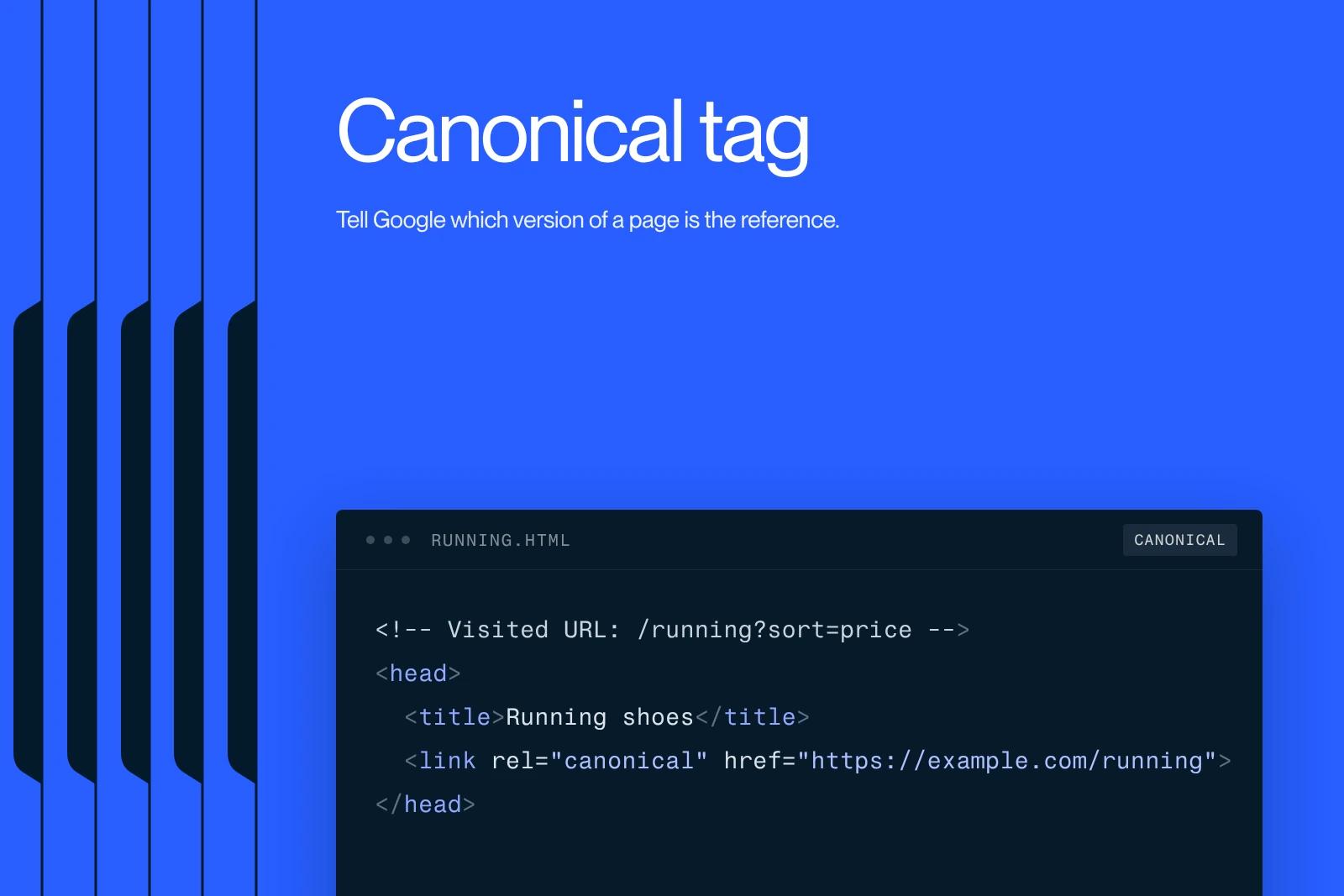
Technically, the canonical is a link declared in the document header, usually in the head. In the source code, it appears as an HTML tag of the link type with a rel attribute. Its role is to suggest a preferred address, but the search engine keeps some room for interpretation: if signals contradict each other, it can ignore the recommendation.
For it to be followed, the target must be consistent: same topic, stable access and no contradiction with internal linking. If you point to a target that does not cover the same theme, or that redirects somewhere else, you send a weak signal. In some cases, this inconsistency can hurt visibility by creating uncertainty.
Implementation best practices:
- Point to a stable target that returns a 200 status.
- Use a clean address, with no unnecessary parameters.
- Avoid chains where the target redirects several times.
- Align this signal with internal linking and sitemaps.
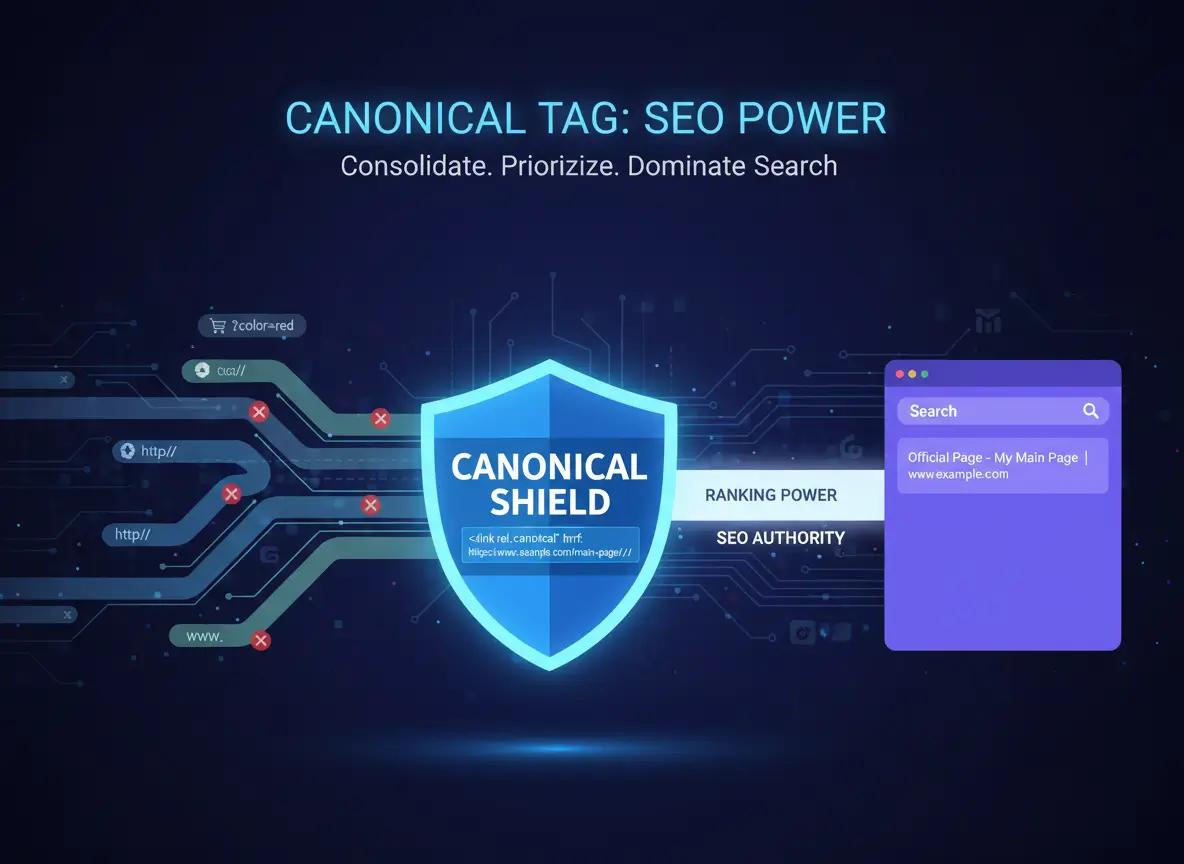
The rel attribute: how the link element works and when to use it
The rel attribute specifies the relationship between a document and a reference resource through a link. In SEO, this logic lets you consolidate a priority signal when the same information can be reached through several technical paths. The benefit is to limit internal competition between very similar variants and make interpretation more stable for a search engine.
On a website, these variants often come from marketing parameters, duplicated templates or multilingual architectures. The classic mistake is to apply one rule everywhere without checking whether the target document really matches. The right use is to link a variant to its canonical version only when the difference brings no distinct SEO value.
This lever is especially useful for sites where navigation produces variants at scale.
Points to watch:
- Check that the reference resource returns a stable status.
- Avoid redirect chains between the variant and the target resource.
- Make sure internal linking points to the main version.
- Check that the target covers the same intent and the same topic.
E-commerce platforms: handling sort parameters without creating duplicate content
On an e-commerce platform, most duplicates come from parameters: sorting by price, color filters, sizes, stock, nested categories. These versions are useful to users, but they can disrupt the index if they become competing, near-identical variants that get crawled at scale.
The goal is to set up governance: which versions should stay accessible, which should be neutralized, and which deserve full SEO treatment. A version can be legitimate if it answers a strong, stable intent. Otherwise, it should be treated as a technical variant, to avoid spreading relevance thin and creating duplicate pages.
This is managed through rules. It is also a performance lever: fewer useless variants means more resources spent on the sections that matter.
Recommendations:
- Standardize marketing parameters and limit indexable combinations.
- Organize categories in a clear hierarchy and avoid multiple paths to the same listing.
- Set rules for handling filters based on intent.
- Check consistency regularly through crawl audits and server log files.
Reference URL vs redirect: how to choose the right lever
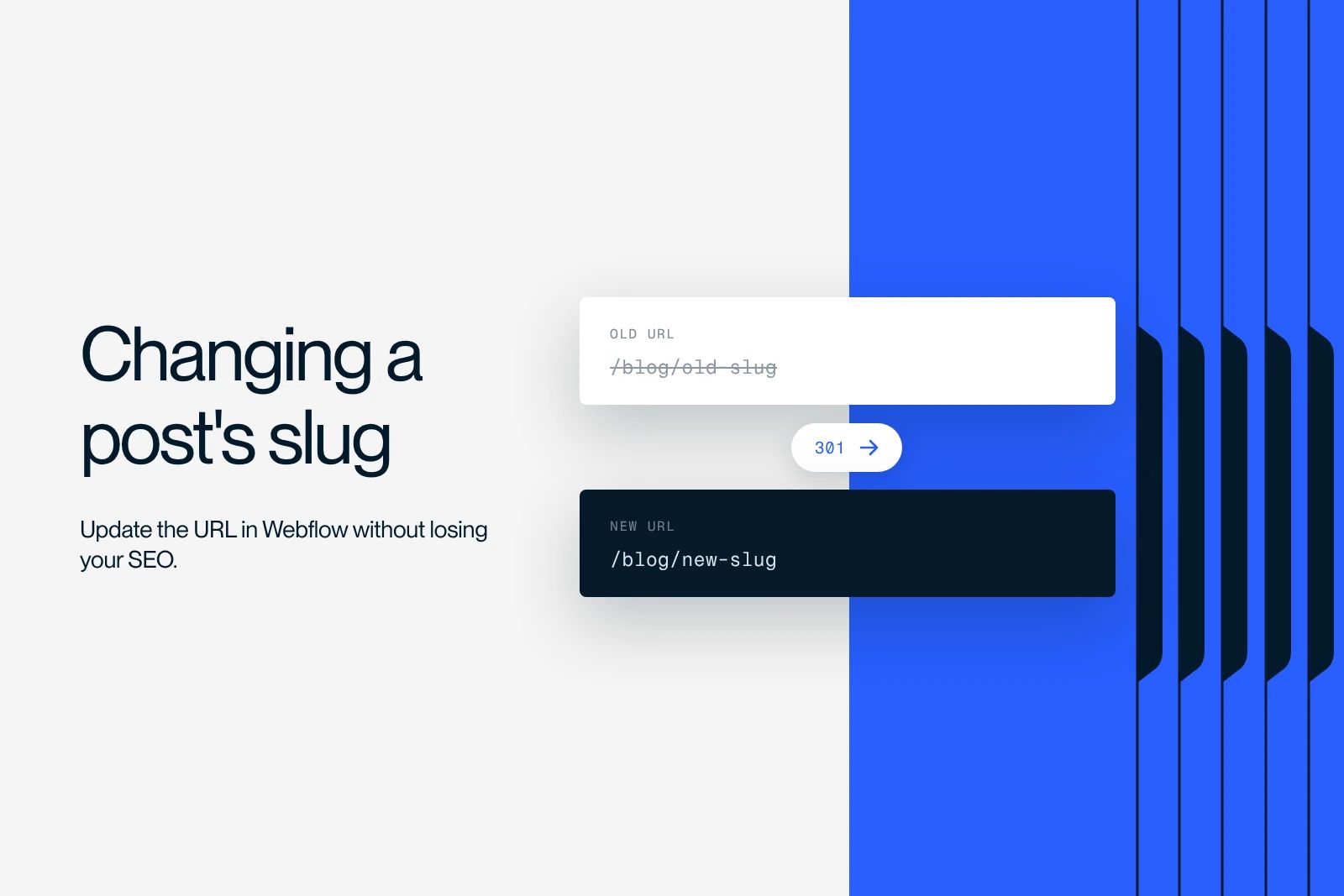
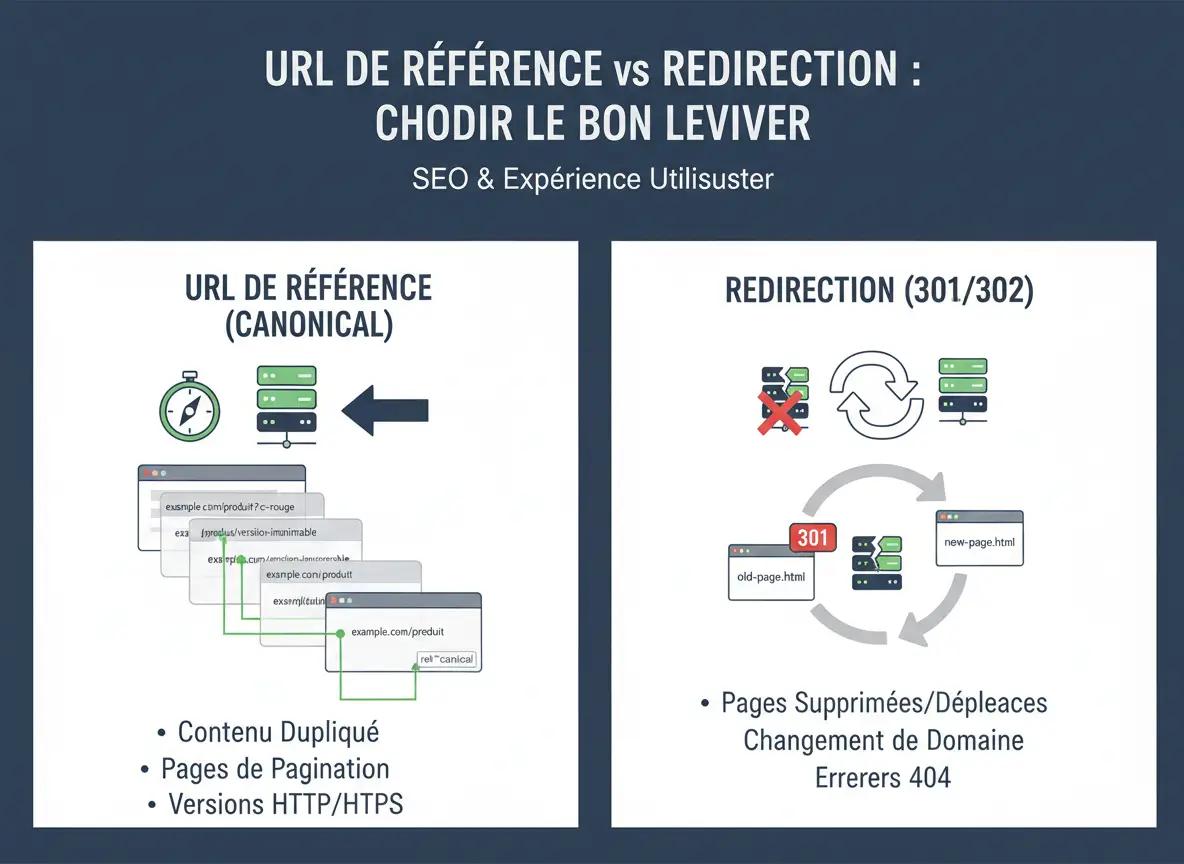
A redirect permanently moves a resource: the user is sent to a new destination. The canonical, on the other hand, ranks variants that can stay accessible, for user experience or marketing needs. The purpose is different: one changes the destination, the other guides how the index decides.
In practice, you use a redirect when the old address is no longer meant to exist (redesign, structure change). You use a canonical when you accept several variants but want to make clear which one should be put forward.
How to decide:
- Redirect if the old address must disappear and be replaced.
- Canonical if the variant must stay accessible (filters, tracking).
- The two must be consistent, with no contradictory signals.
- Check in Google Search Console to confirm which version was selected.
When to use a canonical on a website
The canonical becomes useful as soon as a website generates technical or structural variations. The most common cases are parameters, collection management or the accidental duplication of similar documents. The point is to choose a "clean" version to build on the signals and reduce noise.
It is also relevant for similar texts published for different purposes, such as campaign landing pages. Be careful here: if the intents are truly different, it is better to differentiate the content than to merge it with a reference signal. The goal is to keep the usefulness of each document without giving up any of your visibility opportunities.
Common use cases:
- Sort parameters and filters that multiply variants.
- Access to the same document from several categories or tags.
- Marketing variants with tracking and parameters.
- Very similar versions where only one should win.
What Google expects: consistency, aligned signals and the engine's own choice
The engine looks at several clues: content, internal links, sitemaps, redirects and the declared canonical. If everything points to the same canonical version, it usually follows the hint. If the signals diverge, it can pick another version, sometimes different from the one you suggested.
The right goal is not to "force" an engine but to make the choice obvious. When the architecture is clear, signals consolidate naturally and your content gains ranking stability. It also cuts unnecessary crawl costs.
What strengthens the signal:
- Internal linking pointing to the main version.
- Sitemaps and links consistent with the reference address.
- Clean redirects, with no loops or chains.
- Few variants, each justified for the user.
Common mistakes that create noise and cost you visibility
The most frequent mistakes come from templates: the same canonical injected everywhere, or a default target pointing to a generic section. Another mistake: sending specific documents to a category page, which stops those documents from ranking for their own intent.
We also see technical inconsistencies: declaring a "clean" address but generating internal links to variants, or letting the target redirect. In these scenarios, the engine gets a confusing message and decides on its own. This is exactly the kind of situation where you lose visibility without noticing.
Mistakes to avoid:
- Declaring the same signal across the whole site through a template.
- Pointing to a target that redirects or does not return a 200.
- Linking documents that answer different intents.
- Letting internal linking push competing variants.

The Synqro method: clarifying addresses and stabilizing indexing on Webflow
On Webflow, governance comes first: making sure every CMS template and every static page sends the right signals. We start by identifying where variations come from, then set rules by document type. Next, we implement this tag in a clean, measurable way, with no destructive automation.
In practice, this often means inserting the tag in the right place, checking that there is only one relevant tag per document, then checking the output in the source code. We add a crawl-focused review: what crawlers actually see, and what a template update can change without warning.
What we put in place:
- An audit of duplicate causes and affected templates.
- Rules for the canonical version by intent.
- Fixes to internal linking and related redirects.
- A post-deployment check to validate the behavior efficiently.
Conclusion: fewer duplicates, stronger signals, more stability
The canonical tag makes an architecture readable when several variants coexist. Used methodically, it limits internal competition, consolidates popularity signals and stabilizes visibility. Used at random, it removes useful documents from the results or creates contradictions.
Priority actions:
- Identify the address variants that add no value.
- Choose a clear, clean and stable main version.
- Align internal links, sitemap and redirects with that choice.
- Check which version was selected in Google Search Console.
Frequently asked questions
A canonical URL is the canonical version of a resource, the one you want favored when several variants exist. It consolidates SEO signals on a single version and keeps technical copies from competing with each other. The goal is to make the choice obvious in the results.