Article
Google Tag Manager: complete guide, GDPR and server-side
SEO9 min read

James BrunettoCo-fondateur & CEO
Google Tag Manager centralizes your site's tags in one interface, so you no longer touch the code for every change. Installation, GA4, consent and server-side: what you need to know for a clean container.
Explore this post with…
Google Tag Manager, or GTM, is a free tag manager from Google. It adds a single container to your site, and from that container you add, edit or remove your measurement and advertising scripts: Google Analytics, Google Ads, Meta, LinkedIn, testing tools. Without it, every new tag means a code change and a deployment. With it, someone on the marketing team can publish a new measurement in a few minutes.
GTM collects nothing on its own. It fires the tools that collect. That distinction matters when we talk about consent and GDPR, and we come back to it below.
The three GTM building blocks, and nothing else
All of GTM comes down to three concepts. Mixing them up is behind almost every unreadable container.
The tag is the code to run: send an event to GA4, fire a Google Ads conversion, load a pixel.
The trigger is the condition that runs it: page view, button click, form submission, scroll depth reached, time elapsed.
The variable is the value the tag or trigger needs: the page URL, the text of the clicked button, the measurement ID, the order amount.
One naming rule will save you hours: prefix by type and by tool, for example GA4 - Event - Contact form and Trigger - Click - Header CTA. A container with thirty tags and no convention becomes impossible to audit within six months, and nobody dares touch it anymore.
Installing GTM the right way
Create an account, then one Web container per site. Google gives you two code snippets: one goes in the head, the other right after the opening body tag. You need both. The second one covers cases where JavaScript is disabled.
One recent technical point deserves your attention. In its release notes of July 9, 2026, Google states that restrictions now depend on the container ID type, not on how it was installed: a GTM-XXXX container is not restricted, while a product ID such as G-XXXX or AW-XXXX only allows tags and variables provided by Google. If you need to load third-party scripts, you need a real GTM container.
On a Webflow site, both snippets go into the site's custom code settings. Be careful not to stack them with a native Google Analytics integration that is already in place: loading the same measurement twice doubles all your stats, and the problem only shows up after several weeks.
Connecting GA4 without breaking your measurement
The minimum setup is a single tag. Create a Google Tag with your measurement ID, fired on all pages. It covers page views and automatically collected events.
The useful work starts after that, with the events that matter to you: form submission, click on a phone number, document download, video play, start of a funnel. A word on method: do not track everything. Five events that are tracked and used are worth more than forty that nobody looks at. Choosing which metrics to keep is covered in our article on SEO KPIs.
Google Ads conversions are set up the same way, with the conversion ID and label, on the same trigger as the matching GA4 event. Keep the two aligned: a gap between Ads conversions and GA4 events almost always comes from a different trigger on the two tags.
Consent Mode v2: the part you can no longer skip
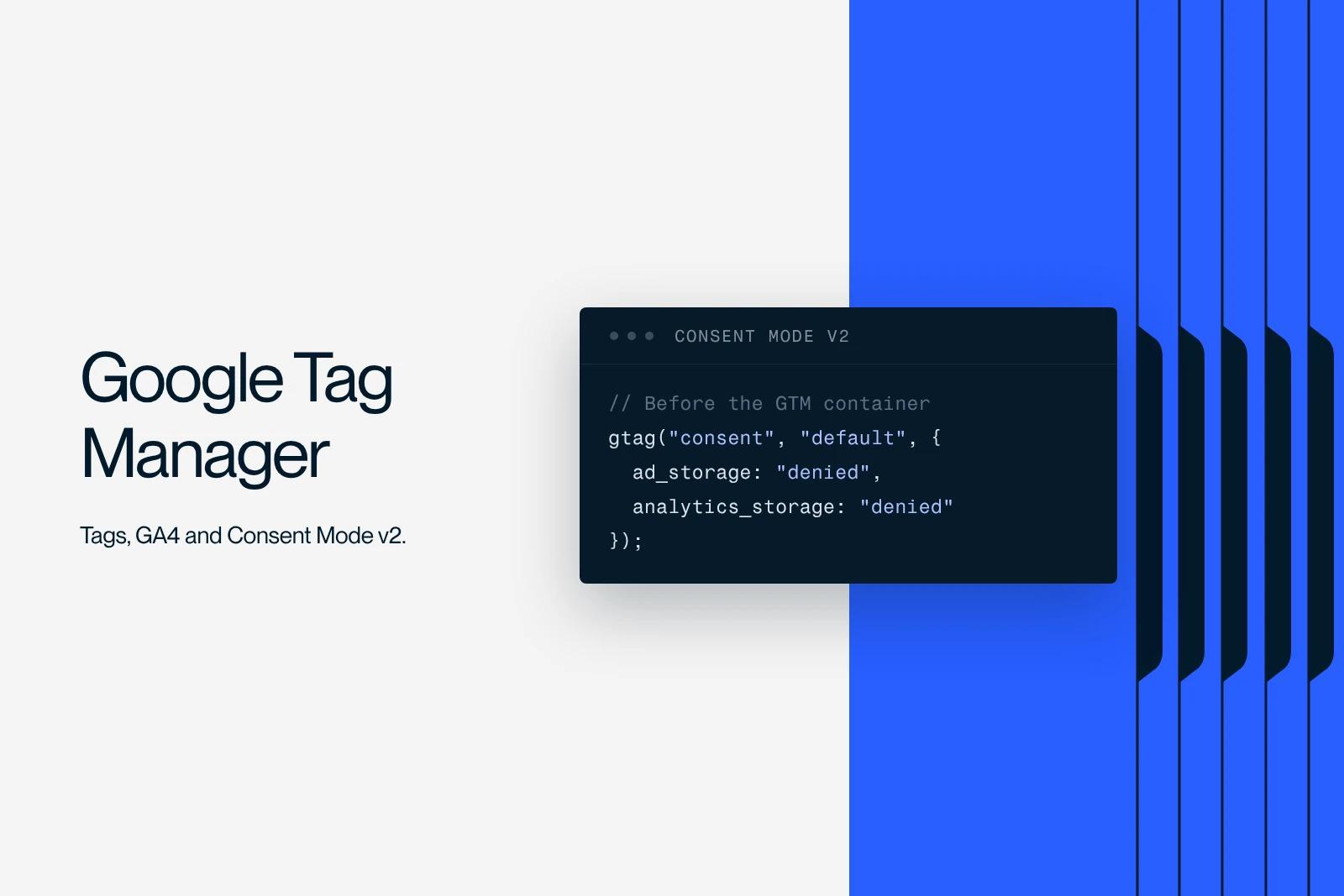
This is where French containers fall short most often. Since March 2024, Google has required Consent Mode v2 for sites that use its advertising data with users in the European Economic Area. Without it, audience and remarketing features degrade.
How it works: your consent banner sends GTM four signals, covering analytics, advertising, user data and personalization. Google tags adapt their behavior to these signals instead of not loading at all, which makes it possible to model missing conversions.
Two mistakes come up again and again. The first is setting up Consent Mode without connecting it to the banner: the signals stay blocked by default and measurement never resumes, even after the user accepts. The second is believing that Consent Mode replaces a compliant banner. It does not: it is a technical mechanism, not a legal basis. The site-side setup is detailed in our articles on cookies on Webflow and on a GDPR-compliant Webflow site.
Server-side: useful, but not for everyone
Server-side tagging moves tag execution from the browser to a container you host. The browser only sends one call to your own domain, and the server forwards the data to the platforms.
The gains are real: fewer third-party scripts on the page and therefore lighter loading, identifiers whose lifetime is cut less by browsers, and control over what goes out to each recipient, which is a serious argument for data protection. Google is moving in this direction: its release notes of June 1 and June 3, 2026 opened Google tag gateway to Google Cloud Platform and then to Amazon CloudFront, and those of June 22, 2026 add server and browser reconciliation to recover undercounted conversions.
Cost is the other half of the equation. You need a server, billed by volume, and someone able to maintain it. Below a few tens of thousands of sessions per month, the cost-benefit ratio is rarely favorable. Start with a clean web container. Server-side makes sense when advertising is a large share of your acquisition and the signal loss has a measurable cost.
Debugging, and checking before you publish
GTM's Preview mode opens your site in a debug session and shows, event by event, which tags fired, which did not, and the value of each variable at that moment. That is where ninety percent of problems get solved.
The most common cause of a silent tag is not the tag, it is the trigger. A click on a button that reloads the page leaves before the tag has time to run. A form submitted with AJAX does not emit the native submit event. In both cases, the fix is an event pushed to the dataLayer by the site itself rather than automatic detection.
Publish with a version name and a description. A container can be rolled back in one click, as long as the description tells you which version did what.
Five mistakes that cost you data
Double counting. GA4 installed both natively and through GTM. All your sessions are doubled.
Tags with no exception trigger. Your own visits, the agency's and the host's inflate traffic. Exclude your IP addresses.
The catch-all container. Heavy scripts loaded on every page when they are only needed on one. GTM is not free in performance terms: every tag drags the page down. The topic is covered in our article on Core Web Vitals.
Orphan tags. Pixels from tools you no longer use, left in place for two years. They keep sending data to third parties, which is a GDPR problem as much as a speed problem.
No review. A container should be reviewed twice a year, like the rest of your tech stack. Our technical SEO audit method includes this check.
What measurement makes possible, in practice
A clean container is not the goal, it is what lets you make decisions. As long as you do not know which page generates inquiries, you are optimizing by guesswork.
For Qobra, a SaaS company, we designed landing pages and interactive tools, with three times more leads and sixteen times more organic traffic as a result. This kind of growth can be managed: without reliable events on forms and funnel steps, there is no way to know which variant works. The optimization approach built on top of it is described in our guide to CRO.
Synqro is a Webflow agency and Premium Partner that works with companies in Paris and across France. We set up and audit GTM containers on the sites we build, consent included. If yours has never been reviewed, let's talk.
Frequently asked questions
GTM is a tag manager: it fires scripts. Google Analytics is a measurement tool: it collects and reports data. You use GTM to install GA4, never the other way around. GTM with no measurement tool connected produces no statistics.