Article
Webflow vs Shopify: which CMS should you choose for your website?
Webflow15 min read

James BrunettoCo-fondateur & CEO
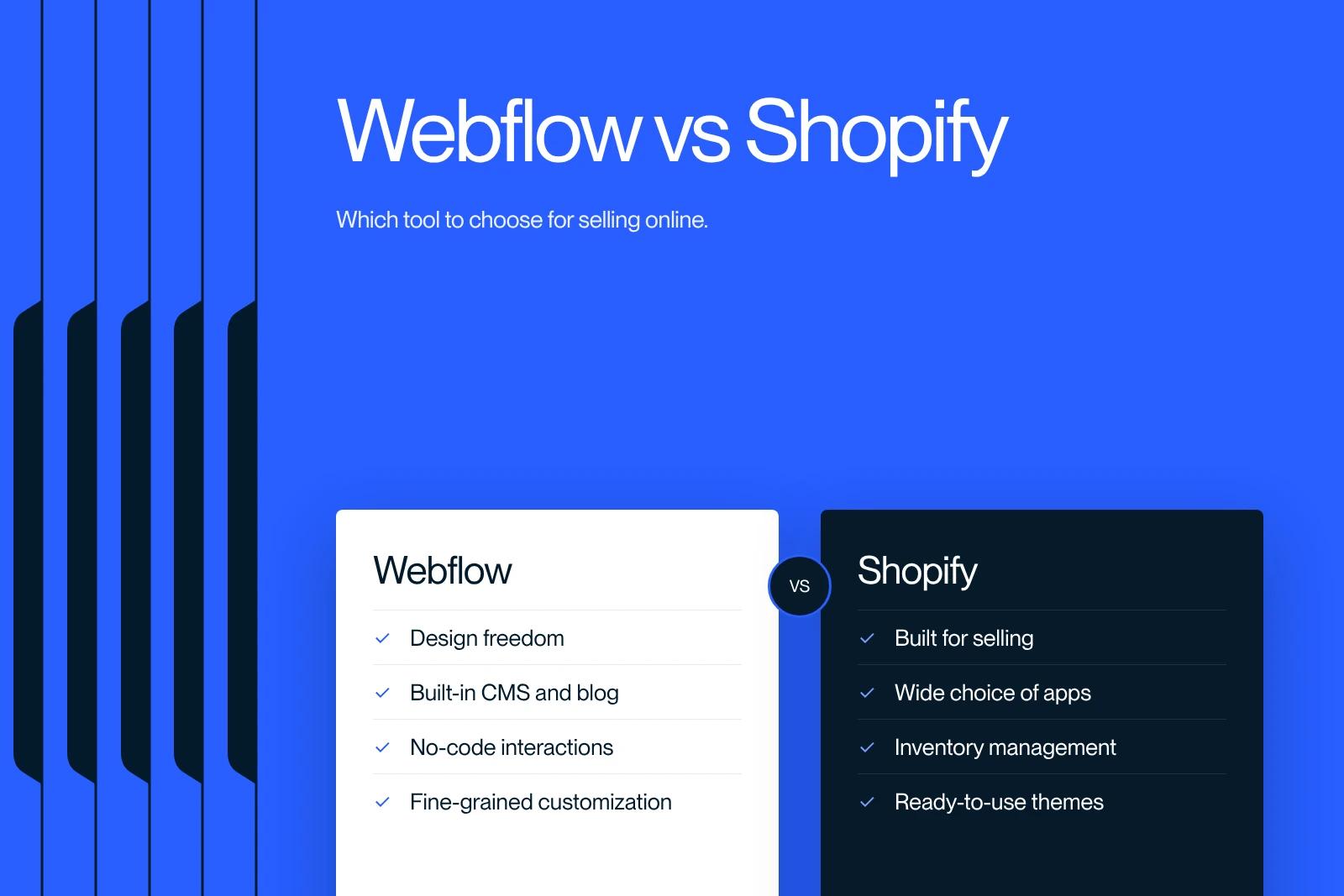
Webflow or Shopify? Two powerful tools, two philosophies. We compare them to help you choose the right CMS.
Explore this post with…
If you are planning to build a website, especially an online store, you may be wondering which tool to choose between Webflow and Shopify. Both platforms are very popular, but they meet different needs. Webflow stands out for its powerful web design capabilities and its CMS, with e-commerce features as a secondary layer. Shopify, on the other hand, is built specifically to create and run online stores, with advanced e-commerce tools. And if you are wondering which tool competes with Webflow for brochure sites, the comparison Webflow vs Wix may also be relevant.
To make the right choice, look at your priorities: if you want a lot of design freedom for a visually striking site, Webflow is an excellent option. If your main goal is to run an online store with powerful tools and simple integration, Shopify is probably the better fit.
In this article, we go through the strengths of each platform to help you decide.
Ease of use and user experience
Webflow's user interface
The Webflow user interface is designed specifically for design professionals and web developers. It offers great flexibility, but comes with a steeper learning curve. Webflow's visual editor allows very detailed customization, which makes it an excellent choice for anyone who wants to create unique, visually appealing designs. In this context, some creators also look at alternatives such as Framer vs Webflow, because the two take different approaches to building content.
This complexity can, however, put off users without design or web development experience. Setting up an online store on Webflow takes several steps: choosing a template, customizing the design, configuring the CMS, adding products and setting up the e-commerce options. The process can be time-consuming and demanding.
Shopify's user interface
Shopify, by contrast, is known for its intuitive, user-friendly interface. It makes creating and running an online store much simpler. Even beginners with no technical skills can quickly get comfortable with the platform to add products, manage orders and set up shipping options.
Shopify offers a selection of prebuilt themes that can be customized to a certain extent. Although less flexible than Webflow in terms of design, this approach makes it easier to set up and run an online store, which makes Shopify accessible to a very wide audience.
Comparing the learning curve
The learning curve is a key factor when choosing between Webflow and Shopify. Webflow takes longer to get used to, especially for users who are not familiar with web design or development. It usually takes an extended period to make full use of its advanced tools and customization capabilities.
Shopify, on the other hand, stands out for how easy it is to learn. Its clear interface and well-organized features let users grasp the basics in just a few days. The advanced features can be mastered in a few weeks, which makes it an ideal solution for those who want to get started quickly.
Design and customization
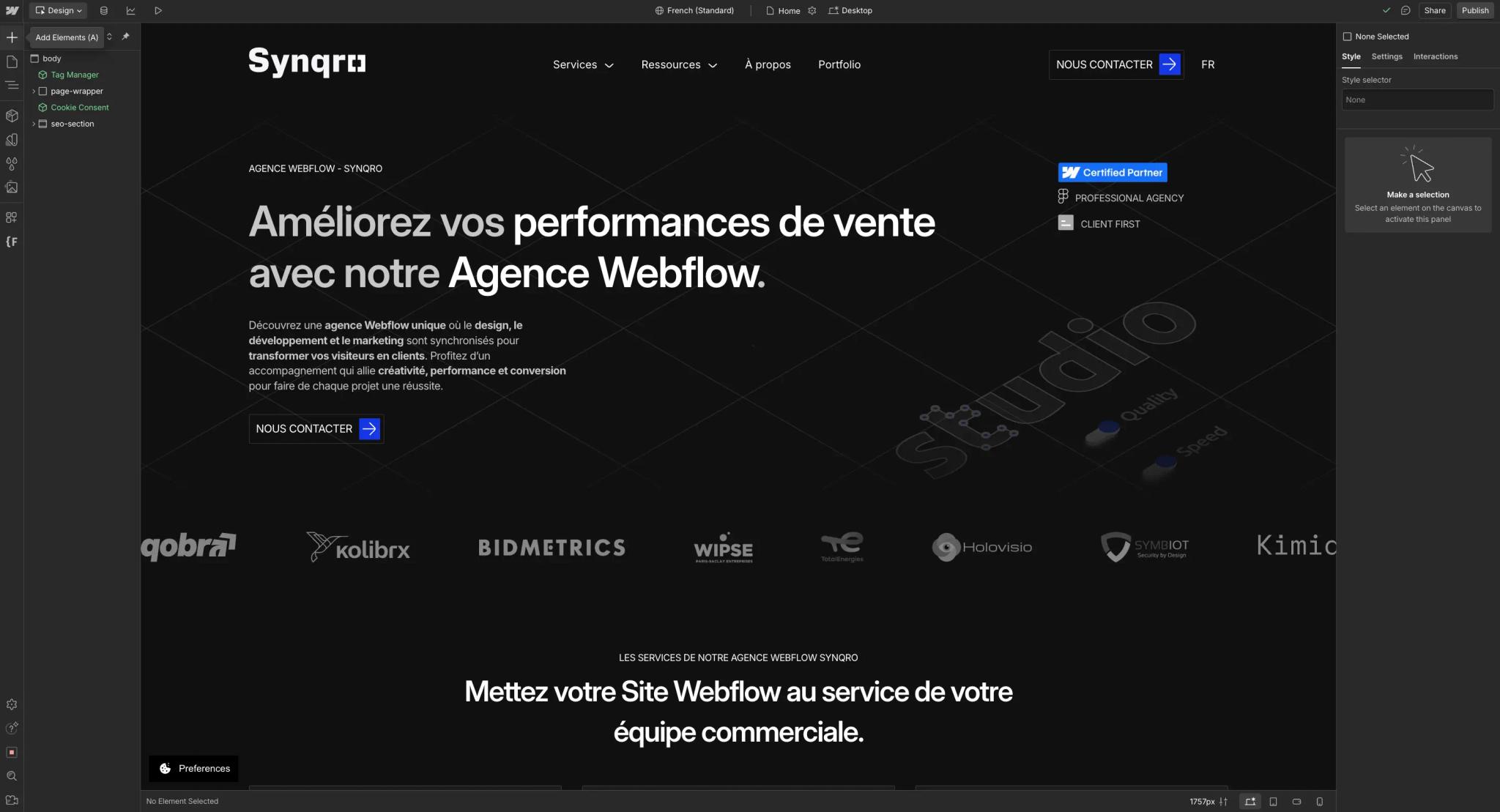
Customization capabilities with Webflow
Webflow offers almost unlimited design freedom, which makes it an ideal solution for those who want to build unique, highly customized websites. With its visual editor, you can adjust every element of your site, from the HTML structure to advanced CSS styles and dynamic interactions. Specialized companies, such as a Webflow agency, can support you in this process by making the most of the platform.
This flexibility makes it possible to design custom sites without technical constraints. You can customize every pixel and even add specific code for particular features.
Webflow's templates, although fewer than on other platforms, stand out for their high quality and how far they can be customized. That makes it easier to build sites that stand out and fully reflect your brand identity. Webflow also lets you create complex animations and dynamic interactions without coding skills. It is a major asset for companies or individuals looking for specific, scalable designs.
Customization capabilities with Shopify
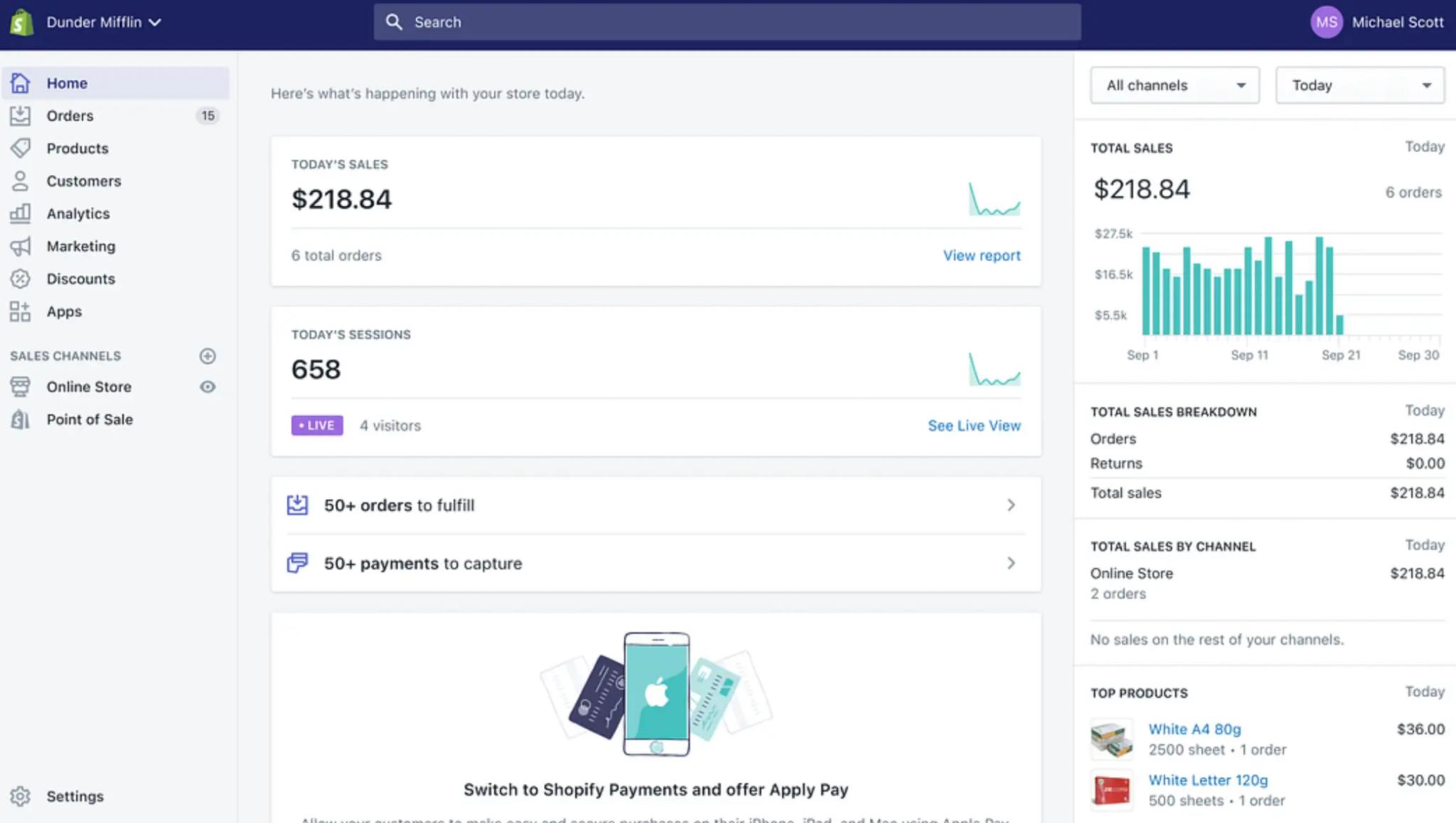
Shopify, although less flexible than Webflow on design, still offers many customization options for online stores. You can choose from a wide variety of prebuilt themes and adapt them to match your brand identity.
Shopify also lets you add customization options to products, such as text fields, drop-down menus, checkboxes or file uploads, which enriches the experience for your customers.
However, customization on Shopify can be limited by the theme you choose. Deeper changes often require coding skills or third-party apps. Tools such as Smart Product Options or Infinite Options can extend customization, but they add another layer of complexity.
Comparing template options and design flexibility
When comparing template options and design flexibility between Webflow and Shopify, Webflow stands out for giving you full control over the design. Webflow users can build fully custom websites without being held back by rigid structures. Shopify, by contrast, offers customizable themes, but they have built-in limits.
Shopify shines with its simplicity and speed of setup. Prebuilt themes let you quickly customize an online store to meet basic needs. For those looking for a more advanced and flexible design experience, however, Webflow, or even a combination of Webflow and Shopify through solutions such as Shopyflow, is a more complete and customizable alternative.
In short, the choice between Webflow and Shopify depends on your design and customization priorities. If you value maximum flexibility and full control over the design, Webflow is the best choice. If you prefer a fast, simple solution with robust e-commerce features, Shopify will better meet your expectations.
E-commerce features and integrations
Selling online with Shopify
Shopify offers a full range of e-commerce features that make selling online simpler. One of its main strengths is its ability to automatically manage inventory, orders and shipping. The platform also includes effective tools for automatically calculating shipping costs and taxes, as well as abandoned cart reminders, which help reduce lost sales.
Shopify lets you sell through several channels, such as online marketplaces, social networks and physical stores through Shopify POS. Options such as dropshipping and print on demand also widen the opportunities for merchants.
Payment integrations are robust, with support for multiple gateways such as Shopify Payments, PayPal and Apple Pay. These secure solutions provide a smooth, reliable checkout experience for customers.
Selling online with Webflow
Although Webflow is less specialized in e-commerce than Shopify, it still offers solid features for selling online. The platform lets you build fully customizable online stores, with flexible product management options including variants, descriptions, categories and custom fields. And when you look at more traditional CMS uses, comparing Webflow vs WordPress becomes essential to understand the specific strengths of each system.
Webflow also includes tools for automatic tax calculation, abandoned cart recovery and SEO optimization, which improve visibility and conversions. On the payment side, the platform supports several secure solutions, including Stripe, PayPal and Apple Pay, and offers customizable shipping options, for both physical and digital deliveries.
Webflow also makes it easy to integrate third-party services such as Shippo for shipping management, QuickBooks for accounting and MailChimp for email marketing, which simplifies the overall sales management process.
Integrations and plugins for both platforms
Both Shopify and Webflow allow integrations with third-party tools to extend their features. Shopify stands out with its large app store, which offers solutions for inventory management, marketing and advanced analytics. These apps can be easily installed and configured to meet each online store's specific needs.
Webflow, for its part, offers integrations through APIs and plugins that extend its e-commerce capabilities. For example, integrating services such as Shippo for shipping or Printful for print on demand is simple and effective.
Webflow can also be connected to marketing tools such as MailChimp or accounting systems such as QuickBooks, which makes overall business management easier. Finally, solutions such as Builder.io let you integrate Shopify with other platforms and tools, offering more flexibility and scalability for merchants who use several solutions.
Webflow e-commerce or Shopify: pricing compared
When you want to build an online store, cost is a key factor in choosing a platform. Shopify and Webflow have different pricing models. The prices below were taken in October 2026 from the official pricing pages, in US dollars before tax.
Shopify pricing
According to Shopify's pricing page, three main plans cover most stores (price billed monthly, then billed annually):
- Basic: $39 per month, or $29 per month billed annually
- Grow: $105 per month, or $79 per month billed annually
- Advanced: $399 per month, or $299 per month billed annually
Each plan offers a set of features suited to the size and needs of your business. Here is an overview of the differences between the plans:
Shopify Basic ($39 per month)
- Ideal for small businesses or entrepreneurs who are just starting out.
- Includes a website with a blog, unlimited products and the ability to sell on multiple channels (Facebook, Instagram, etc.).
- 24/7 customer support.
- Online card payments with Shopify Payments: 2.9% + $0.30 per transaction (US rate). With a third-party payment provider, Shopify adds a 2% fee.
Shopify Grow ($105 per month)
- Suited to fast-growing businesses.
- Includes the features of the Basic plan, with a lower card rate (2.7% + $0.30) and a 1% fee with a third-party payment provider.
- Lets you add up to 5 staff accounts.
Shopify Advanced ($399 per month)
- Aimed at large-scale businesses.
- Offers advanced reports, real-time calculated shipping rates and a card rate of 2.5% + $0.30 (0.6% fee with a third-party provider).
- Access to up to 15 staff accounts.
Other costs to consider on Shopify
- Custom domain: billed annually, separately from the subscription.
- Premium themes: one-time purchase on the Shopify Theme Store; free themes are also available.
- Third-party apps: some are free, many are billed monthly. This is often the line item that drives up the bill.
- Shopify Plus (enterprise plan): from $2,300 per month.
Webflow e-commerce pricing
Webflow offers three e-commerce plans, billed annually, according to its official pricing page. The overhaul of the site plans on May 13, 2026 did not change these prices. Our Webflow pricing guide covers every plan:
- Standard: $29 per month
- Plus: $74 per month
- Advanced: $212 per month
Here is a comparison of the different options:
Webflow Standard ($29 per month)
- Suited to small businesses selling up to 500 products.
- A 2% transaction fee on every sale (on top of Stripe or PayPal fees).
- Payments through Stripe (cards, Apple Pay, Google Pay) and PayPal.
- Checkout and cart customization, but limits on subscriptions.
- Up to 3 staff accounts.
Webflow Plus ($74 per month)
- Ideal for growing businesses.
- No Webflow commission on transactions.
- Up to 5,000 products.
- Up to 10 staff accounts.
- Priority support.
Webflow Advanced ($212 per month)
- Suited to large businesses.
- Up to 15,000 products and 15 staff accounts.
- All the features of the lower plans.
- No limit on annual sales volume.
Other costs to consider on Webflow
- Custom domain: purchased separately, billed annually.
- Premium templates: one-time purchase on the Webflow marketplace; free templates are also available.
- Stripe or PayPal fees: based on their rates and your country, on top of the 2% Webflow takes on the Standard plan.
- Advanced features added through Zapier, Memberstack or Foxy.io (paid external services).
Conclusion
In short, the choice between Webflow and Shopify largely depends on your goals and specific needs. If you are looking for a platform to build an online store with robust e-commerce features, advanced inventory management tools and easy integration with various third-party services, Shopify is the best option. If you place a high value on design flexibility, detailed customization and a unique user experience, Webflow is ideal, especially for projects where design and content are paramount.
It is also possible to combine Webflow and Shopify by integrating the two platforms. This can give you the best of both worlds: efficient e-commerce management with Shopify and advanced design customization with Webflow.
In the end, take the time to think about your needs in terms of design, e-commerce features and ease of use. If you can, test both platforms, and choose the one that best fits your vision and your business goals.
Frequently asked questions
Shopify is the better commerce platform for a classic online store. It natively offers every essential feature: inventory management, accepting payments, abandoned cart recovery, marketing tools and access to a rich App Store. Webflow can work for a store with a small catalog and a strong visual identity, but it is not designed for large-scale e-commerce operations. If your main goal is to build a store that performs and generates transactions, Shopify is the clear choice. Webflow remains relevant for projects where design matters more than sales volume.