Article
Webflow CMS: collections, limits and use cases (2026)
Webflow7 min read

James BrunettoCo-fondateur & CEO
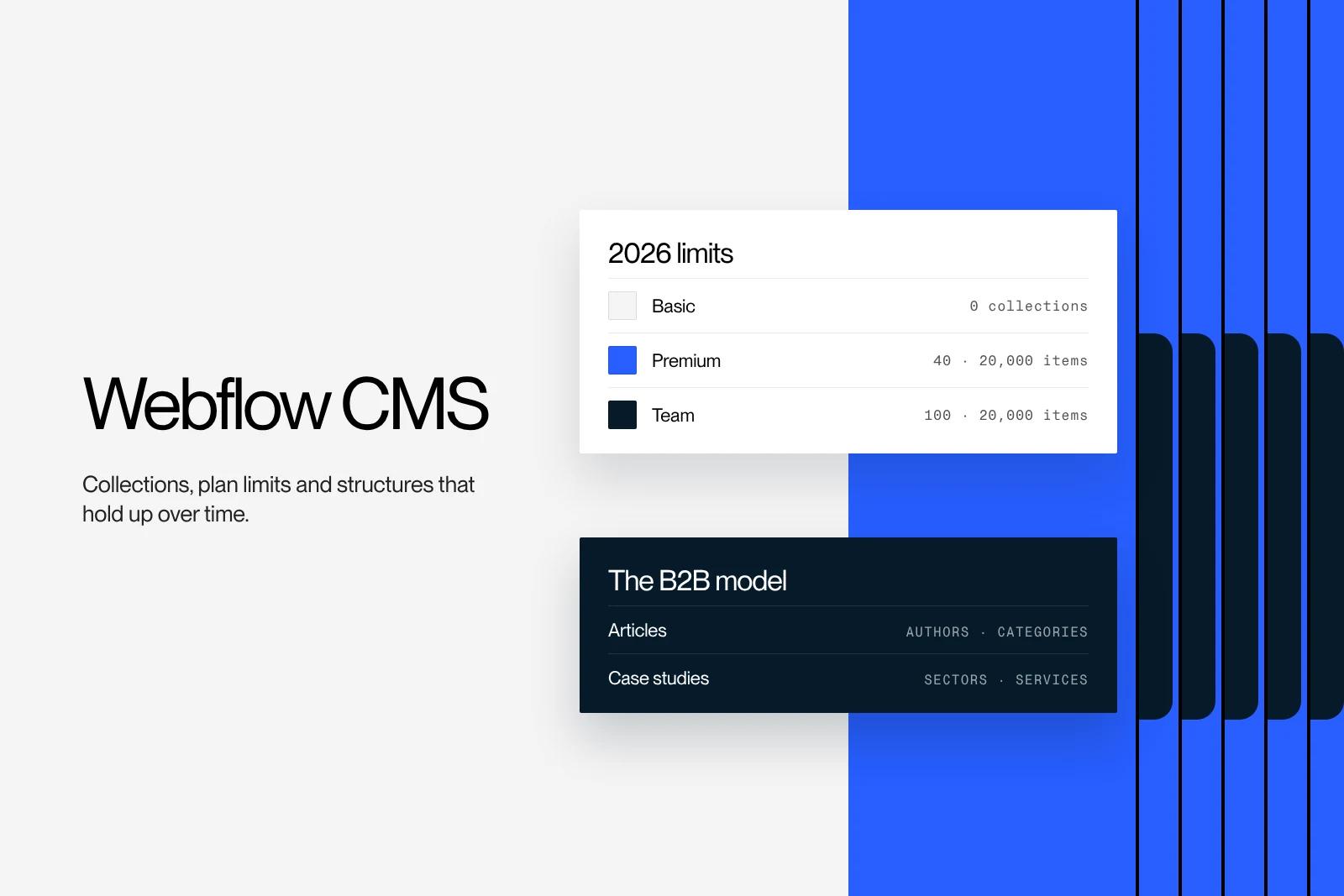
Webflow's CMS is the built-in database that powers a site's dynamic pages: blog posts, case studies, job openings, product pages. You create collections, define their fields, then design a single template page that applies to every item. Here is how it works, its exact limits by plan, the structures that work for a B2B site and the cases where a headless CMS is the better option.
Explore this post with…
In short: the Webflow CMS is enough for the vast majority of company websites. The Premium plan includes 40 collections and 20,000 items, the Basic plan includes none. Its real limits lie elsewhere: 10 reference fields per collection, no advanced native search and a structure that has to be planned from the start. Done well, it lets a marketing team publish on its own, without a developer.
Webflow CMS: how it works
A traditional CMS separates content from layout with coded themes and templates. Webflow does the same thing, but visually. The work happens on three levels.
- The collection. This is a content type: "Blog posts", "Case studies", "Authors". You create it in the CMS panel of the Designer.
- The fields. Each collection has its own fields: plain text, rich text, image, date, link, option and, above all, a reference to another collection. A blog post can then point to its author and its category.
- The template page. Webflow generates one template page per collection. You design it once, binding each visual element to a field, and it applies to every item in the collection.
On top of that come collection lists, which you can place on any page to show, for example, the three latest posts or the case studies for one industry, with filters and sorting. That is the whole principle. The rest is a matter of structure.
To see where Webflow sits among other tools, our comparison of the best CMS for websites covers the main profiles.
Webflow CMS limits by plan
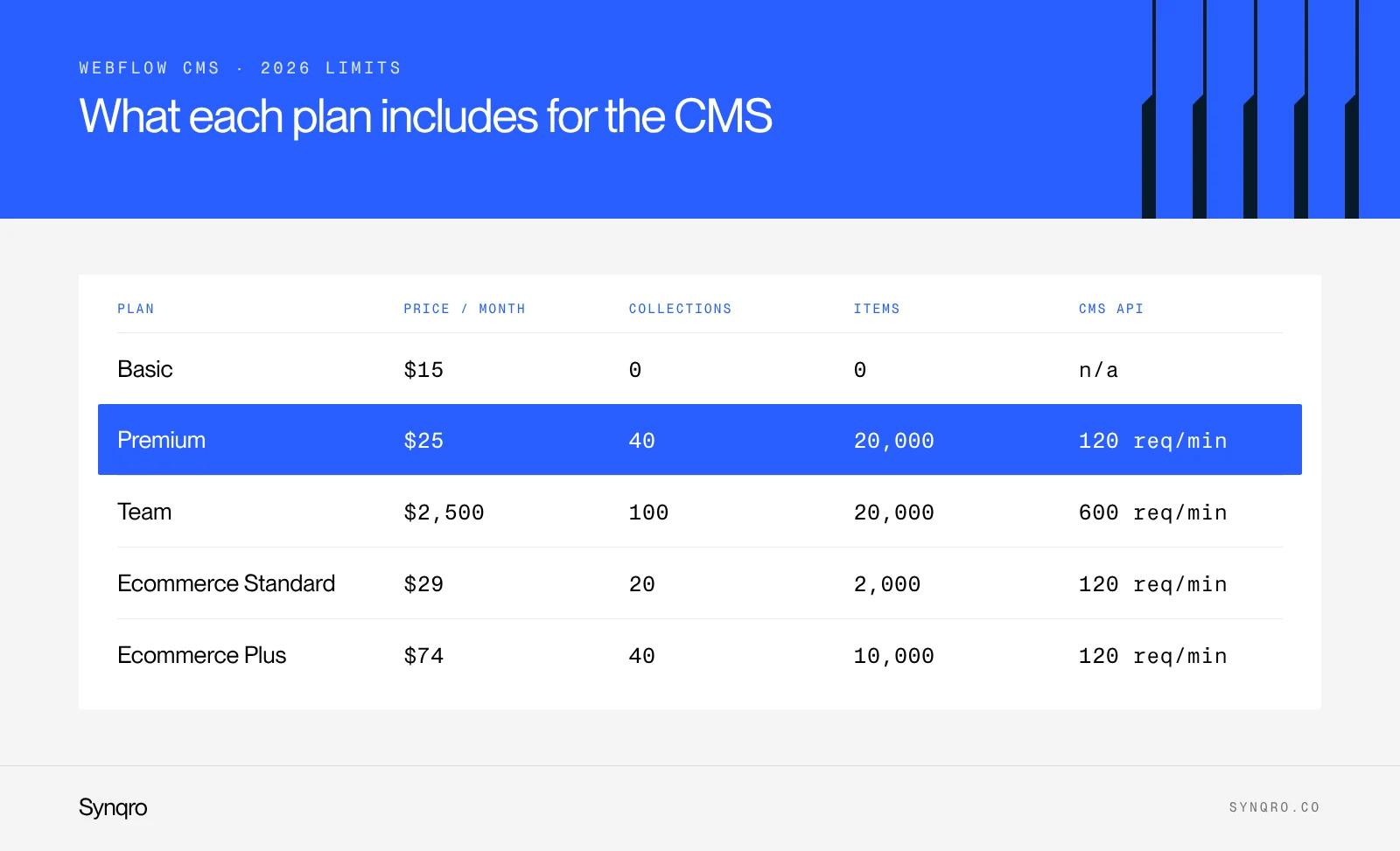
Webflow overhauled its plans in May 2026. Here are the figures published on its pricing page, checked on 21 October 2026, in dollars per site per month, billed annually.
| Plan | Price | Collections | CMS items | CMS API limit |
|---|---|---|---|---|
| Basic | $15 | None | None | Not applicable |
| Premium | $25 | 40 | 20,000 | 120 requests per minute |
| Team | $2,500 (annual contract) | 100 | 20,000 | 600 requests per minute |
| Ecommerce Standard | $29 | 20 | 2,000 | 120 requests per minute |
| Ecommerce Plus and Advanced | $74 and $212 | 40 | 10,000 | 120 requests per minute |
Two takeaways. First, the Basic plan no longer works once you have a blog or case studies: without a CMS, every page is built by hand. Second, 20,000 items is a lot for a company website. Our own blog has around 150 posts per language. The ceiling mostly comes into play for sites with large catalogues or that generate pages in bulk, and those raise other issues, starting with quality.
The other limits are less visible but matter more day to day:
- Multi-references. A collection accepts at most 10 reference fields, single and multi-reference combined. Beyond that, the model needs rethinking.
- Nested lists. A page can only display a limited number of nested collection lists. Showing, inside each case study, its list of services and then their sub-services takes some planning.
- Search. Webflow's native search remains basic. To filter a catalogue precisely, you need an additional tool.
- Multilingual. Translations go through Webflow Localization, a paid add-on. We break down its costs in our Webflow Localization guide.
Full plans and prices are covered in our article on Webflow pricing.
Structures that work for a B2B site
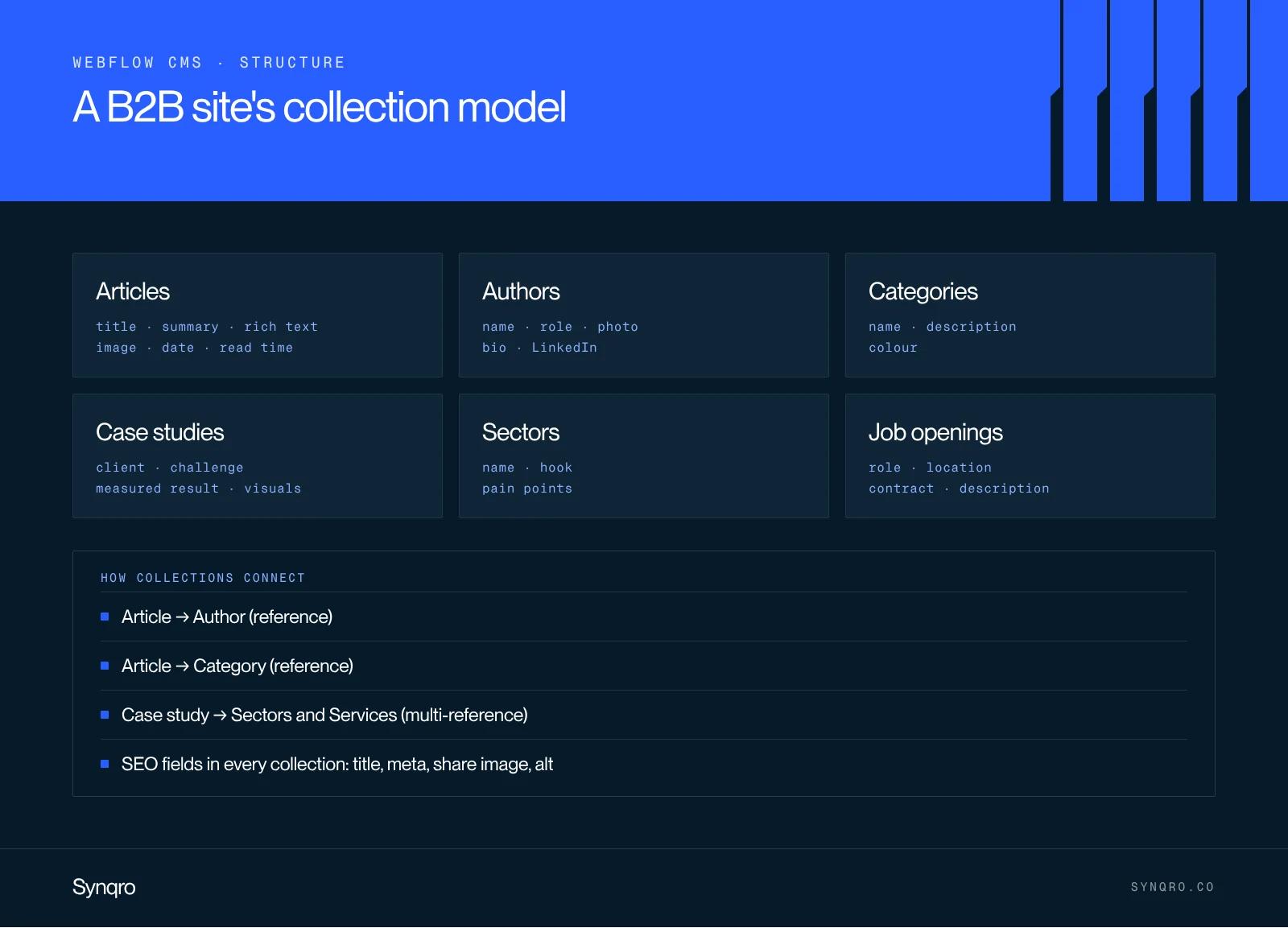
Most of the CMS problems we see when we take over a site come from an improvised structure: a catch-all "Pages" collection, categories typed as free text, duplicates. Here is the foundation we set up on a B2B site.
| Collection | Key fields | Linked to | What it is for |
|---|---|---|---|
| Blog posts | Title, summary, rich text, image, date, reading time | Authors, Categories | Blog, SEO, citations by AI assistants |
| Authors | Name, role, photo, bio, LinkedIn link | Blog posts | Bylines and content credibility |
| Categories | Name, description, colour | Blog posts | Filters and category pages |
| Case studies | Client, industry, challenge, measured result, visuals | Industries, Services | Sales proof |
| Industries | Name, intro text, key issues | Case studies | Pages by market |
| Job openings | Role, location, contract, description | None | Hiring |
Three rules save us from most rebuilds:
- One collection per content type, never a generic collection that mixes everything.
- Repeated values become references. An industry typed by hand ends up spelled three different ways. A reference guarantees a single value and makes filtering reliable.
- SEO fields are planned from the start: SEO title, meta description, social sharing image, alt text. They are then bound to the template page settings.
This step is mapped out before design, at the same time as the website structure. It is one of the first deliverables in our projects as a Webflow agency: the collection schema is approved with the client before a single page is designed.
What the Webflow CMS does well, and less well
| Strength | Weakness |
|---|---|
| The marketing team publishes on its own, in the visual editor | The content model is hard to change once it is filled |
| Template pages stay true to the design | Limited editorial approval workflows on standard plans |
| Hosting, security and updates included, no plugins | Limited native search and filters |
| CMS API to import or sync content | 120 requests per minute limit on standard plans |
| Structured data easy to generate from fields | Multilingual is paid and separate |
The strength that matters most, based on what we see with our clients, is autonomy. For Zeliq, we rebuilt the site on Webflow with a component library, then trained the design team to run it on their own. That is exactly what the CMS is designed for.
When to move to a headless CMS
We made this choice ourselves for synqro.co, which moved from Webflow to Sanity and Astro in October 2026. It is not a rejection of Webflow, which we keep recommending and building every month. It answers specific needs that most companies do not have.
Headless makes sense when:
- content has to feed several channels at once (website, app, internal tools);
- the data model is complex, with many relations and types;
- a development team is available on an ongoing basis to maintain the code;
- you want to automate bulk editing through an API, beyond the limits of Webflow's plans.
In every other case, and especially when the marketing team needs to publish without depending on a developer, Webflow remains the simplest choice. Our article on headless CMS details the real costs of that option.
Webflow CMS and SEO
The CMS will not do your SEO for you, but it makes it systematic. Once the fields are bound to the template page, every new post goes live with a clean title, meta description, sharing image and URL. Three settings make the difference:
- Slugs. Short, readable, no dates. Changing a slug after publishing requires a 301 redirect.
- Structured data. A custom code block in the template page can generate Article markup from the fields (title, author, date). See our guide to structured data.
- Internal linking. "Related posts" or "same category" collection lists automatically create internal links between related content.
If you are scoping a new site, include the CMS schema in your website brief: it is one of the first questions a serious agency will ask you.
Frequently asked questions
It is the database built into Webflow. It stores repeatable content, such as blog posts or case studies, in collections and displays it through template pages designed only once.