Article
Webflow vs HubSpot: Which CMS Should You Choose?
Webflow20 min read

Guillaume SchluppConsultant SEO
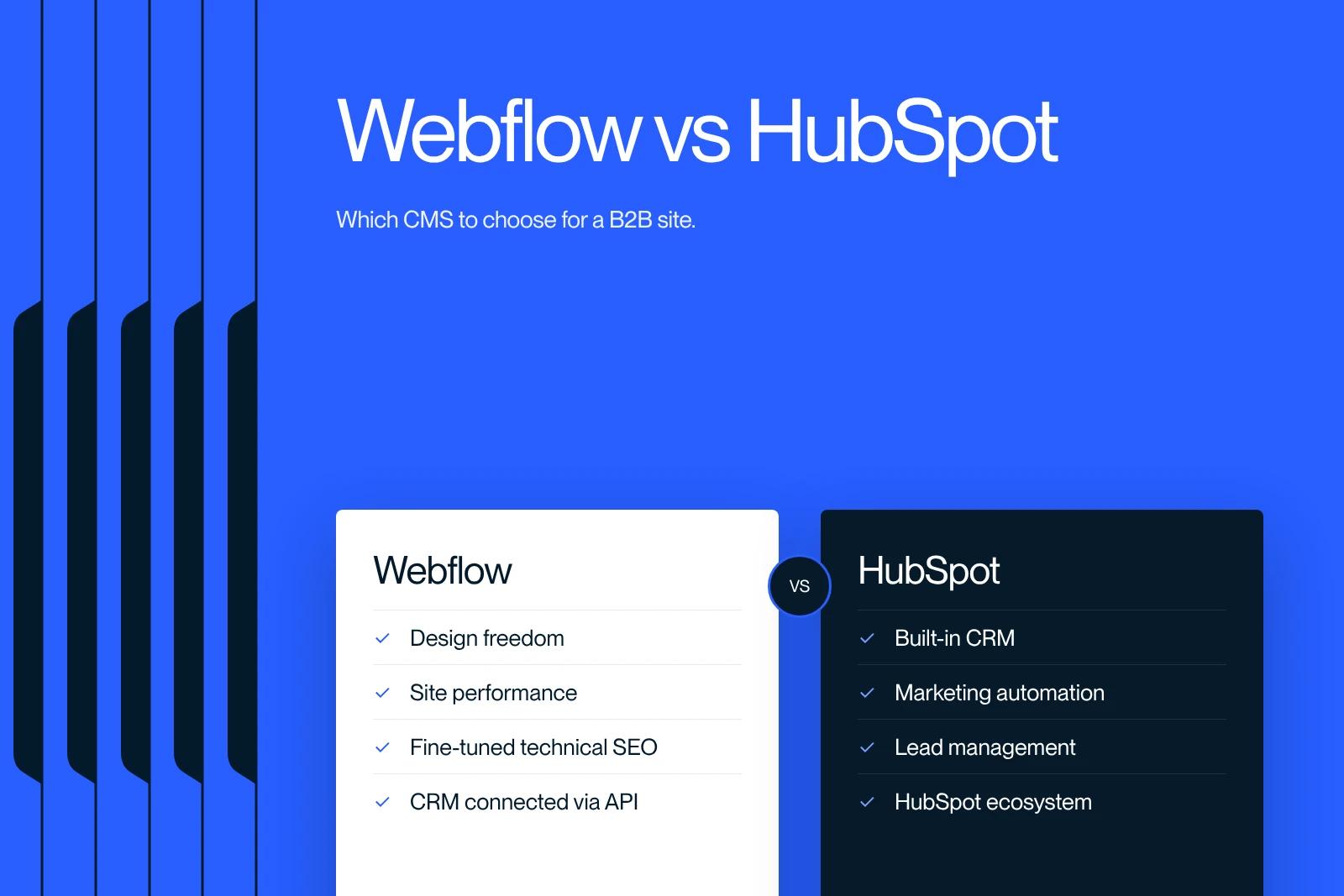
Webflow or an all-in-one solution? Which CMS should you choose for your B2B website? A comparison of tools, budget and marketing to help you make the right choice.
Explore this post with…
Choosing the right CMS is a strategic decision. It directly affects your site's performance, your ability to generate leads and the return on your digital marketing spend. In the Webflow vs HubSpot debate, two philosophies face off: on one side, a web design platform with full creative control; on the other, an all-in-one solution that combines CRM, marketing automation and content management. This article gives you a thorough comparison to help you make the right choice for your B2B context, your budget and your conversion goals.
At Synqro, a specialized Webflow agency with deep expertise in building high-performance sites, we help startups, SMEs and scale-ups create websites that actually convert.
Why is the choice between Webflow and HubSpot strategic for your site?
The CMS you pick shapes far more than the look of your website. It determines your marketing agility, how fast you can iterate on your pages and the quality of the user experience you offer visitors. In a competitive B2B market, this choice directly influences your sales pipeline.
Webflow vs HubSpot is a common dilemma for marketing teams and executives who want both technical performance and commercial efficiency. Webflow appeals with its design flexibility and its advanced no-code approach. HubSpot appeals with its integrated ecosystem, which brings CRM, marketing automation and site management together.
The decision criteria vary with your digital maturity and your priorities:
- Design quality and the level of customization you expect for your pages
- Native integration with your marketing tools and your CRM
- Total cost of ownership, including maintenance and future changes
- SEO features available natively
- Scalability of the solution to support your growth
The wrong CMS can lead to costly migrations, heavy technical debt and lost ground in organic search. That is why it is essential to analyze each platform in depth before you commit.
What is Webflow and who is it for?
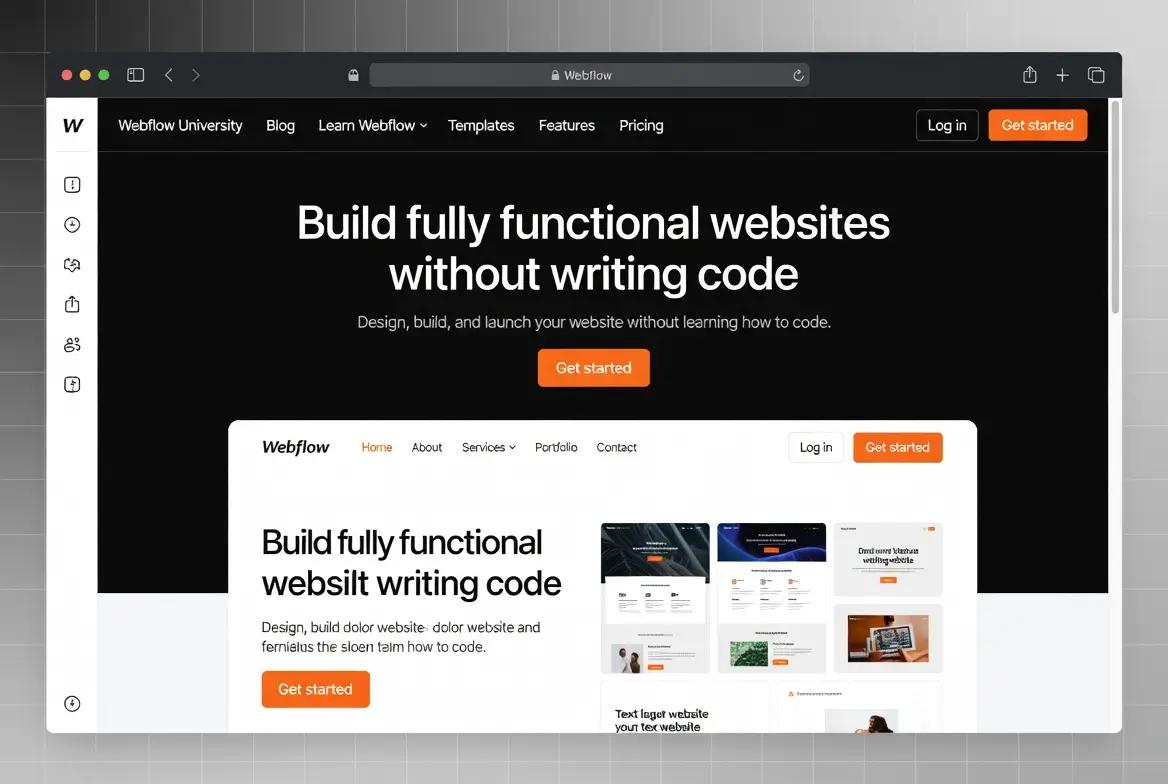
Webflow is a website building platform that combines a powerful visual editor with clean, semantic code output. Unlike WordPress or other traditional CMSs, Webflow lets designers and marketing teams build custom sites without writing a single line of code, while keeping full control over the HTML, CSS and JavaScript output.
A design and web development tool without compromise
Webflow's main strength is its ability to deliver pixel-perfect design. Every element on the page can be customized, from complex animations to responsive interactions on mobile. The built-in CMS lets writers manage content on their own, while the technical structure stays locked by the developer.
Webflow is primarily aimed at the following profiles:
- Startups and SaaS companies that want a high-performance site quickly without relying on a heavy technical team
- Digital agencies looking for a fast, high-quality production tool
- B2B scale-ups that need to iterate often on their landing pages
- Marketing teams that want to edit their site without going through a developer
Hosting is included natively with a global CDN, which guarantees excellent load times. Technical maintenance is close to zero, since Webflow handles security and infrastructure updates. That is a major advantage over CMSs like WordPress, where managing plugins and updates can eat up a lot of time.
What is HubSpot CMS and what are its marketing strengths?
HubSpot CMS Hub, now renamed Content Hub, is the content management module of the HubSpot platform, a SaaS ecosystem known for its marketing automation, CRM and sales enablement tools. It was designed to work hand in hand with the other parts of the HubSpot suite, giving marketing and sales teams a unified experience.
An all-in-one platform focused on conversion and CRM
The main strength of HubSpot CMS is its native integration with the HubSpot CRM. Every visitor interaction on your site is automatically recorded in the CRM, which allows precise tracking of the customer journey and advanced content personalization. Forms, calls to action and automation workflows are connected natively.
HubSpot CMS is a particularly good fit for organizations that prioritize inbound marketing:
- B2B companies with long sales cycles that require sophisticated nurturing
- Marketing teams that want to manage content, leads and automation from a single interface
- Organizations that already use the HubSpot CRM and want to centralize their stack
- Companies looking for unified reporting across marketing and sales
However, CMS Hub comes with design limits. Its templates are less flexible than Webflow's, and advanced customization often requires a developer who knows the HubL language. For companies that care deeply about the visual identity of their site, this constraint can be a significant obstacle.
Webflow vs HubSpot: which CMS offers the best design and flexibility?
The visual quality of your website is a key factor in credibility, especially in B2B, where the first impression can influence the buying decision. On this point, the two platforms take radically different approaches.
Webflow: unmatched creative control
Webflow gives creators pixel-perfect control over every element on the page. The visual editor works like a professional design tool. It lets you create complex animations, unconventional layouts and interactive experiences without custom code. The generated code is clean, lightweight and optimized for performance.
The design advantages include:
- Total freedom over layout, with no template constraints
- Native animations and interactions that you configure visually
- Responsive design that you control point by point at every breakpoint, including mobile
- Reusable CSS classes to keep the site visually consistent at scale

HubSpot: functional but limited templates
HubSpot CMS offers a drag-and-drop editor that is easier for beginners, but far less powerful for custom designs. Modules are prebuilt and their customization is limited by the template structure. To get a truly custom result, you need HubL development, which cancels out the simplicity argument.
In short, if design is a strategic priority for your brand, Webflow clearly outperforms HubSpot. For companies that see the site as a simple functional support for their marketing strategy, HubSpot can be enough.
How do the SEO features of Webflow and HubSpot compare?
Organic search is a central pillar of any B2B acquisition strategy. A good CMS should make technical and editorial optimization easy, without complex manual work. On the SEO side, Webflow and HubSpot each have distinct strengths.
Webflow's SEO capabilities
Webflow gives you excellent control over technical SEO settings. The platform generates clean, semantic code, which is fundamental for crawling and indexing by search engines. Load times are optimized thanks to hosting on a fast CDN and automatic minification of assets.
Webflow's native SEO features include:
- Meta tag management (title, description) for every page and CMS item
- Automatic XML sitemap generation and robots.txt file
- 301 redirects that you set up directly from the dashboard
- Open Graph tags that you can customize for social sharing
- Semantic HTML structure with a correct heading hierarchy by default
- Lazy loading of images and automatic format optimization
HubSpot's SEO capabilities
HubSpot includes an SEO tool in the form of contextual recommendations while you write. The platform analyzes your content in real time and suggests improvements to keywords, internal links and readability. This guided approach is popular with marketing teams that do not have deep SEO expertise.
HubSpot also offers topic cluster management, a feature that helps you structure your content strategy around thematic pillars. However, technical customization is more limited than on Webflow. Access to the source code is restricted, which can be a problem for advanced optimizations such as schema markup or specific performance tweaks.
For companies that have mastered SEO fundamentals and want maximum technical control, Webflow offers a stronger foundation. HubSpot is a better fit for teams that prefer to be guided by automated recommendations.
What is the real cost of each CMS for a B2B project?
The financial analysis of a CMS goes beyond the monthly subscription price. Total cost of ownership includes initial development, maintenance, third-party integrations and team training. It is a deciding factor, especially for SMEs and scale-ups that need to optimize their budget.
Webflow pricing
Since May 13, 2026, Webflow's site plans are Starter (free), Basic at $15 per month and Premium at $25 per month billed annually, according to Webflow's official pricing page. Premium, which replaces the former CMS and Business plans, is the usual choice for a B2B site with a blog. The Team plan ($2,500 per month) and Enterprise target large teams. Hosting, SSL and the CDN are included. The details are in our Webflow pricing guide.
The cost items to plan for with Webflow:
- Platform subscription: $15 to $25 per month billed annually for a Basic or Premium plan
- Initial development: varies with complexity, but generally lower than custom HubSpot projects
- Third-party integrations: CRM, marketing automation and analytics require connectors (Zapier, Make or native integrations)
- Maintenance: minimal, because infrastructure updates are automatic

HubSpot CMS pricing
HubSpot's CMS is sold under the name Content Hub. There is a free version, then a Starter edition billed per seat at a low entry price, and Professional and Enterprise editions that unlock the advanced features and cost hundreds or even thousands of euros per month. Add Marketing Hub and Sales Hub, and the bill climbs further. The exact price depends on the number of seats: check it on the official Content Hub pricing page.
- Content Hub Starter: low entry price, billed per seat, limited features
- Content Hub Professional: several hundred euros per month, access to advanced features
- Full suite (Marketing Hub, Sales Hub and Content Hub in the Professional edition): often more than €1,000 per month
For a startup or a B2B SME with a tight budget, Webflow is a much more affordable solution, while delivering a better site in terms of design and technical performance.
Is HubSpot better than Webflow for marketing automation and lead management?
This is where HubSpot's lead is clearest. The platform was designed from the start as an inbound marketing tool, and its CMS follows that same logic of lead generation and nurturing.
HubSpot's marketing ecosystem
HubSpot brings marketing, CRM and sales management together in a single interface. Automated workflows, lead scoring, advanced segmentation and multichannel reporting are native features that work together with the CMS. For marketing and sales teams that work closely together, this integration is an undeniable competitive advantage.
HubSpot's key marketing features include:
- Smart content: page content personalized according to the visitor profile stored in the CRM
- Automated workflows: email sequences and actions triggered by behavior on the site
- Native lead scoring: automatic lead qualification based on predefined criteria
- Marketing attribution: full tracking of the conversion journey, from first contact to sale
- A/B testing built in for pages and emails
Webflow's marketing capabilities
Webflow is not a marketing automation tool. Its strength lies in building high-performance sites that maximize conversion rates through optimized design and fast load times. For marketing automation, Webflow integrates with third-party solutions such as HubSpot (as a CRM only), Mailchimp, ActiveCampaign or Marketo.
This modular approach has one advantage: you choose the best tools for each need instead of depending on a closed ecosystem. Webflow for the site, a dedicated CRM tool for customer relationships, a specialized solution for email. This best-of-breed SaaS architecture offers more flexibility over the long term.
Which solution should you choose for site maintenance and scalability?
Website maintenance is an invisible but significant cost. Security updates, bug fixes, feature changes: these tasks consume time and resources. Your choice of CMS directly affects the long-term maintenance load.

Simplified maintenance with Webflow
One of the most convincing arguments for Webflow is the near absence of technical maintenance. The platform automatically handles infrastructure updates, SSL certificates, backups and server security. There are no plugins to update (unlike WordPress), no database to optimize and no risk of conflicts between extensions.
Webflow's maintenance advantages:
- Zero manual updates for infrastructure or security
- Managed hosting that scales automatically with traffic
- Automatic backups and version history
- No dependency on third-party plugins that could create vulnerabilities
Technical management with HubSpot CMS
HubSpot CMS also offers managed hosting with automated infrastructure maintenance. The platform handles security, updates and backups. On the other hand, depending on the HubSpot ecosystem means that any change to your site is tied to the features available in your pricing plan.
Both platforms scale, but with different philosophies. Webflow lets you evolve design and features in a very granular way. HubSpot favors scalability through adding complementary marketing and sales modules. For fast-growing companies, the central question is whether the scalability you want concerns the site itself or the wider marketing ecosystem.
Summary comparison table: Webflow vs HubSpot CMS
To make your decision easier, here is a structured recap of the main differences between the two platforms.
| Criterion | Webflow | HubSpot CMS |
|---|---|---|
| Design and flexibility | Full control, pixel-perfect | Limited by templates |
| Technical SEO | Excellent, clean and fast code | Good, built-in recommendations |
| Marketing automation | Through third-party integrations | Native and very complete |
| Built-in CRM | No (integration possible) | Native, the core of the ecosystem |
| Pricing | Free Starter, Basic $15 and Premium $25 per month (annual) | Free version, then Starter per seat, Professional and Enterprise at several hundred euros per month and up |
| Maintenance | Minimal, managed hosting | Minimal, managed hosting |
| Learning curve | Moderate (CSS logic required) | Accessible for marketers |
| Mobile performance | Excellent, natively responsive | Decent, depends on the template |
| Code customization | Full HTML / CSS / JS access | Limited to the HubL language |
| Design scalability | Very high | Moderate |
This table shows that the two tools complement each other more than they strictly oppose each other. The choice fundamentally depends on your priorities: an excellent site or native marketing integration.
Why does Synqro recommend Webflow for performance-driven B2B projects?
At Synqro, our certification and our Webflow expertise allow us to say, with evidence to back it up, that this platform offers the best value for money for B2B companies that want a truly high-performing website. Our experience with startups, SaaS companies and scale-ups has helped us identify the situations where Webflow brings decisive added value.
Our approach as Webflow specialists
We design Webflow sites that combine premium design, technical performance and SEO optimization. Every project follows a rigorous methodology that builds conversion strategy in from the design phase. We do not just deliver a good-looking site: we build a high-performing acquisition tool.
The results we see with our clients confirm our conviction:
- Three times more leads and sixteen times more organic traffic at Qobra, with targeted landing pages built on Webflow
- Full autonomy for marketing teams on content management
- A significant reduction in maintenance costs compared with traditional solutions
- A better conversion rate thanks to pages custom-built for each persona
Our recommendation is clear: if your priority is a B2B site that looks impressive, loads fast and ranks well in search, Webflow is the best solution. For marketing automation and CRM, we recommend integrating specialized tools through connectors, which gives you the best of both worlds without the constraints of a closed ecosystem. Take a look at our work.
When should you choose HubSpot over Webflow for your site?
Despite our Webflow expertise, we recognize that HubSpot CMS can be the right choice in certain specific contexts. Being honest in this analysis is part of our commitment to our clients and prospects.
HubSpot CMS becomes relevant when your organization meets several of these criteria:
- You already use the HubSpot suite (Marketing Hub, Sales Hub, CRM) and want to centralize your whole stack
- Your strategy relies heavily on inbound marketing with complex nurturing workflows
- You have no design resources and prioritize a fast launch with prebuilt templates
- Unified reporting across marketing, site and sales is an absolute priority for your teams
In these cases, the consistency of the HubSpot ecosystem makes up for its limits in design and technical flexibility. The operational time saved by native integration can justify the higher financial investment.
However, it is important to note that an architecture combining Webflow for the site and HubSpot for CRM and marketing automation is entirely viable and often performs better. This hybrid approach gives you Webflow's visual and technical excellence along with HubSpot's marketing power. It is in fact a setup we regularly put in place at Synqro for our B2B clients.
The key takeaways from this comparison
- Webflow excels in design, technical performance and SEO, with full creative control over every page of your site
- HubSpot CMS stands out for its native integration with the CRM and marketing automation tools, ideal for complex inbound strategies
- Webflow's total cost of ownership is much lower than HubSpot's, especially for SMEs and B2B startups
- Maintenance is minimal on both platforms, but Webflow removes any risk linked to plugins or manual updates
- Technical SEO can be controlled more finely on Webflow thanks to clean code and full access to HTML, CSS and JavaScript
- A hybrid Webflow + HubSpot CRM architecture is often the best-performing solution for demanding B2B companies
- The final choice depends on your priorities: an excellent site and visual conversion (Webflow) or centralized marketing and CRM (HubSpot)
- Synqro helps B2B companies design high-performing Webflow sites, optimized for SEO and lead generation
Frequently asked questions
Webflow has a significant technical advantage for SEO. The generated code is clean, semantic and lightweight, which helps search engines crawl it efficiently. Load times are generally faster than on HubSpot CMS, a factor Google takes into account in its ranking algorithm. In addition, Webflow gives full access to meta tags, the XML sitemap, 301 redirects and schema markup, giving SEO specialists granular control over every technical setting. HubSpot offers built-in SEO recommendations that are useful for beginners, but the level of technical customization remains lower. For an ambitious B2B SEO strategy, Webflow is a stronger technical foundation.