Article
Google cache is gone: 5 ways to view an archived page (2026)
SEO11 min read

James BrunettoCo-fondateur & CEO
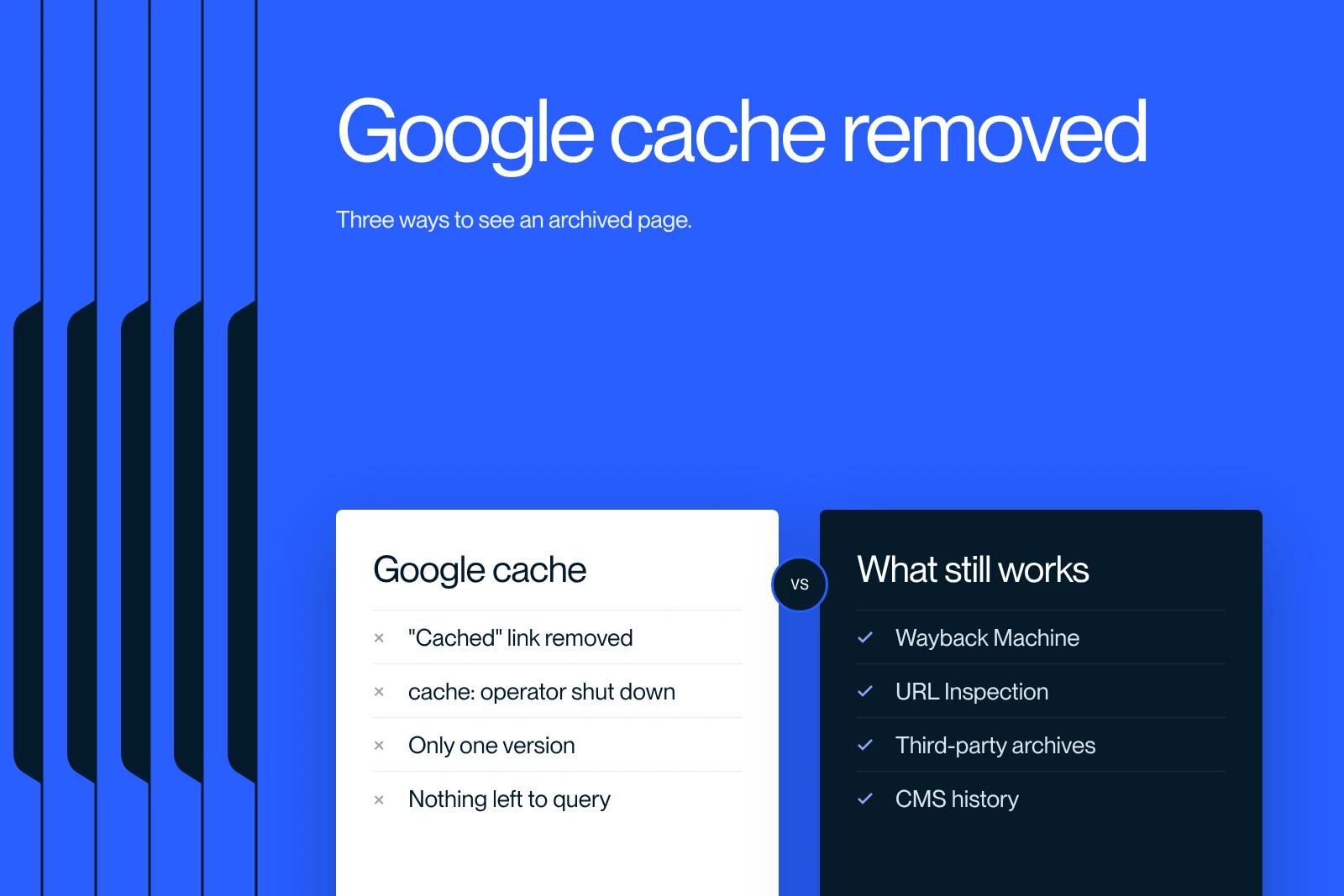
Google cache no longer exists: the Cached link left search results in late January 2024 and the cache: operator was switched off on September 24, 2024. To view an archived page today, use the Wayback Machine, now linked from Google results, or the URL Inspection tool in Search Console for a site you own.
This article gives you the right method for each need, what "clearing Google cache" actually means, and how we check what Google sees during a site migration.
Explore this post with…
In short: Google removed the Cached link from its results in late January 2024 (Danny Sullivan confirmed it on February 1), added a Wayback Machine link in the About this result panel on September 11, 2024, then switched off the cache: operator on September 24, 2024. Bing followed in December 2024. In 2026, three tools replace the cache: the Wayback Machine for any page, archive.today for an on-demand snapshot, and Search Console's URL Inspection for pages you manage. There is no "clear Google cache" button: you request indexing instead.
What Google removed, and when
Google cache was a copy of each page stored by Google at crawl time, viewable from the search results. It went away in three steps, and Bing then did the same.
| Date | What changed | Source |
|---|---|---|
| Late January 2024 | The Cached link under results disappears. Danny Sullivan, Google's Search Liaison, confirms it on February 1, 2024. | Danny Sullivan's post on X, reported by 9to5Google |
| September 11, 2024 | Google adds a "See previous versions on Internet Archive's Wayback Machine" link in the About this result panel, in 40 languages. | Internet Archive announcement |
| September 24, 2024 | The cache: operator stops working and its documentation is removed. | Google confirmation, reported by Search Engine Roundtable |
| December 11, 2024 | Bing removes its own cache links from search results. | Bing Webmaster team post on X |
Danny Sullivan summed up the reason: the feature dated from a time when you could not count on a page loading, and things had improved a lot since. The cache cost infrastructure for a use that had become marginal.
On September 24, 2024, Google confirmed that "the cache: search operator no longer works in Google Search". Typing cache:yoursite.com now returns an ordinary search for that string.
What it means for the noarchive tag: Google's robots meta tag documentation now lists it among the historical rules that Google Search ignores. It no longer protects anything on Google's side. Other archiving services may still honor it.
The five methods that work in 2026
1. The Wayback Machine, for any page
The Wayback Machine from the Internet Archive keeps several versions of a page over time, which the old cache never did. Three ways in:
- Paste the URL in the search box on web.archive.org, then pick a date in the calendar.
- Type web.archive.org/web/*/ followed by the full URL to list every capture.
- From Google: click the three dots next to a result, then "More about this page", then the Wayback Machine link. The link does not appear for sites that have opted out of the archive.
To force a capture right now, use Save Page Now. Make it a habit before any significant change to a page: you get a dated "before" anyone can check. The limit: the archive does not capture everything, and frequency depends on how popular the site is. A page published and fixed on the same day is often missing.
2. archive.today, for an on-demand snapshot
archive.today (also reachable at archive.ph) takes a snapshot of a URL when you submit it and keeps the page as text and as a screenshot. It is the tool for freezing evidence: a price, a term, a competitor's page, on a given date. It does not go back in time like the Wayback Machine, but it often archives pages the Wayback Machine refuses.
3. URL Inspection in Search Console, for your own site
The URL Inspection tool answers the real question behind most "Google cache" searches: what did Google see on my page? For an indexed URL, View crawled page shows the HTML fetched during the last crawl, the HTTP headers and the date. Test live URL goes further: it fetches the page now and shows a screenshot of the rendered page as Google sees it, the HTML and the console errors.
It is more precise than the cache ever was, because the tool separates what was crawled, what was indexed and what was rendered. Two limits: you must be a verified owner of the site, and the number of inspections per day is capped per property.
4. Bing Webmaster Tools, for your site as well
Bing removed its cache links in December 2024, but Bing Webmaster Tools keeps a URL Inspection tool that shows the content crawled by Bingbot. Useful to compare what the two engines retained from a page, especially after a redesign.
5. Your own history: CMS, backups, browser cache
On a site you manage, the most complete source is internal. Webflow keeps site backups you can restore, WordPress keeps revisions of every page, and a Git repository keeps everything. Your browser cache only serves you: it may show a recent version of a page you visited, but it has nothing to do with what Google indexed.
Which method for which need
| Need | Method to use | Limit |
|---|---|---|
| See a deleted page or a site that is gone | Wayback Machine, then archive.today | Nothing if the page was never captured |
| Check what Google indexed on my page | Search Console, URL Inspection, View crawled page | Verified site only, daily quota |
| Check what Google indexed on someone else's site | site:domain.com query and the snippet shown | No access to the HTML Google saw |
| Recover old content from my own site | CMS backups, Git, then the Wayback Machine | Backups have a retention period |
| Compare before and after a redesign or migration | Save Page Now capture before the switch, URL Inspection after | Must be planned before, not after |
| Freeze dated evidence (price, claim, competitor page) | archive.today | Static snapshot, no history |
Direct URLs worth bookmarking
Most of the time you already have the URL and want the archived copy in one step. These patterns skip the search boxes:
- All captures of a page: web.archive.org/web/*/ followed by the full URL, including https://.
- Latest capture only: web.archive.org/web/2/ followed by the URL. The Wayback Machine redirects to the capture closest to that timestamp, which is the most recent one.
- Save a page now: web.archive.org/save/ followed by the URL creates a capture immediately, no account needed for a single page.
- Latest archive.today snapshot: archive.ph/newest/ followed by the URL.
- Is it indexed? In Google, search site: followed by the exact URL. A result means the page is in the index; the snippet shows what Google currently displays. No result does not prove it is absent, so confirm with URL Inspection when you own the site.
How to "clear Google cache"
The query comes up often, and it covers three different requests. None of them goes through a "clear cache" button: there is none in Search Console.
Get a change picked up. In Search Console, inspect the URL and click Request indexing. Google queues the page; it takes anywhere from a few hours to a few days, with no guarantee and a daily quota. For a batch of pages, update the last-modified dates in your sitemap rather than submitting URLs one by one.
Remove a page from results. The Removals tool in Search Console hides a URL for about six months. It is a reprieve. For a lasting removal, act on the page itself: a noindex tag, password protection, or deletion paired with a 301 redirect to the page that replaces it. The same tool can clear the snippet shown in results until the page is indexed again, which is the closest thing to a "cache clear" that still exists.
Fix an outdated result on a site you do not own. Google's Refresh Outdated Content tool handles this case, as long as the page has actually changed or disappeared. Google compares the current content with the displayed result before accepting.
Clearing your browser cache is a different topic, often confused with the one above. It has no effect on Google. Reload without cache with Ctrl + Shift + R (Windows, Linux) or Command + Shift + R (macOS), or test in a private window. Nine times out of ten, a change that "is not live" is live: the local cache or the CDN cache is what lags.
What this removal changes for SEO
Three practical consequences we have seen with our clients since 2024.
- Search Console access has become essential. Without a verified property, nobody can see what Google read on a page anymore. In a redesign project, it is the first access we ask for.
- "Cache checker" tools are dead. Those that existed before 2024 queried Google's cache. They have nothing left to query. Be wary of any that still claim to show "Google's cached version".
- Competitive monitoring now runs on archives. To track changes on a competitor's page, schedule your own captures on archive.today or with Save Page Now rather than hoping for an automatic one.
A technical SEO audit is a better replacement for the old cache reflex: crawling, indexing, JavaScript rendering, canonical tags. The cache only showed a copy; the audit shows why Google read it that way.
How we check what Google sees during a migration
Our own case: in October 2026 we moved our agency site from agence-synqro.fr to synqro.co. We wrote and tested 485 redirects before the switch. With no Google cache, verification took four steps, the same ones we apply to every client website redesign:
- Before the switch, export every indexed URL from Search Console and the performance reports, then capture the strategic pages with Save Page Now: a dated "before" anyone can check.
- Test every redirect with a script that records the HTTP status code and the final URL, line by line, before the new domain goes live.
- After the switch, run URL Inspection on a sample of old and new addresses: the crawled page must show the redirect, then the new page with its canonical tag.
- Watch the Pages report in Search Console for both properties daily during the first weeks, until the old URLs show as "Page with redirect".
Our recommendation: do not look for a cache replacement, change the question. "What did Google see?" is answered in Search Console. "What did the page look like?" is answered in the archives, provided you captured it first. We apply the same rule on the sites we manage for SEO, such as Qobra, whose organic traffic grew 16x over two years of optimization: every significant release is inspected in Search Console the same day.
Why Google stopped, in our view: the cache served as public proof of what Google had read. Once JavaScript rendering and mobile-first indexing made that copy unreliable, Google chose a private, precise tool for site owners and handed the rest to the Internet Archive. Less convenient for monitoring, more reliable for diagnosis.
A page refuses to move in the results? Our SEO agency in Paris handles this kind of indexing check every day, for companies in Paris, across France and internationally, remotely or on site. Send us the URL.
Frequently asked questions
No. The Cached link was removed from results in late January 2024, confirmed by Danny Sullivan on February 1, 2024, and the cache: operator was switched off on September 24, 2024, along with its documentation. Google now points to the Internet Archive's Wayback Machine from the About this result panel.